首页 分类 正文

用Python自动上传文件到百度网盘原来这么简单

| | |

⏱ 阅读约 分钟

要使用Python自动上传文件到百度网盘,你可以使用bypy开源模块,它提供了丰富的功能,包括显示文件列表、同步目录、文件上传。

仅支持 /apps/bypy 目录。

1.准备

开始之前,你要确保Python和pip已经成功安装在电脑上,如果没有,请访问这篇文章:超详细Python安装指南 进行安装。

(可选1) 如果你用Python的目的是数据分析,可以直接安装Anaconda:Python数据分析与挖掘好帮手—Anaconda,它内置了Python和pip.

(可选2) 此外,推荐大家用VSCode编辑器来编写小型Python项目:Python 编程的最好搭档—VSCode 详细指南

Windows环境下打开Cmd(开始—运行—CMD),苹果系统环境下请打开Terminal(command+空格输入Terminal),输入命令安装依赖:

pip install bypy

2.授权bypy访问百度网盘

首先试一下显示在云盘(程序的)根目录下文件列表,cmd/终端里输入:

bypy list

会出现这样的界面

点击终端上方出现的蓝色链接
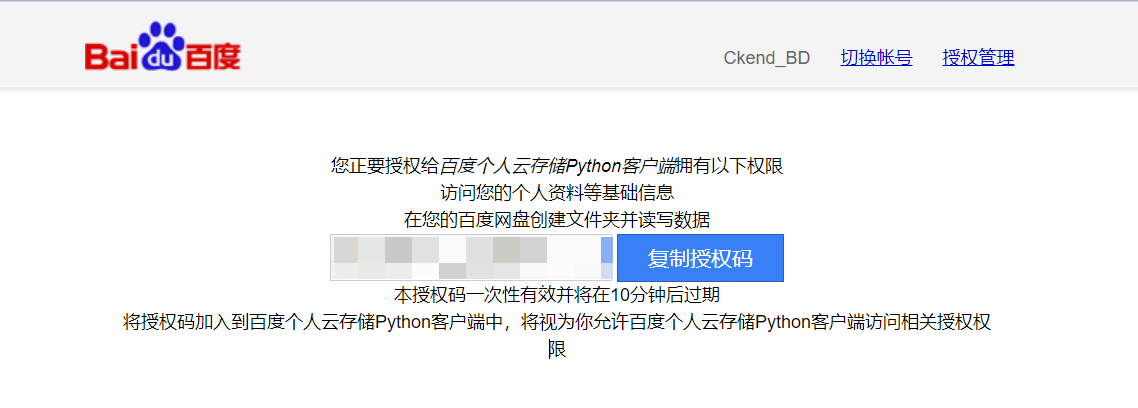
复制授权码,在终端输入并回车:
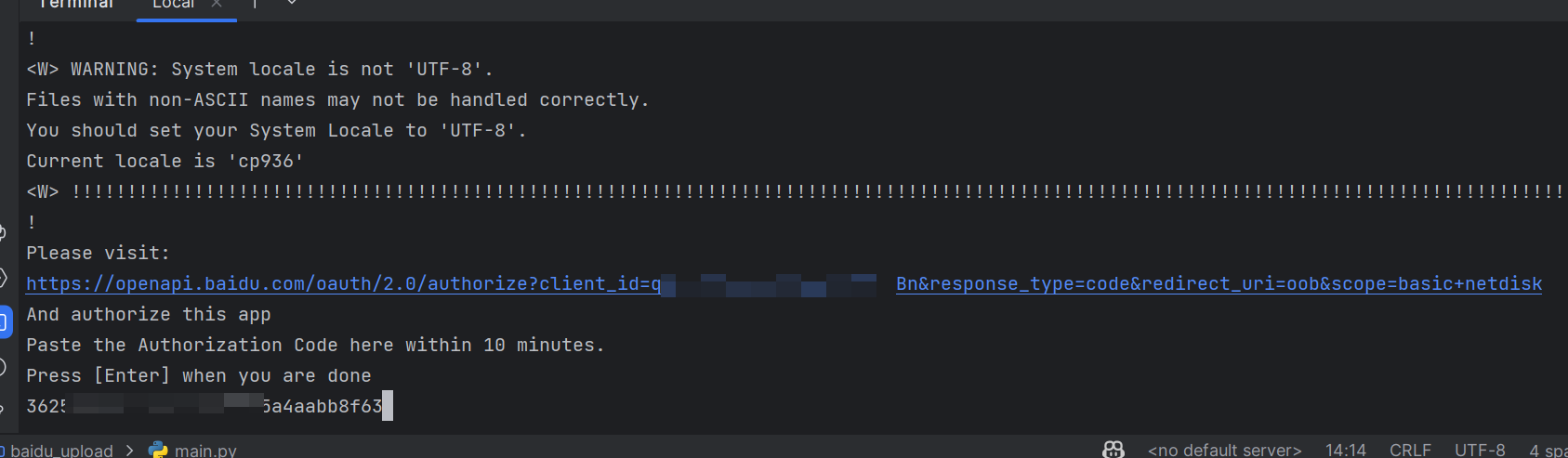
完成授权。

3.开始使用bypy

在你的百度网盘上的“我的网盘>我的应用数据”新建一个bypy文件夹,并放置文件:
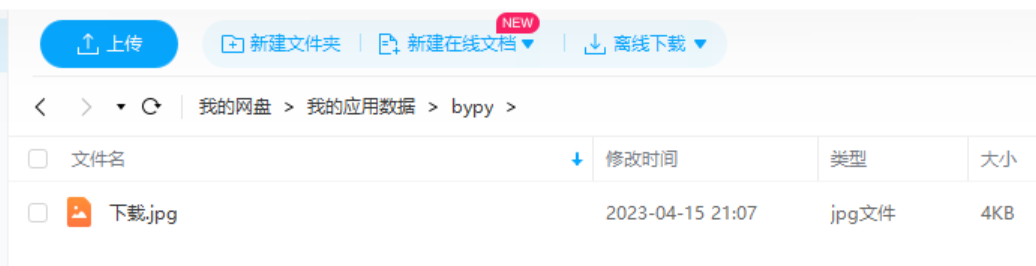
使用以下代码就可以获取到这个文件夹下的文件列表:

from bypy import ByPy
bp = ByPy()
print(bp.list())

效果如下:

4.文件上传功能

如果需要上传文件,只需要调用upload函数:

from bypy import ByPy
bp = ByPy()

bp.upload(r"C:\Users\83493\Downloads\Snipaste_2023-04-15_19-58-37.png", "Python实用宝典.png")
print(bp.list())

效果如下:
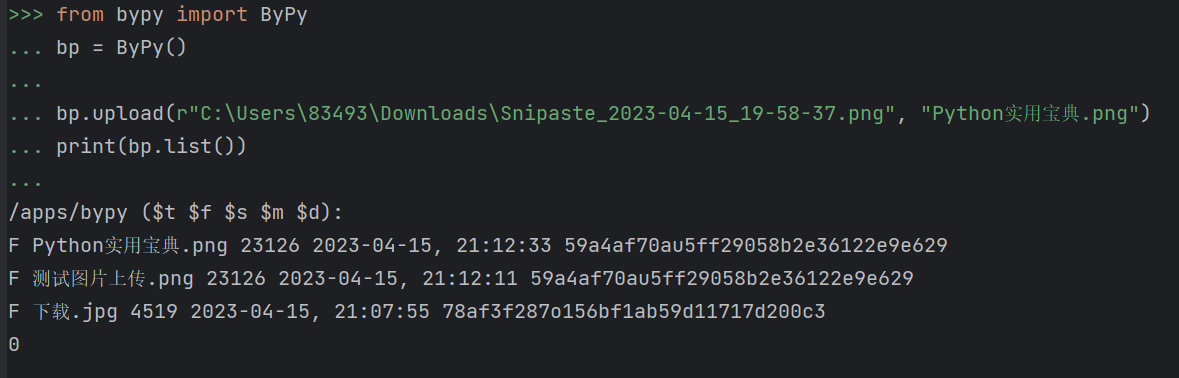
打开百度网盘测试一下:
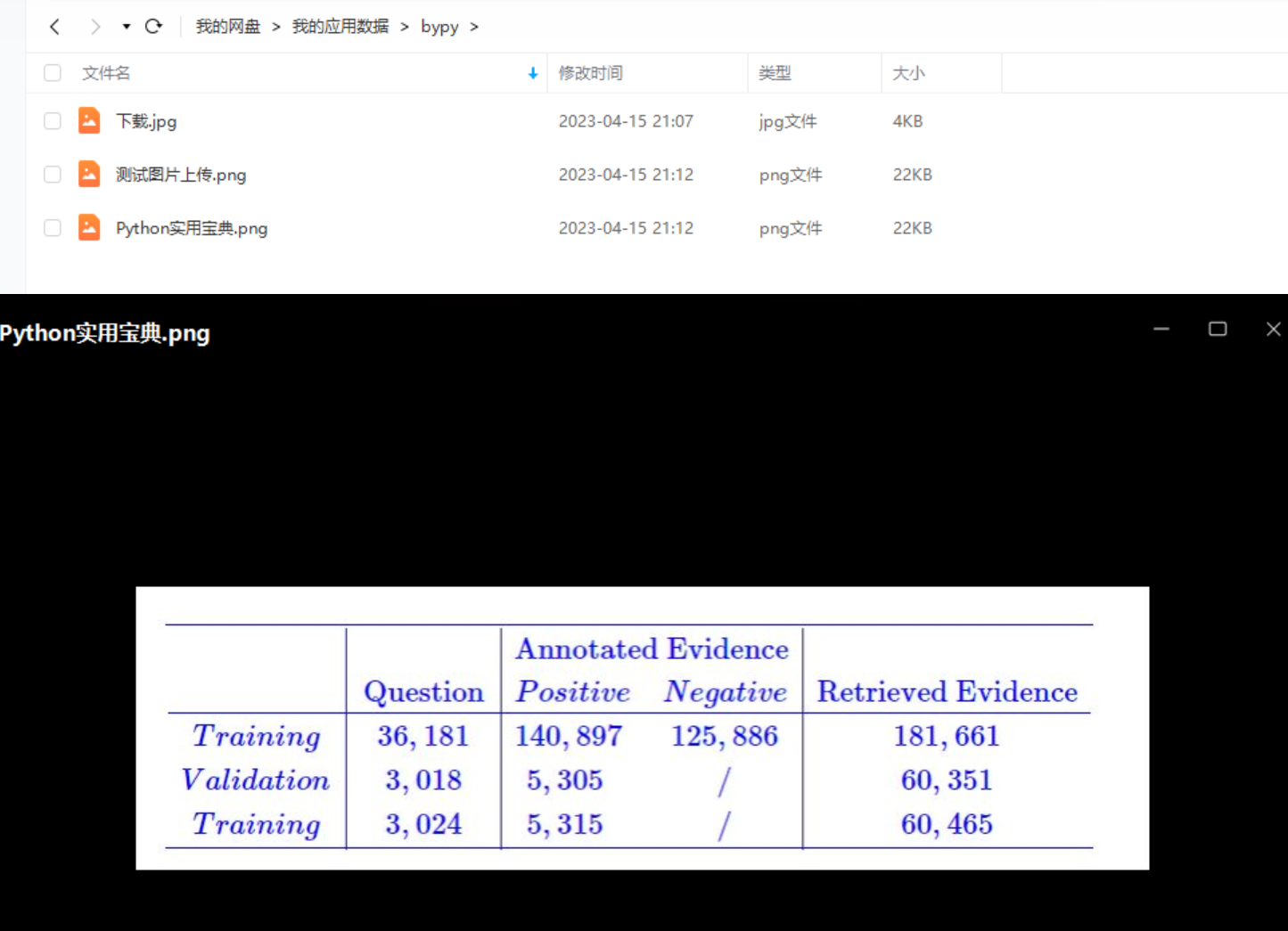
成功咧,真简单咧。

5.文件同步功能

你可以选择把整个文件夹统统同步到百度网盘,比如我这里有个文件夹要全部推送到百度网盘:
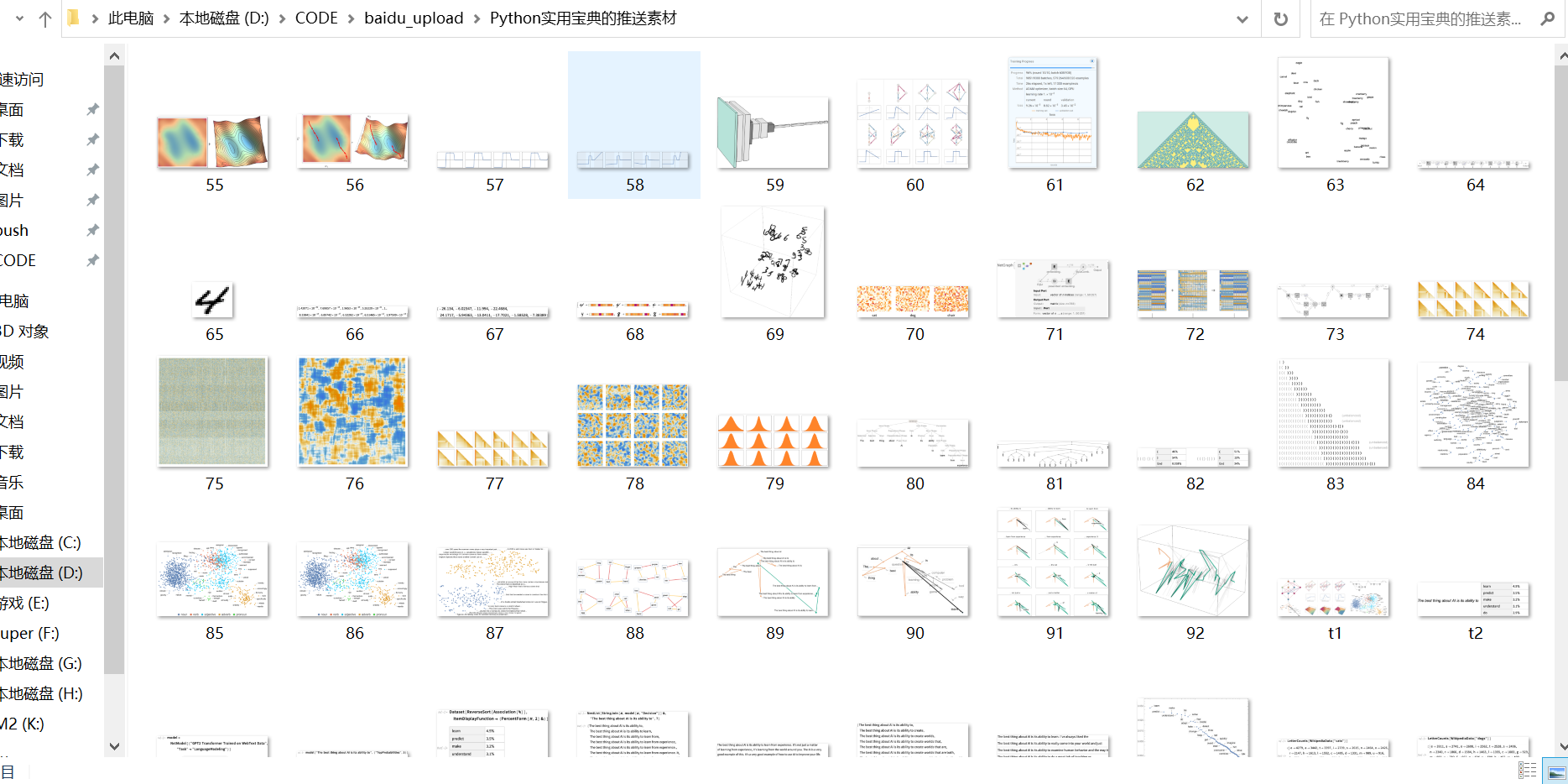
那么我们只需要这么写:

from bypy import ByPy
bp = ByPy()

bp.syncup(r"D:\CODE\baidu_upload\Python实用宝典的推送素材", "Python实用宝典的推送素材")
print(bp.list())

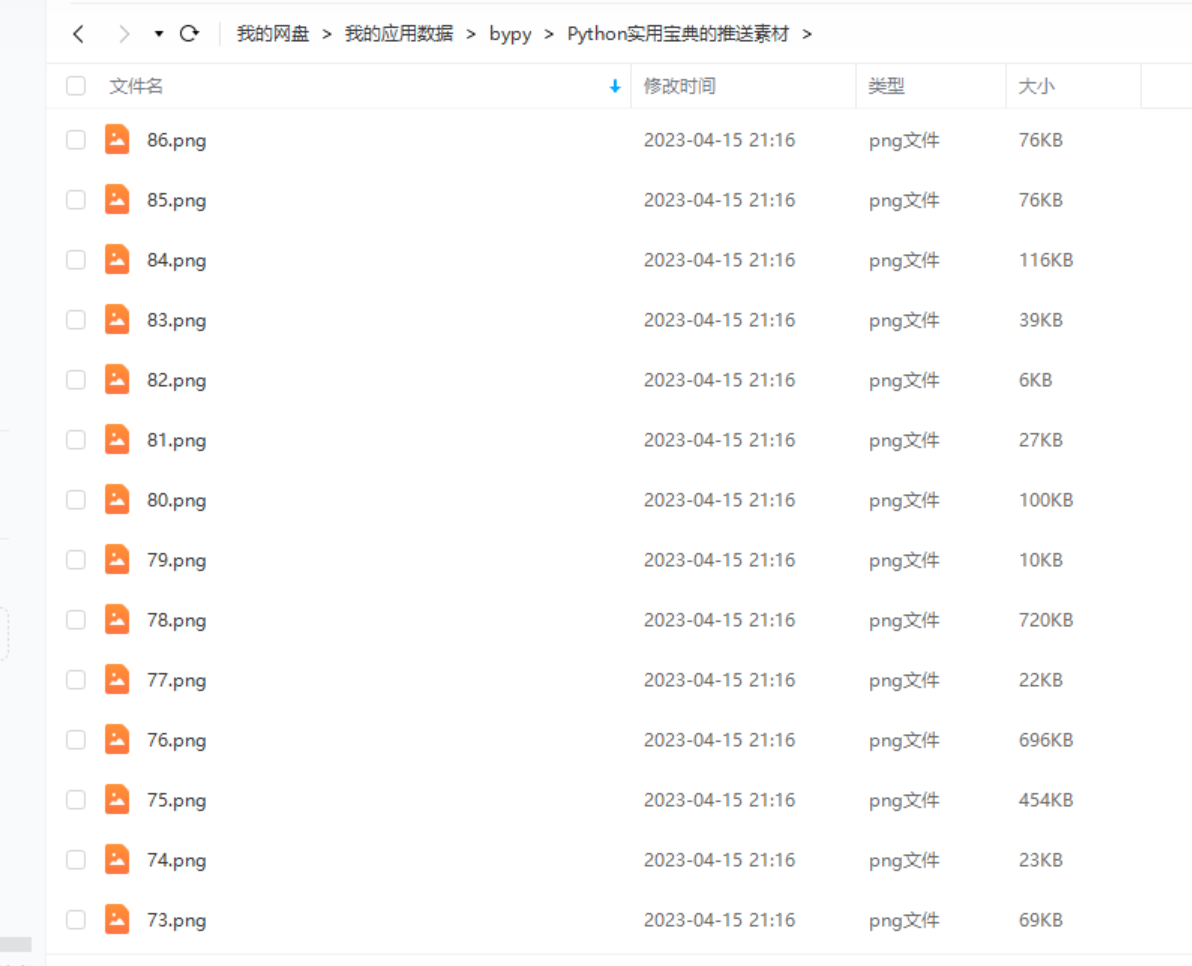
它会在”我的网盘/我的应用数据/bypy”下自动创建Python实用宝典的推送素材文件夹:
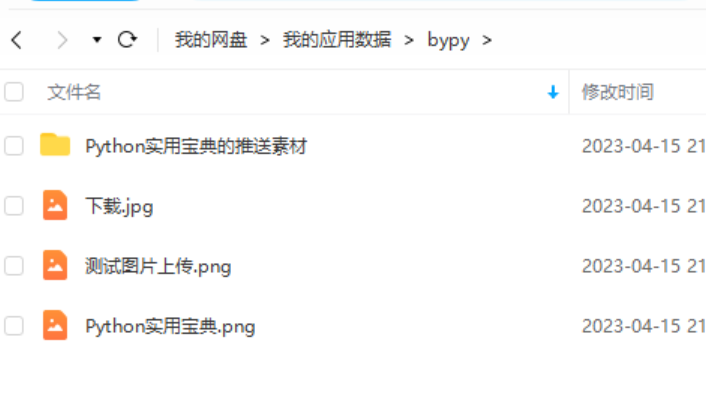
打开看看,你会发现所有文件都被自动同步上来了
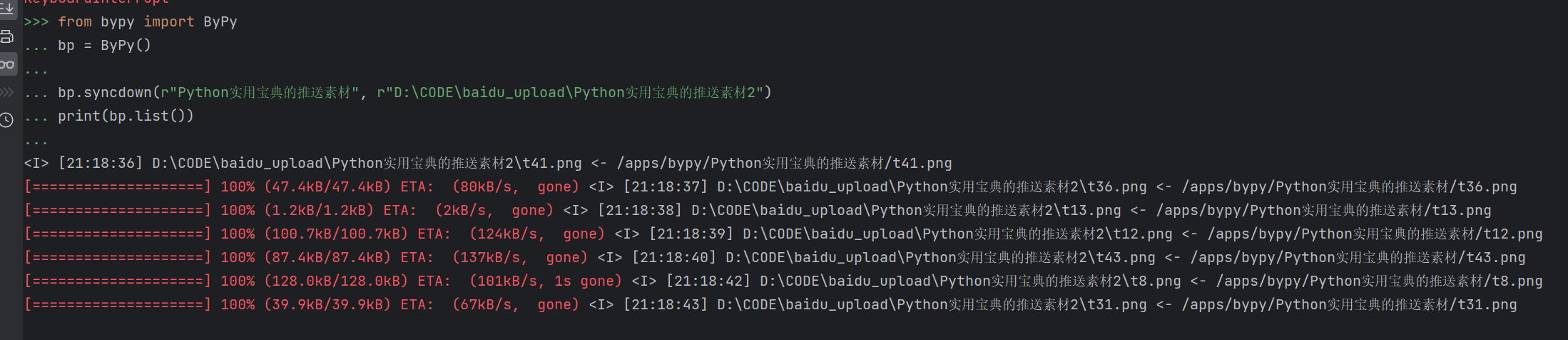
另外,还有一个 syncdown方法,是把 “我的网盘/我的应用数据/bypy” 下某个目录同步到本地:

from bypy import ByPy
bp = ByPy()

bp.syncdown(r"Python实用宝典的推送素材", "D:\CODE\baidu_upload\Python实用宝典的推送素材2")
print(bp.list())

效果如下,非常方便:
有需要的同学快试试吧!

我们的文章到此就结束啦,如果你喜欢今天的 Python 教程,请持续关注Python实用宝典。

有任何问题,可以在公众号后台回复:加群,回答相应验证信息,进入互助群询问。

原创不易,希望你能在下面点个赞和在看支持我继续创作,谢谢!


​Python实用宝典 ( pythondict.com )
不只是一个宝典
欢迎关注公众号:Python实用宝典

Pandas 性能优化

🏷️ 标签


Fatal error: Uncaught TypeError: implode(): Argument #2 ($array) must be of type ?array, string given in /www/wwwroot/pythondict/wp-content/plugins/wp-performance/vendor/matthiasmullie/minify/src/CSS.php:528 Stack trace: #0 /www/wwwroot/pythondict/wp-content/plugins/wp-performance/vendor/matthiasmullie/minify/src/CSS.php(528): implode() #1 /www/wwwroot/pythondict/wp-content/plugins/wp-performance/vendor/matthiasmullie/minify/src/CSS.php(314): MatthiasMullie\Minify\CSS->shortenColors() #2 /www/wwwroot/pythondict/wp-content/plugins/wp-performance/vendor/matthiasmullie/minify/src/Minify.php(111): MatthiasMullie\Minify\CSS->execute() #3 /www/wwwroot/pythondict/wp-content/plugins/wp-performance/includes/classes/minify.php(29): MatthiasMullie\Minify\Minify->minify() #4 /www/wwwroot/pythondict/wp-content/plugins/wp-performance/includes/classes/parser.php(176): WPP\Minify::code() #5 /www/wwwroot/pythondict/wp-content/plugins/wp-performance/includes/classes/parser.php(113): WPP\Parser->parseCSS() #6 /www/wwwroot/pythondict/wp-content/plugins/wp-performance/includes/classes/parser.php(35): WPP\Parser->parseTemplate() #7 /www/wwwroot/pythondict/wp-content/plugins/wp-performance/includes/classes/parser.php(60): WPP\Parser->__construct() #8 [internal function]: WPP\Parser::init() #9 /www/wwwroot/pythondict/wp-includes/functions.php(5481): ob_end_flush() #10 /www/wwwroot/pythondict/wp-includes/class-wp-hook.php(341): wp_ob_end_flush_all() #11 /www/wwwroot/pythondict/wp-includes/class-wp-hook.php(365): WP_Hook->apply_filters() #12 /www/wwwroot/pythondict/wp-includes/plugin.php(522): WP_Hook->do_action() #13 /www/wwwroot/pythondict/wp-includes/load.php(1308): do_action() #14 [internal function]: shutdown_action_hook() #15 {main} thrown in /www/wwwroot/pythondict/wp-content/plugins/wp-performance/vendor/matthiasmullie/minify/src/CSS.php on line 528


