你可以在代码中检查 Python 的版本,以确保你的用户没有在不兼容的版本中运行脚本。检查方式如下:ifnot sys.version_info > (2, 7): # berate your user for running a 10 year # python version elifnot sys.version_info >= (3, 5): # Kindly tell your user (s)he needs to upgrade # because you’re using 3.5 features
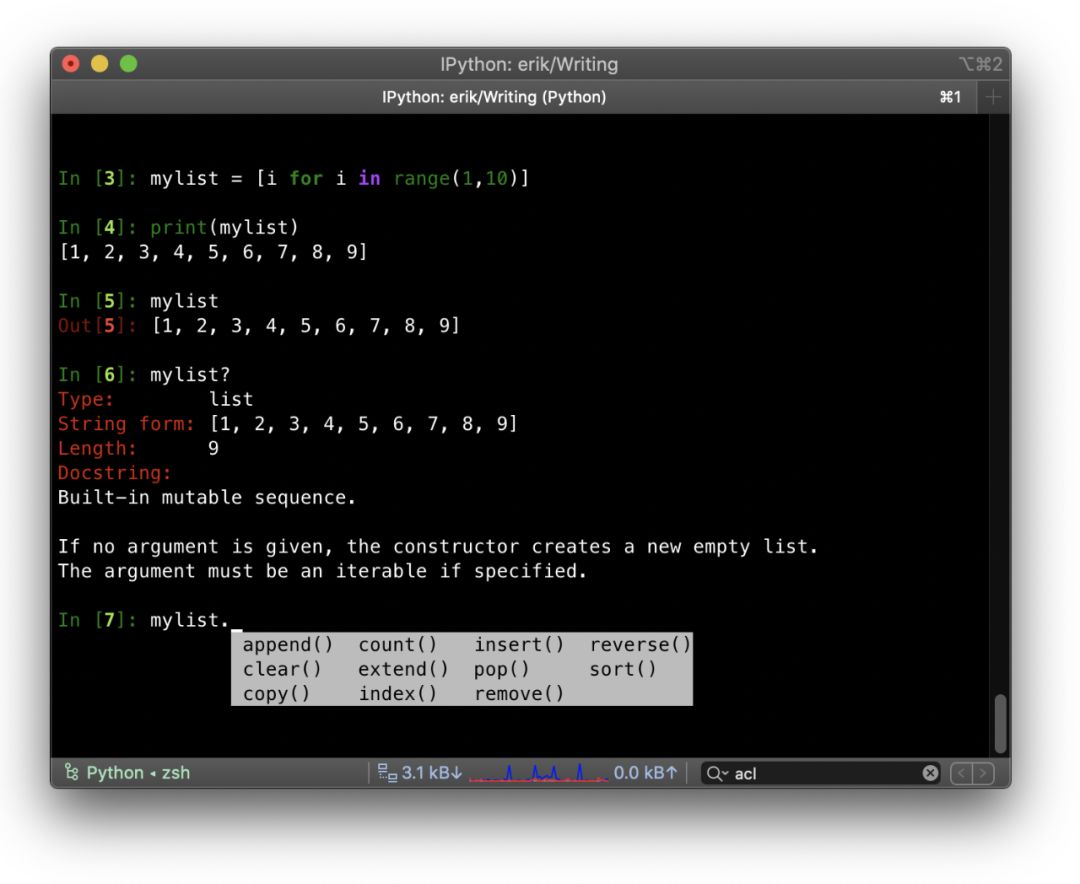
完整的命令列表,请点击此处查看(https://ipython.readthedocs.io/en/stable/interactive/magics.html)。还有一个非常实用的功能:引用上一个命令的输出。In 和 Out 是实际的对象。你可以通过 Out[3] 的形式使用第三个命令的输出。IPython 的安装命令如下:pip3 install ipython
4.Python 编程技巧 – 列表推导式
你可以利用列表推导式,避免使用循环填充列表时的繁琐。列表推导式的基本语法如下:[ expression for item in list if conditional ]举一个基本的例子:用一组有序数字填充一个列表:mylist = [i for i in range(10)] print(mylist) # [0, 1, 2, 3, 4, 5, 6, 7, 8, 9]由于可以使用表达式,所以你也可以做一些算术运算:squares = [x**2 for x in range(10)] print(squares) # [0, 1, 4, 9, 16, 25, 36, 49, 64, 81]甚至可以调用外部函数:defsome_function(a): return (a + 5) / 2
my_formula = [some_function(i) for i in range(10)] print(my_formula) # [2, 3, 3, 4, 4, 5, 5, 6, 6, 7]
最后,你还可以使用 ‘if’ 来过滤列表。在如下示例中,我们只保留能被2整除的数字:filtered = [i for i in range(20) if i%2==0] print(filtered) # [0, 2, 4, 6, 8, 10, 12, 14, 16, 18]
有些人非常喜欢表情符,而有些人则深恶痛绝。我在此郑重声明:在分析社交媒体数据时,表情符可以派上大用场。首先,我们来安装表情符模块:pip3 install emoji安装完成后,你可以按照如下方式使用:import emoji result = emoji.emojize(‘Python is :thumbs_up:’) print(result) # ‘Python is 👍’
# You can also reverse this: result = emoji.demojize(‘Python is 👍’) print(result) # ‘Python is :thumbs_up:’
# Convert a string representation of # a number into a list of ints. list_of_ints = list(map(int, “1234567”))) print(list_of_ints) # [1, 2, 3, 4, 5, 6, 7]
# And since a string can be treated like a # list of letters, you can also get the # unique letters from a string this way: print (set(“aaabbbcccdddeeefff”)) # {‘a’, ‘b’, ‘c’, ‘d’, ‘e’, ‘f’}
虽然你可以用三重引号将代码中的多行字符串括起来,但是这种做法并不理想。所有放在三重引号之间的内容都会成为字符串,包括代码的格式,如下所示。我更喜欢另一种方法,这种方法不仅可以将多行字符串连接在一起,而且还可以保证代码的整洁。唯一的缺点是你需要明确指定换行符。s1 = “””Multi line strings can be put between triple quotes. It’s not ideal when formatting your code though”””
print (s1) # Multi line strings can be put # between triple quotes. It’s not ideal # when formatting your code though
s2 = (“You can also concatenate multiple\n” + “strings this way, but you’ll have to\n” “explicitly put in the newlines”)
print(s2) # You can also concatenate multiple # strings this way, but you’ll have to # explicitly put in the newlines
24. Python 编程技巧 – 条件赋值中的三元运算符
这种方法可以让代码更简洁,同时又可以保证代码的可读性:[on_true] if [expression] else [on_false]示例如下:x = “Success!” if (y == 2) else“Failed!”
print(Fore.RED + ‘some red text’) print(Back.GREEN + ‘and with a green background’) print(Style.DIM + ‘and in dim text’) print(Style.RESET_ALL) print(‘back to normal now’)
row = {}
for line in re.split("[\n ]*\n[\n ]*", movie_info_txt):
    line = line.strip()
    arr = line.split(": ", maxsplit=1)
    if len(arr) != 2:
        continue
    k, v = arr
    row[k] = v
row
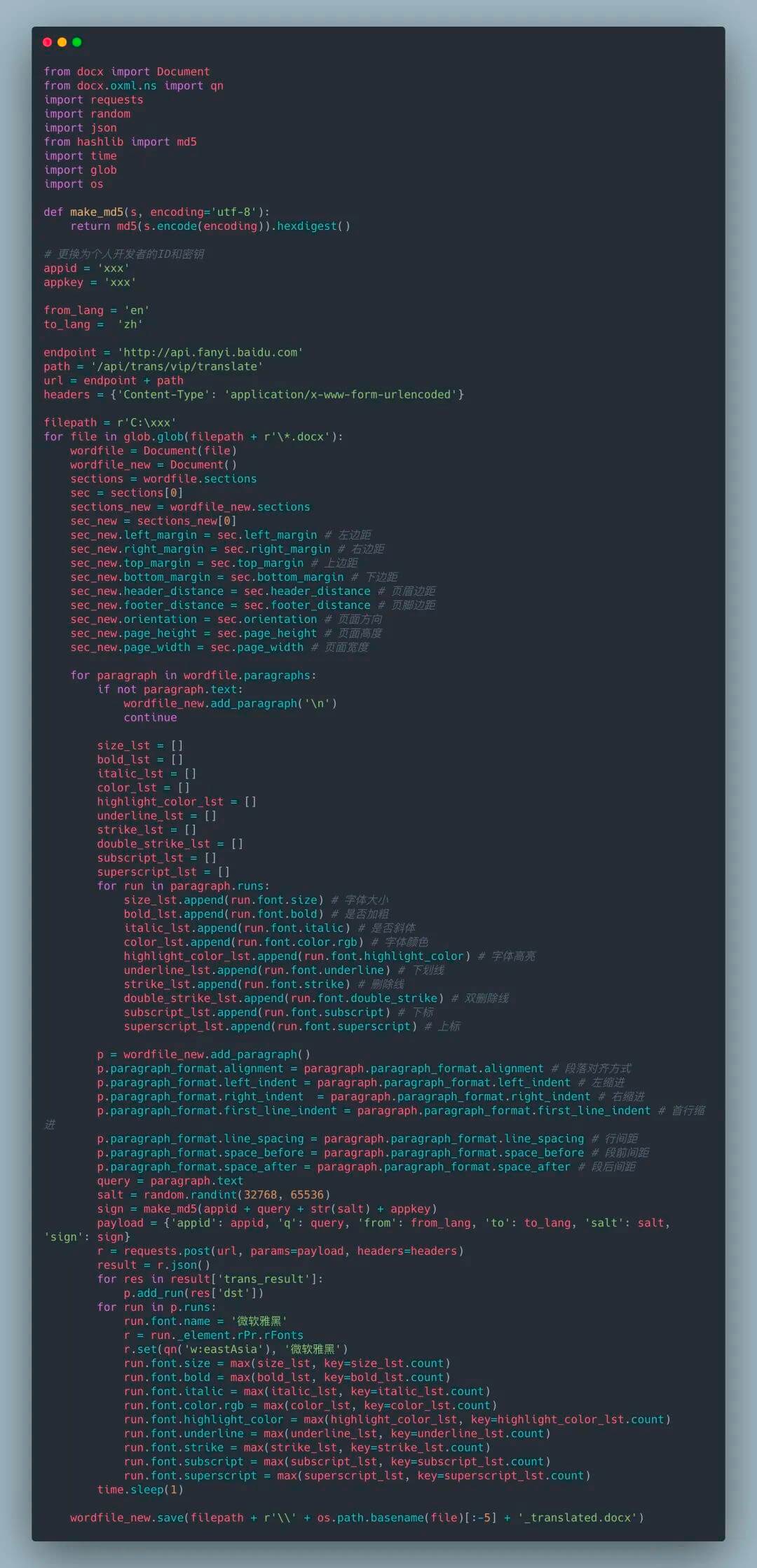
import requests from lxml import etree import pandas as pd import re from concurrent.futures import ThreadPoolExecutor, wait, ALL_COMPLETED
deffetch_content(url): print(url) headers = { "Accept-Encoding": "Gzip", # 使用gzip压缩传输数据让访问更快 "User-Agent": "Mozilla/5.0 (Windows NT 6.1; WOW64) AppleWebKit/537.36 (KHTML, like Gecko) Chrome/78.0.3904.108 Safari/537.36" } r = requests.get(url, headers=headers) return r.text
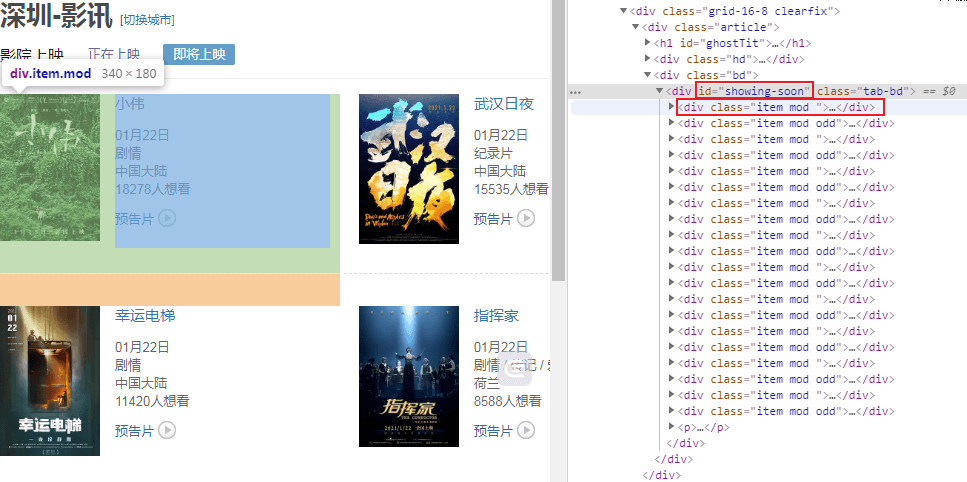
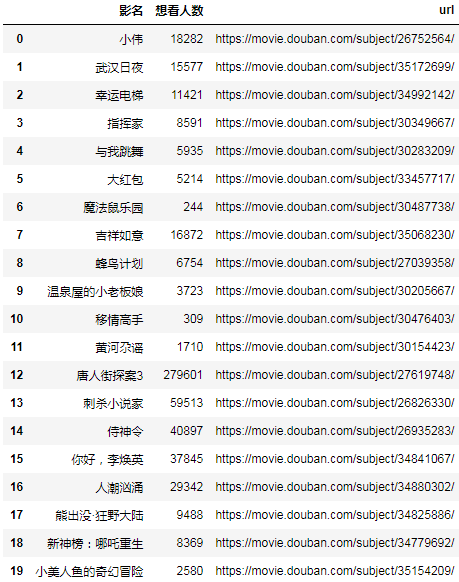
url = "https://movie.douban.com/cinema/later/shenzhen/" init_page = fetch_content(url) html = etree.HTML(init_page) all_movies = html.xpath("//div[@id='showing-soon']/div") result = [] for e in all_movies: # imgurl, = e.xpath(".//img/@src") name, = e.xpath(".//div[@class='intro']/h3/a/text()") url, = e.xpath(".//div[@class='intro']/h3/a/@href") # date, movie_type, pos = e.xpath(".//div[@class='intro']/ul/li[@class='dt']/text()") like_num, = e.xpath( ".//div[@class='intro']/ul/li[@class='dt last']/span/text()") result.append((name, int(like_num[:like_num.find("人")]), url)) main_df = pd.DataFrame(result, columns=["影名", "想看人数", "url"])
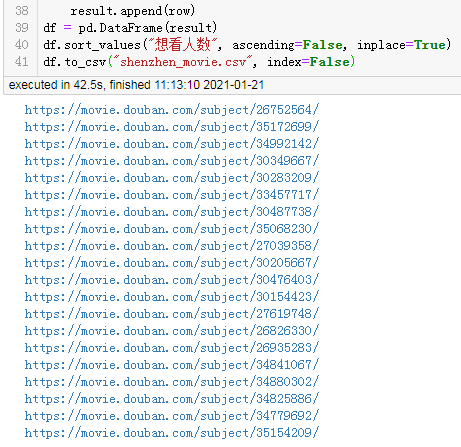
max_workers = main_df.shape[0] with ThreadPoolExecutor(max_workers=max_workers) as executor: future_tasks = [executor.submit(fetch_content, url) for url in main_df.url] wait(future_tasks, return_when=ALL_COMPLETED) pages = [future.result() for future in future_tasks]
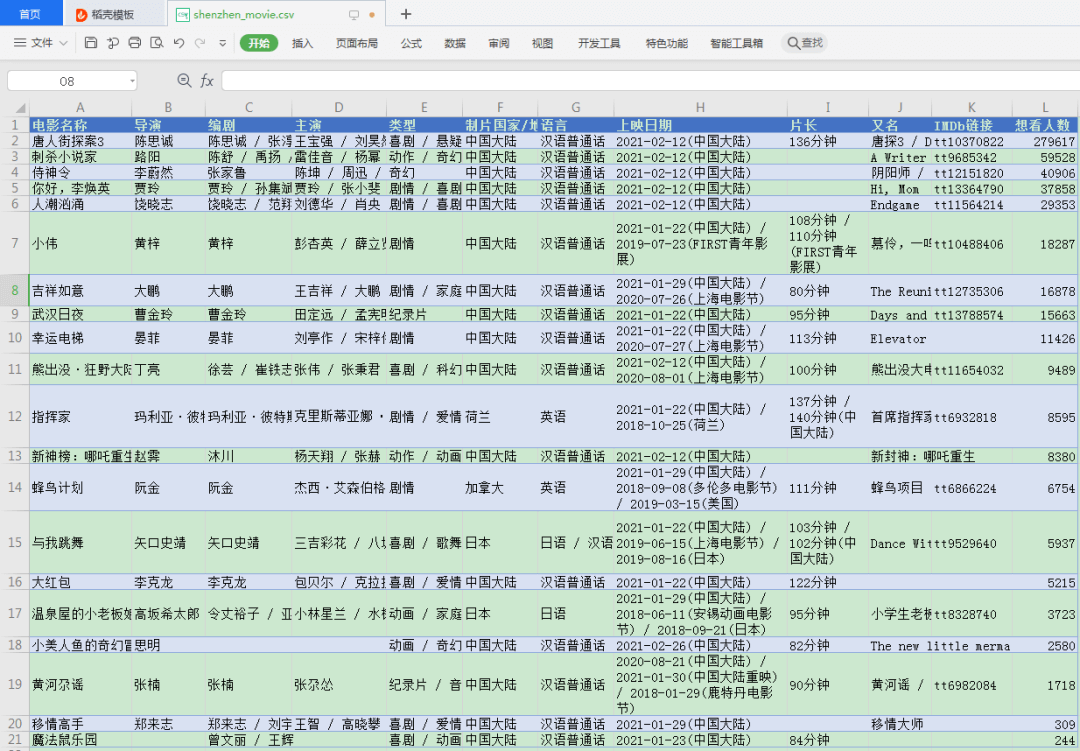
result = [] for url, html_text in zip(main_df.url, pages): html = etree.HTML(html_text) row = {} for line in re.split("[\n ]*\n[\n ]*", "".join(html.xpath("//div[@id='info']//text()")).strip()): line = line.strip() arr = line.split(": ", maxsplit=1) if len(arr) != 2: continue k, v = arr row[k] = v row["url"] = url result.append(row) detail_df = pd.DataFrame(result) df = main_df.merge(detail_df, on="url") df.drop(columns=["url"], inplace=True) df.sort_values("想看人数", ascending=False, inplace=True) df.to_csv("shenzhen_movie2.csv", index=False) df
from wsgiref.simple_server import make_server import falcon
classThingsResource: defon_get(self, req, resp): """Handles GET requests""" resp.status = falcon.HTTP_200 # This is the default status resp.content_type = falcon.MEDIA_TEXT # Default is JSON, so override resp.text = ('\nTwo things awe me most, the starry sky ' 'above me and the moral law within me.\n' '\n' ' ~ Immanuel Kant\n\n')
app = falcon.App()
things = ThingsResource()
app.add_route('/things', things)
if __name__ == '__main__': with make_server('', 8000, app) as httpd: print('Serving on port 8000...')
还有一个问题可能你们不知道,Sanic 在创建之初目标就是创建一个可以用于生产环境的 Web 框架。可能有些框架会明确的说明框架中自带的 Run 方法仅用于测试环境,不要使用自带的 Run 方法用于部署环境。但是 Sanic 所创建的不止是一个用于测试环境的应用,更是可以直接用在生产环境中的应用。省去了使用 unicorn 等部署的烦恼!
import requests import pandas as pd from bs4 import BeautifulSoup from lxml import etree import time import pymysql from sqlalchemy import create_engine from urllib.parse import urlencode # 编码 URL 字符串
# 多进程 from multiprocessing import Pool if __name__ == '__main__': pool = Pool(4) pool.map(main, [i for i in range(1,178)]) #共有178页 endtime = time.time()-start_time print('程序运行了%.2f秒' %(time.time()-start_time))
DEBUG:schedule:Running *all* 1 jobs with 0s delay in between
DEBUG:schedule:Running job Job(interval=1, unit=seconds, do=job, args=(), kwargs={})
Hello, Logs
DEBUG:schedule:Deleting *all* jobs
from flashtext import KeywordProcessor
# 1. 初始化关键字处理器
keyword_processor = KeywordProcessor()
# 2. 添加关键词
keyword_processor.add_keyword('New Delhi', 'NCR region')
# 3. 替换关键词
new_sentence = keyword_processor.replace_keywords('I love Big Apple and new delhi.')
# 4. 结果
print(new_sentence)
# 'I love New York and NCR region.'
关键词大小写敏感
如果你需要精确提取,识别大小写字母,那么你可以在处理器初始化的时候设定 sensitive 参数:
from flashtext import KeywordProcessor
# 1. 初始化关键字处理器, 注意设置大小写敏感(case_sensitive)为TRUE
keyword_processor = KeywordProcessor(case_sensitive=True)
# 2. 添加关键词
keyword_processor.add_keyword('Big Apple', 'New York')
keyword_processor.add_keyword('Bay Area')
# 3. 处理目标句子并提取相应关键词
keywords_found = keyword_processor.extract_keywords('I love big Apple and Bay Area.')
# 4. 结果
print(keywords_found)
# ['Bay Area']

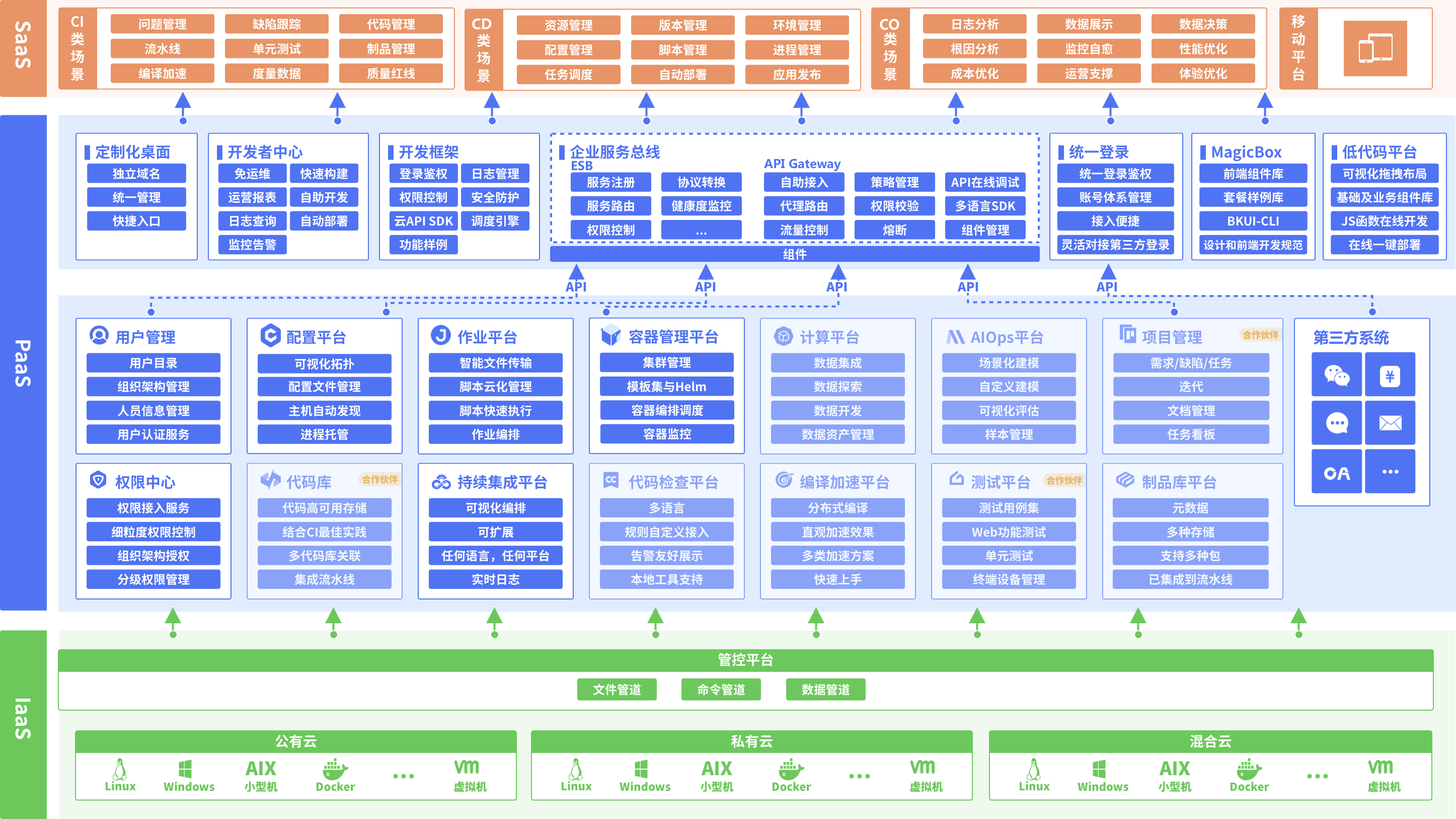
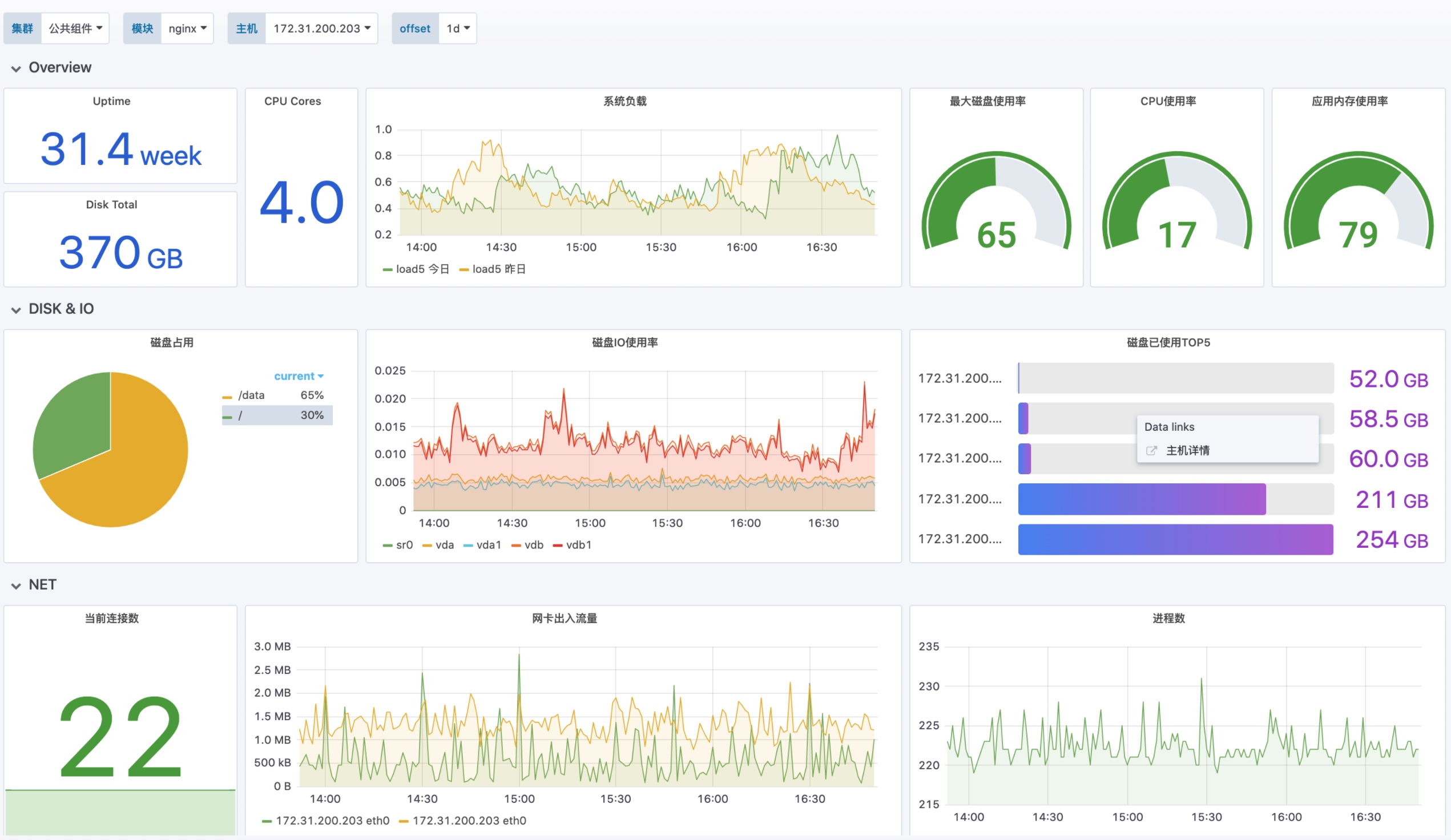








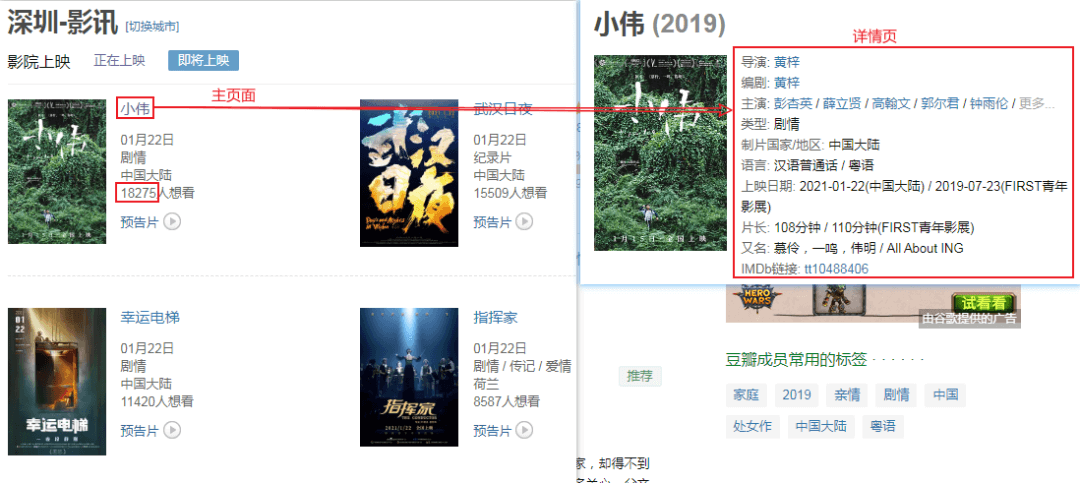

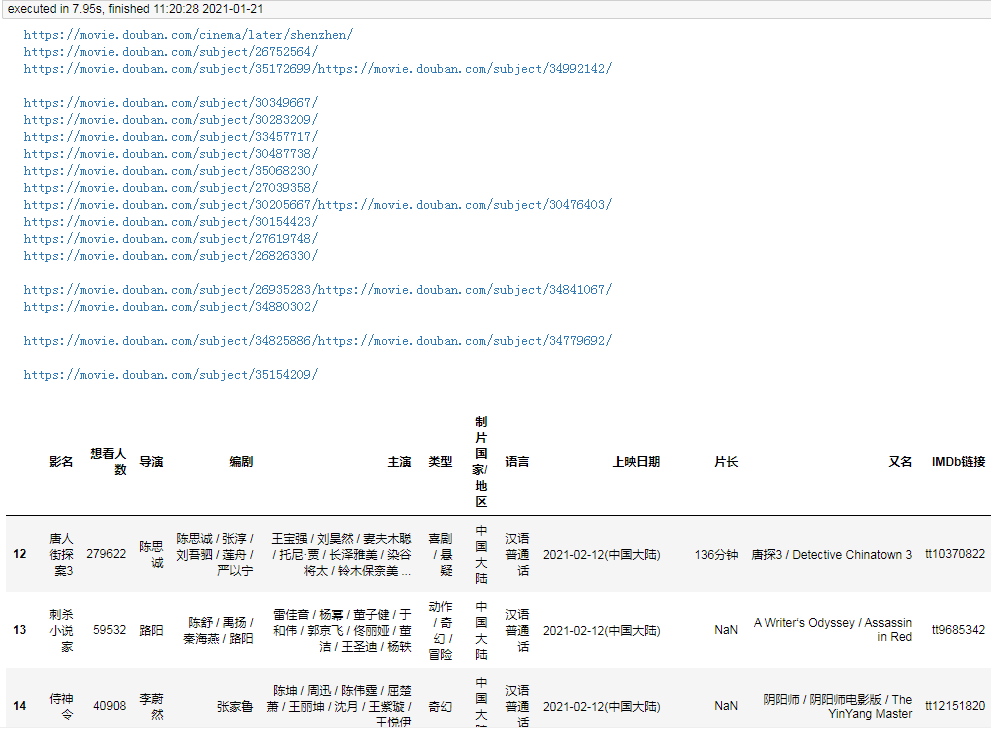
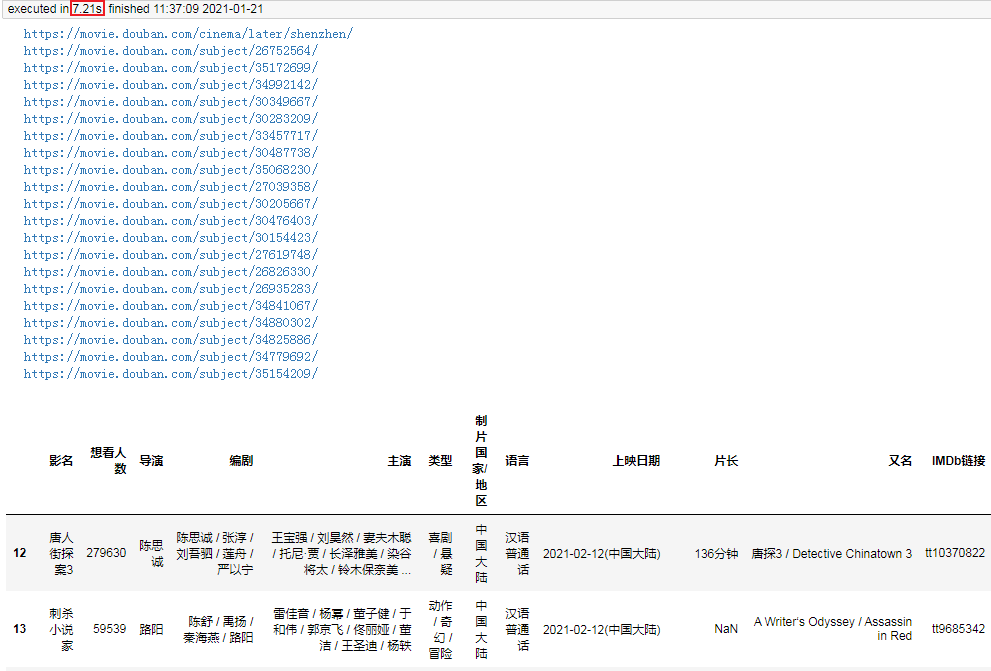
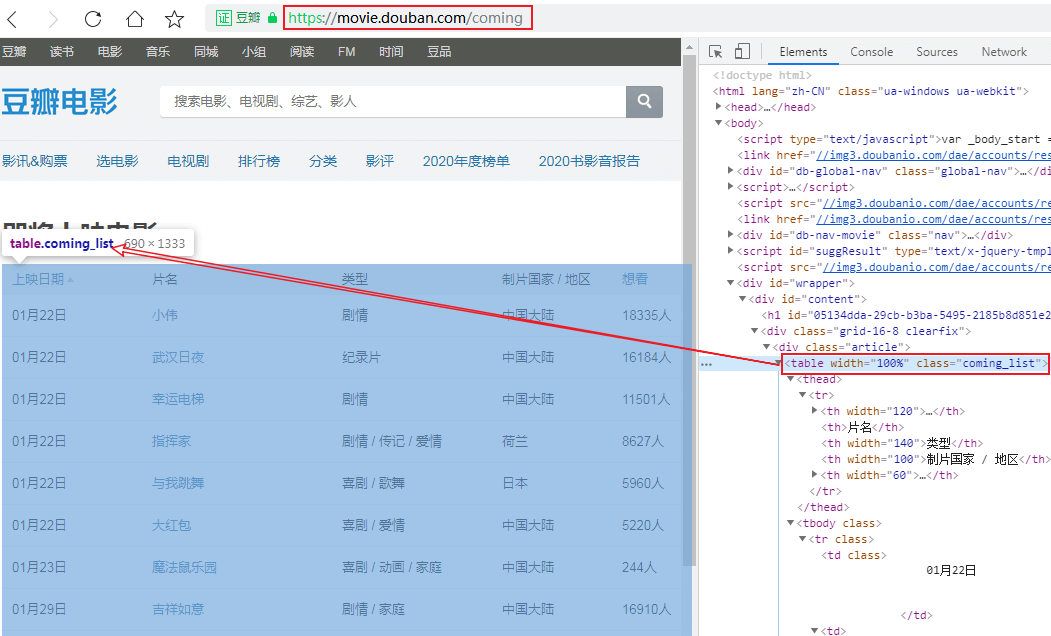
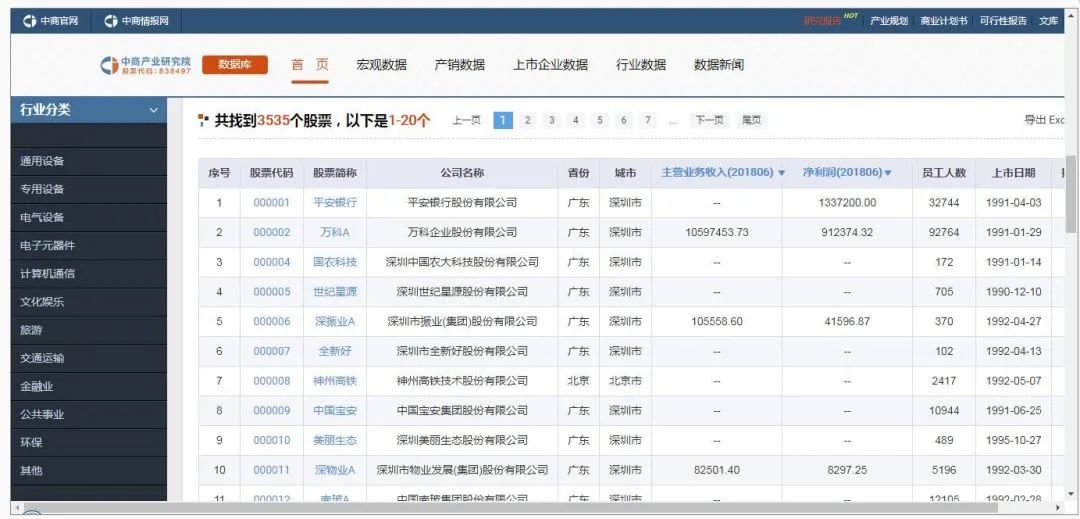
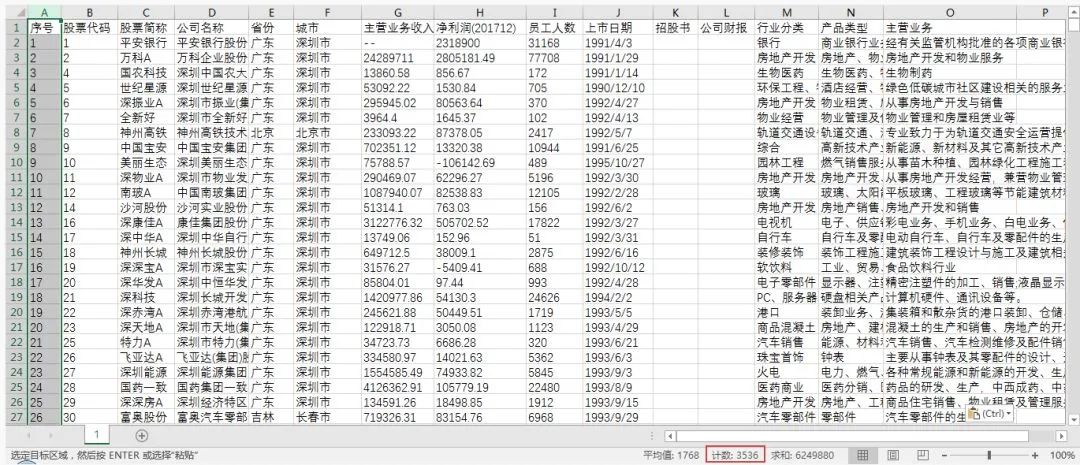
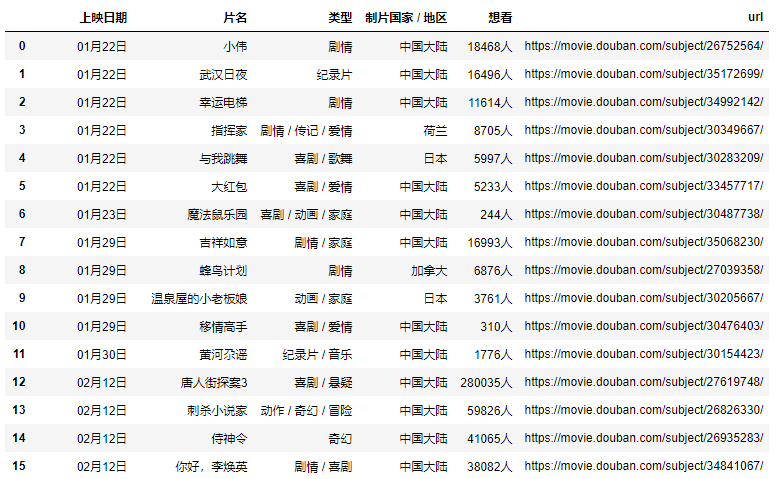 这样就能到了主页面的完整数据,再简单的处理一下即可