分类目录归档:知识问答

Python函数如何处理您传入的参数类型?

问题:Python函数如何处理您传入的参数类型?

除非我没有记错,否则在Python中创建函数的工作方式如下:

def my_func(param1, param2):
    # stuff

但是,您实际上并未提供这些参数的类型。另外,如果我记得,Python是一种强类型语言,因此,似乎Python不应让您传递与函数创建者所期望的类型不同的参数。但是,Python如何知道函数的用户正在传递正确的类型?假定函数实际上使用了参数,那么如果类型错误,程序会死掉吗?您必须指定类型吗?

Unless I’m mistaken, creating a function in Python works like this:

def my_func(param1, param2):
    # stuff

However, you don’t actually give the types of those parameters. Also, if I remember, Python is a strongly typed language, as such, it seems like Python shouldn’t let you pass in a parameter of a different type than the function creator expected. However, how does Python know that the user of the function is passing in the proper types? Will the program just die if it’s the wrong type, assuming the function actually uses the parameter? Do you have to specify the type?


回答 0

Python是强类型的,因为每个对象都有一个类型,每个对象都知道其类型,不可能无意或故意使用类型“好像”它是不同类型的对象,并且对该对象的所有基本操作都是委托给它的类型。

这与名称无关。Python中的名称没有“具有类型”:如果且在定义名称时,该名称指向一个对象,并且该对象确实具有一个类型(但实际上并不会强制该名称使用类型:名称是一个名称)。

Python中的名称可以很好地在不同时间引用不同的对象(就像在大多数编程语言中一样,尽管不是全部)-并且名称不受任何限制,因此,如果它曾经引用过X类型的对象,这样一来,便永远只能引用其他类型为X的对象。名称的约束不属于“强类型”概念的一部分,尽管一些静态类型的爱好者(名称确实受到约束,并且在静态AKA中会编译-时间,时尚也是如此)请勿以这种方式滥用该术语。

Python is strongly typed because every object has a type, every object knows its type, it’s impossible to accidentally or deliberately use an object of a type “as if” it was an object of a different type, and all elementary operations on the object are delegated to its type.

This has nothing to do with names. A name in Python doesn’t “have a type”: if and when a name’s defined, the name refers to an object, and the object does have a type (but that doesn’t in fact force a type on the name: a name is a name).

A name in Python can perfectly well refer to different objects at different times (as in most programming languages, though not all) — and there is no constraint on the name such that, if it has once referred to an object of type X, it’s then forevermore constrained to refer only to other objects of type X. Constraints on names are not part of the concept of “strong typing”, though some enthusiasts of static typing (where names do get constrained, and in a static, AKA compile-time, fashion, too) do misuse the term this way.


回答 1

其他答案在解释鸭子的类型和tzot的简单答案方面做得很好:

Python没有变量,就像其他语言一样,变量具有类型和值。它具有指向对象的名称,这些对象知道其类型。

但是,自2010年(首次提出该问题)以来,发生了一件有趣的事情,即PEP 3107的实现(在Python 3中实现)。现在,您实际上可以像这样指定参数的类型和函数的返回类型的类型:

def pick(l: list, index: int) -> int:
    return l[index]

我们在这里可以看到pick有两个参数,一个列表l和一个整数index。它还应该返回一个整数。

因此,这里暗示的l是一个整数列表,我们可以很轻松地看到它,但是对于更复杂的函数,该列表应包含的内容可能会有些混乱。我们还希望默认值为index0。要解决此问题,您可以选择这样写pick

def pick(l: "list of ints", index: int = 0) -> int:
    return l[index]

请注意,我们现在在字符串中添加了类型为的字符串l,这在语法上是允许的,但是对于以编程方式进行解析不是很好(我们将在后面介绍)。

重要的是要注意,TypeError如果将float传递给Python,Python不会引发index,这是Python设计哲学的主要观点之一:“我们都同意这里的成年人”,这意味着您应该注意可以传递给函数的内容以及不能传递给函数的内容。如果您确实想编写引发TypeErrors的代码,则可以使用该isinstance函数来检查所传递的参数是正确的类型还是其子类,如下所示:

def pick(l: list, index: int = 0) -> int:
    if not isinstance(l, list):
        raise TypeError
    return l[index]

下一部分和评论中将详细讨论为什么不应该这样做以及应该做什么。

PEP 3107不仅提高了代码的可读性,而且具有一些合适的用例,您可以在此处阅读。


随着PEP 484的引入,类型注释在Python 3.5中得到了更多的关注,PEP 484引入了用于类型提示的标准模块。

这些类型提示来自类型检查器mypyGitHub),它现在符合PEP 484

键入模块随附了非常全面的类型提示集合,包括:

  • ListTupleSetMap-为listtuplesetmap分别。
  • Iterable -对生成器有用。
  • Any -什么时候可以。
  • Union-相对于,它可以是指定类型集中的任何内容Any
  • Optional可能为“无”时。的简写Union[T, None]
  • TypeVar -与泛型一起使用。
  • Callable -主要用于函数,但可以用于其他可调用项。

这些是最常见的类型提示。可以在打字模块文档中找到完整的清单。

这是使用打字模块中引入的注释方法的旧示例:

from typing import List

def pick(l: List[int], index: int) -> int:
    return l[index]

一个强大的功能是Callable允许您键入将函数作为参数的注释方法。例如:

from typing import Callable, Any, Iterable

def imap(f: Callable[[Any], Any], l: Iterable[Any]) -> List[Any]:
    """An immediate version of map, don't pass it any infinite iterables!"""
    return list(map(f, l))

上面的示例可以通过使用TypeVar而不是来变得更加精确Any,但是这留给了读者练习,因为我相信我已经在答案中添加了有关类型提示所启用的出色新功能的过多信息。


以前,当编写一个带有Sphinx的文档化Python代码时,可以通过编写如下格式的文档字符串来获得上述某些功能:

def pick(l, index):
    """
    :param l: list of integers
    :type l: list
    :param index: index at which to pick an integer from *l*
    :type index: int
    :returns: integer at *index* in *l*
    :rtype: int
    """
    return l[index]

如您所见,这会花费很多额外的行(确切的行数取决于您想要的显式程度以及格式化文档字符串的方式)。但是,现在您应该清楚PEP 3107如何提供在许多(所有方式)方面都优越的替代方案。如我们所见,与PEP 484结合使用时尤其如此,如我们所见,PEP 484提供了一个标准模块,该模块定义了这些类型提示/注释的语法,该语法可以以明确,准确而灵活的方式使用,从而强大的组合。

我个人认为,这是Python上最伟大的功能之一。我等不及人们开始利用它的力量了。抱歉,答案很长,但是当我兴奋时就会发生这种情况。


此处可以找到大量使用类型提示的Python代码示例。

The other answers have done a good job at explaining duck typing and the simple answer by tzot:

Python does not have variables, like other languages where variables have a type and a value; it has names pointing to objects, which know their type.

However, one interesting thing has changed since 2010 (when the question was first asked), namely the implementation of PEP 3107 (implemented in Python 3). You can now actually specify the type of a parameter and the type of the return type of a function like this:

def pick(l: list, index: int) -> int:
    return l[index]

We can here see that pick takes 2 parameters, a list l and an integer index. It should also return an integer.

So here it is implied that l is a list of integers which we can see without much effort, but for more complex functions it can be a bit confusing as to what the list should contain. We also want the default value of index to be 0. To solve this you may choose to write pick like this instead:

def pick(l: "list of ints", index: int = 0) -> int:
    return l[index]

Note that we now put in a string as the type of l, which is syntactically allowed, but it is not good for parsing programmatically (which we’ll come back to later).

It is important to note that Python won’t raise a TypeError if you pass a float into index, the reason for this is one of the main points in Python’s design philosophy: “We’re all consenting adults here”, which means you are expected to be aware of what you can pass to a function and what you can’t. If you really want to write code that throws TypeErrors you can use the isinstance function to check that the passed argument is of the proper type or a subclass of it like this:

def pick(l: list, index: int = 0) -> int:
    if not isinstance(l, list):
        raise TypeError
    return l[index]

More on why you should rarely do this and what you should do instead is talked about in the next section and in the comments.

PEP 3107 does not only improve code readability but also has several fitting use cases which you can read about here.


Type annotation got a lot more attention in Python 3.5 with the introduction of PEP 484 which introduces a standard module for type hints.

These type hints came from the type checker mypy (GitHub), which is now PEP 484 compliant.

With the typing module comes with a pretty comprehensive collection of type hints, including:

  • List, Tuple, Set, Map – for list, tuple, set and map respectively.
  • Iterable – useful for generators.
  • Any – when it could be anything.
  • Union – when it could be anything within a specified set of types, as opposed to Any.
  • Optional – when it might be None. Shorthand for Union[T, None].
  • TypeVar – used with generics.
  • Callable – used primarily for functions, but could be used for other callables.

These are the most common type hints. A complete listing can be found in the documentation for the typing module.

Here is the old example using the annotation methods introduced in the typing module:

from typing import List

def pick(l: List[int], index: int) -> int:
    return l[index]

One powerful feature is the Callable which allows you to type annotate methods that take a function as an argument. For example:

from typing import Callable, Any, Iterable

def imap(f: Callable[[Any], Any], l: Iterable[Any]) -> List[Any]:
    """An immediate version of map, don't pass it any infinite iterables!"""
    return list(map(f, l))

The above example could become more precise with the usage of TypeVar instead of Any, but this has been left as an exercise to the reader since I believe I’ve already filled my answer with too much information about the wonderful new features enabled by type hinting.


Previously when one documented Python code with for example Sphinx some of the above functionality could be obtained by writing docstrings formatted like this:

def pick(l, index):
    """
    :param l: list of integers
    :type l: list
    :param index: index at which to pick an integer from *l*
    :type index: int
    :returns: integer at *index* in *l*
    :rtype: int
    """
    return l[index]

As you can see, this takes a number of extra lines (the exact number depends on how explicit you want to be and how you format your docstring). But it should now be clear to you how PEP 3107 provides an alternative that is in many (all?) ways superior. This is especially true in combination with PEP 484 which, as we have seen, provides a standard module that defines a syntax for these type hints/annotations that can be used in such a way that it is unambiguous and precise yet flexible, making for a powerful combination.

In my personal opinion, this is one of the greatest features in Python ever. I can’t wait for people to start harnessing the power of it. Sorry for the long answer, but this is what happens when I get excited.


An example of Python code which heavily uses type hinting can be found here.


回答 2

您没有指定类型。该方法仅在尝试访问传入的参数上未定义的属性时(运行时)失败。

所以这个简单的功能:

def no_op(param1, param2):
    pass

……无论传入什么两个参数,都不会失败。

但是,此功能:

def call_quack(param1, param2):
    param1.quack()
    param2.quack()

如果param1并且param2都不具有名为的可调用属性,则会在运行时失败quack

You don’t specify a type. The method will only fail (at runtime) if it tries to access attributes that are not defined on the parameters that are passed in.

So this simple function:

def no_op(param1, param2):
    pass

… will not fail no matter what two args are passed in.

However, this function:

def call_quack(param1, param2):
    param1.quack()
    param2.quack()

… will fail at runtime if param1 and param2 do not both have callable attributes named quack.


回答 3

许多语言都有变量,这些变量属于特定类型并具有值。Python没有变量。它具有对象,您可以使用名称来引用这些对象。

用其他语言,当您说:

a = 1

然后(通常为整数)变量将其内容更改为值1。

在Python中,

a = 1

表示“使用名称a引用对象1 ”。您可以在交互式Python会话中执行以下操作:

>>> type(1)
<type 'int'>

该函数type用对象调用1; 由于每个对象都知道其类型,因此很容易type找出所述类型并将其返回。

同样,无论何时定义函数

def funcname(param1, param2):

该函数接收两个对象,并为其命名为param1param2,无论它们的类型如何。如果要确保接收到的对象属于特定类型,请对函数进行编码,就好像它们属于所需的类型一样,并捕获不是的异常。引发的异常通常是TypeError(您使用了无效的操作)和AttributeError(您试图访问不存在的成员(方法也是成员))。

Many languages have variables, which are of a specific type and have a value. Python does not have variables; it has objects, and you use names to refer to these objects.

In other languages, when you say:

a = 1

then a (typically integer) variable changes its contents to the value 1.

In Python,

a = 1

means “use the name a to refer to the object 1”. You can do the following in an interactive Python session:

>>> type(1)
<type 'int'>

The function type is called with the object 1; since every object knows its type, it’s easy for type to find out said type and return it.

Likewise, whenever you define a function

def funcname(param1, param2):

the function receives two objects, and names them param1 and param2, regardless of their types. If you want to make sure the objects received are of a specific type, code your function as if they are of the needed type(s) and catch the exceptions that are thrown if they aren’t. The exceptions thrown are typically TypeError (you used an invalid operation) and AttributeError (you tried to access an inexistent member (methods are members too) ).


回答 4

在静态或编译时类型检查的意义上,Python的类型不是强类型。

大多数Python代码都属于所谓的 “ Duck Typing”鸭子输入) -例如,您read在对象上寻找一种方法-不在乎对象是磁盘上的文件还是套接字上的文件,您只想读N字节。

Python is not strongly typed in the sense of static or compile-time type checking.

Most Python code falls under so-called “Duck Typing” — for example, you look for a method read on an object — you don’t care if the object is a file on disk or a socket, you just want to read N bytes from it.


回答 5

正如Alex Martelli所说

正常的,Python式的首选解决方案几乎总是“鸭式输入”:尝试使用参数,就好像它是某个所需的类型一样,在try / except语句中进行操作,以捕获如果该参数实际上不是所有可能出现的异常该类型(或其他任何可以模仿它的类型;-),然后在except子句中尝试其他操作(使用参数“好像”它是其他类型)。

阅读他的文章的其余部分,以获取有用的信息。

As Alex Martelli explains,

The normal, Pythonic, preferred solution is almost invariably “duck typing”: try using the argument as if it was of a certain desired type, do it in a try/except statement catching all exceptions that could arise if the argument was not in fact of that type (or any other type nicely duck-mimicking it;-), and in the except clause, try something else (using the argument “as if” it was of some other type).

Read the rest of his post for helpful information.


回答 6

Python不在乎您将其传递给什么函数。当您调用时my_func(a,b),param1和param2变量将保存a和b的值。Python不知道您使用正确的类型来调用该函数,因此希望程序员来照顾好它。如果将使用不同类型的参数调用函数,则可以使用try / except块包装代码以访问它们,并以所需的任何方式评估参数。

Python doesn’t care what you pass in to its functions. When you call my_func(a,b), the param1 and param2 variables will then hold the values of a and b. Python doesn’t know that you are calling the function with the proper types, and expects the programmer to take care of that. If your function will be called with different types of parameters, you can wrap code accessing them with try/except blocks and evaluate the parameters in whatever way you want.


回答 7

您从不指定类型;Python具有鸭子类型的概念; 基本上,处理参数的代码将对它们做出某些假设-可能是通过调用期望参数实现的某些方法。如果参数的类型错误,则将引发异常。

通常,由代码决定是否传递正确类型的对象-没有编译器可以提前实施此类型。

You never specify the type; Python has the concept of duck typing; basically the code that processes the parameters will make certain assumptions about them – perhaps by calling certain methods that a parameter is expected to implement. If the parameter is of the wrong type, then an exception will be thrown.

In general it is up to your code to ensure that you are passing around objects of the proper type – there is no compiler to enforce this ahead of time.


回答 8

在这一页上,值得一提的是鸭子输入法,这是一个臭名昭著的exceptions。

str函数调用__str__类方法时,它会巧妙地改变其类型:

>>> class A(object):
...     def __str__(self):
...         return 'a','b'
...
>>> a = A()
>>> print a.__str__()
('a', 'b')
>>> print str(a)
Traceback (most recent call last):
  File "<stdin>", line 1, in <module>
TypeError: __str__ returned non-string (type tuple)

好像Guido提示我们程序遇到意外类型时应引发哪个异常。

There’s one notorious exception from the duck-typing worth mentioning on this page.

When str function calls __str__ class method it subtly сhecks its type:

>>> class A(object):
...     def __str__(self):
...         return 'a','b'
...
>>> a = A()
>>> print a.__str__()
('a', 'b')
>>> print str(a)
Traceback (most recent call last):
  File "<stdin>", line 1, in <module>
TypeError: __str__ returned non-string (type tuple)

As if Guido hints us which exception should a program raise if it encounters an unexpected type.


回答 9

在Python中,所有事物都有一个类型。如果参数类型支持它,Python函数将执行被要求执行的任何操作。

示例:foo将添加所有可以__add__编辑的内容;)不必担心其类型。因此,为了避免失败,您应该仅提供支持加法的那些东西。

def foo(a,b):
    return a + b

class Bar(object):
    pass

class Zoo(object):
    def __add__(self, other):
        return 'zoom'

if __name__=='__main__':
    print foo(1, 2)
    print foo('james', 'bond')
    print foo(Zoo(), Zoo())
    print foo(Bar(), Bar()) # Should fail

In Python everything has a type. A Python function will do anything it is asked to do if the type of arguments support it.

Example: foo will add everything that can be __add__ed ;) without worrying much about its type. So that means, to avoid failure, you should provide only those things that support addition.

def foo(a,b):
    return a + b

class Bar(object):
    pass

class Zoo(object):
    def __add__(self, other):
        return 'zoom'

if __name__=='__main__':
    print foo(1, 2)
    print foo('james', 'bond')
    print foo(Zoo(), Zoo())
    print foo(Bar(), Bar()) # Should fail

回答 10

我没有在其他答案中看到此内容,因此将其添加到锅中。

正如其他人所说的,Python并不对函数或方法参数强制执行类型。假定您知道自己在做什么,并且如果您确实需要知道传入的内容的类型,则将对其进行检查并决定自己要做什么。

isinstance()函数是执行此操作的主要工具之一。

例如,如果我编写的方法希望获取原始的二进制文本数据,而不是常规的utf-8编码的字符串,则可以检查途中的参数类型并适应我的发现,或者提高exceptions拒绝。

def process(data):
    if not isinstance(data, bytes) and not isinstance(data, bytearray):
        raise TypeError('Invalid type: data must be a byte string or bytearray, not %r' % type(data))
    # Do more stuff

Python还提供了各种工具来挖掘对象。如果您很勇敢,甚至可以使用importlib动态创建自己的任意类的对象。我这样做是为了从JSON数据重新创建对象。这样的事情对于像C ++这样的静态语言来说将是一场噩梦。

I didn’t see this mentioned in other answers, so I’ll add this to the pot.

As others have said, Python doesn’t enforce type on function or method parameters. It is assumed that you know what you’re doing, and that if you really need to know the type of something that was passed in, you will check it and decide what to do for yourself.

One of the main tools for doing this is the isinstance() function.

For example, if I write a method that expects to get raw binary text data, rather than the normal utf-8 encoded strings, I could check the type of the parameters on the way in and either adapt to what I find, or raise an exception to refuse.

def process(data):
    if not isinstance(data, bytes) and not isinstance(data, bytearray):
        raise TypeError('Invalid type: data must be a byte string or bytearray, not %r' % type(data))
    # Do more stuff

Python also provides all kinds of tools to dig into objects. If you’re brave, you can even use importlib to create your own objects of arbitrary classes, on the fly. I did this to recreate objects from JSON data. Such a thing would be a nightmare in a static language like C++.


回答 11

为了有效地使用键入模块(Python 3.5中的新增功能),请包括all(*)。

from typing import *

您将可以使用:

List, Tuple, Set, Map - for list, tuple, set and map respectively.
Iterable - useful for generators.
Any - when it could be anything.
Union - when it could be anything within a specified set of types, as opposed to Any.
Optional - when it might be None. Shorthand for Union[T, None].
TypeVar - used with generics.
Callable - used primarily for functions, but could be used for other callables.

但是,你仍然可以使用类的名称,如intlistdict,…

To effectively use the typing module (new in Python 3.5) include all (*).

from typing import *

And you will be ready to use:

List, Tuple, Set, Map - for list, tuple, set and map respectively.
Iterable - useful for generators.
Any - when it could be anything.
Union - when it could be anything within a specified set of types, as opposed to Any.
Optional - when it might be None. Shorthand for Union[T, None].
TypeVar - used with generics.
Callable - used primarily for functions, but could be used for other callables.

However, still you can use type names like int, list, dict,…


回答 12

如果有人想指定变量类型,我已经实现了包装器。

import functools

def type_check(func):

    @functools.wraps(func)
    def check(*args, **kwargs):
        for i in range(len(args)):
            v = args[i]
            v_name = list(func.__annotations__.keys())[i]
            v_type = list(func.__annotations__.values())[i]
            error_msg = 'Variable `' + str(v_name) + '` should be type ('
            error_msg += str(v_type) + ') but instead is type (' + str(type(v)) + ')'
            if not isinstance(v, v_type):
                raise TypeError(error_msg)

        result = func(*args, **kwargs)
        v = result
        v_name = 'return'
        v_type = func.__annotations__['return']
        error_msg = 'Variable `' + str(v_name) + '` should be type ('
        error_msg += str(v_type) + ') but instead is type (' + str(type(v)) + ')'
        if not isinstance(v, v_type):
                raise TypeError(error_msg)
        return result

    return check

用作:

@type_check
def test(name : str) -> float:
    return 3.0

@type_check
def test2(name : str) -> str:
    return 3.0

>> test('asd')
>> 3.0

>> test(42)
>> TypeError: Variable `name` should be type (<class 'str'>) but instead is type (<class 'int'>)

>> test2('asd')
>> TypeError: Variable `return` should be type (<class 'str'>) but instead is type (<class 'float'>)

编辑

如果未声明任何参数的类型(或返回值的类型),则以上代码将不起作用。另一方面,以下编辑可以提供帮助,它仅适用于kwargs,不检查args。

def type_check(func):

    @functools.wraps(func)
    def check(*args, **kwargs):
        for name, value in kwargs.items():
            v = value
            v_name = name
            if name not in func.__annotations__:
                continue

            v_type = func.__annotations__[name]

            error_msg = 'Variable `' + str(v_name) + '` should be type ('
            error_msg += str(v_type) + ') but instead is type (' + str(type(v)) + ') '
            if not isinstance(v, v_type):
                raise TypeError(error_msg)

        result = func(*args, **kwargs)
        if 'return' in func.__annotations__:
            v = result
            v_name = 'return'
            v_type = func.__annotations__['return']
            error_msg = 'Variable `' + str(v_name) + '` should be type ('
            error_msg += str(v_type) + ') but instead is type (' + str(type(v)) + ')'
            if not isinstance(v, v_type):
                    raise TypeError(error_msg)
        return result

    return check

I have implemented a wrapper if anyone would like to specify variable types.

import functools
    
def type_check(func):

    @functools.wraps(func)
    def check(*args, **kwargs):
        for i in range(len(args)):
            v = args[i]
            v_name = list(func.__annotations__.keys())[i]
            v_type = list(func.__annotations__.values())[i]
            error_msg = 'Variable `' + str(v_name) + '` should be type ('
            error_msg += str(v_type) + ') but instead is type (' + str(type(v)) + ')'
            if not isinstance(v, v_type):
                raise TypeError(error_msg)

        result = func(*args, **kwargs)
        v = result
        v_name = 'return'
        v_type = func.__annotations__['return']
        error_msg = 'Variable `' + str(v_name) + '` should be type ('
        error_msg += str(v_type) + ') but instead is type (' + str(type(v)) + ')'
        if not isinstance(v, v_type):
                raise TypeError(error_msg)
        return result

    return check

Use it as:

@type_check
def test(name : str) -> float:
    return 3.0

@type_check
def test2(name : str) -> str:
    return 3.0

>> test('asd')
>> 3.0

>> test(42)
>> TypeError: Variable `name` should be type (<class 'str'>) but instead is type (<class 'int'>)

>> test2('asd')
>> TypeError: Variable `return` should be type (<class 'str'>) but instead is type (<class 'float'>)

EDIT

The code above does not work if any of the arguments’ (or return’s) type is not declared. The following edit can help, on the other hand, it only works for kwargs and does not check args.

def type_check(func):

    @functools.wraps(func)
    def check(*args, **kwargs):
        for name, value in kwargs.items():
            v = value
            v_name = name
            if name not in func.__annotations__:
                continue
                
            v_type = func.__annotations__[name]

            error_msg = 'Variable `' + str(v_name) + '` should be type ('
            error_msg += str(v_type) + ') but instead is type (' + str(type(v)) + ') '
            if not isinstance(v, v_type):
                raise TypeError(error_msg)

        result = func(*args, **kwargs)
        if 'return' in func.__annotations__:
            v = result
            v_name = 'return'
            v_type = func.__annotations__['return']
            error_msg = 'Variable `' + str(v_name) + '` should be type ('
            error_msg += str(v_type) + ') but instead is type (' + str(type(v)) + ')'
            if not isinstance(v, v_type):
                    raise TypeError(error_msg)
        return result

    return check


无法减去天真偏移和可感知偏移的日期时间

问题:无法减去天真偏移和可感知偏移的日期时间

timestamptz在PostgreSQL中有一个时区识别字段。当我从表中提取数据时,我想现在减去时间,以便确定时间。

我遇到的问题是,无论是datetime.datetime.now()datetime.datetime.utcnow()似乎回到时区不知道时间戳,这导致我得到这个错误:

TypeError: can't subtract offset-naive and offset-aware datetimes 

有没有一种方法可以避免这种情况(最好不要使用第三方模块)。

编辑:感谢您的建议,但是尝试调整时区似乎给了我错误..所以我只打算在PG中使用不知道时区的时间戳,并始终使用以下命令插入:

NOW() AT TIME ZONE 'UTC'

这样,默认情况下,我所有的时间戳都是UTC(即使这样做比较烦人)。

I have a timezone aware timestamptz field in PostgreSQL. When I pull data from the table, I then want to subtract the time right now so I can get it’s age.

The problem I’m having is that both datetime.datetime.now() and datetime.datetime.utcnow() seem to return timezone unaware timestamps, which results in me getting this error:

TypeError: can't subtract offset-naive and offset-aware datetimes 

Is there a way to avoid this (preferably without a third-party module being used).

EDIT: Thanks for the suggestions, however trying to adjust the timezone seems to give me errors.. so I’m just going to use timezone unaware timestamps in PG and always insert using:

NOW() AT TIME ZONE 'UTC'

That way all my timestamps are UTC by default (even though it’s more annoying to do this).


回答 0

您是否尝试删除时区意识?

来自http://pytz.sourceforge.net/

naive = dt.replace(tzinfo=None)

可能还必须添加时区转换。

编辑:请注意这个答案的年龄。以下是Python 3的答案。

have you tried to remove the timezone awareness?

from http://pytz.sourceforge.net/

naive = dt.replace(tzinfo=None)

may have to add time zone conversion as well.

edit: Please be aware the age of this answer. An answer involving ADDing the timezone info instead of removing it in python 3 is below. https://stackoverflow.com/a/25662061/93380


回答 1

正确的解决方案是添加时区信息,例如,将当前时间作为Python 3中已知的datetime对象获取:

from datetime import datetime, timezone

now = datetime.now(timezone.utc)

在较旧的Python版本上,您可以utc自己定义tzinfo对象(例如datetime docs中的示例):

from datetime import tzinfo, timedelta, datetime

ZERO = timedelta(0)

class UTC(tzinfo):
  def utcoffset(self, dt):
    return ZERO
  def tzname(self, dt):
    return "UTC"
  def dst(self, dt):
    return ZERO

utc = UTC()

然后:

now = datetime.now(utc)

The correct solution is to add the timezone info e.g., to get the current time as an aware datetime object in Python 3:

from datetime import datetime, timezone

now = datetime.now(timezone.utc)

On older Python versions, you could define the utc tzinfo object yourself (example from datetime docs):

from datetime import tzinfo, timedelta, datetime

ZERO = timedelta(0)

class UTC(tzinfo):
  def utcoffset(self, dt):
    return ZERO
  def tzname(self, dt):
    return "UTC"
  def dst(self, dt):
    return ZERO

utc = UTC()

then:

now = datetime.now(utc)

回答 2

我知道有人专门使用Django作为抽象此类数据库交互的接口。Django提供了可用于此目的的实用程序:

from django.utils import timezone
now_aware = timezone.now()

您确实需要设置基本的Django设置基础结构,即使您只是使用这种类型的界面(在设置中,也需要包括在内USE_TZ=True以获取已知的日期时间)。

就其本身而言,这可能还远远不足以激发您使用Django作为界面,但是还有许多其他好处。另一方面,如果您是因为要破坏Django应用(如我所做的那样)而在这里偶然发现的,那么这可能会有所帮助…

I know some people use Django specifically as an interface to abstract this type of database interaction. Django provides utilities that can be used for this:

from django.utils import timezone
now_aware = timezone.now()

You do need to set up a basic Django settings infrastructure, even if you are just using this type of interface (in settings, you need to include USE_TZ=True to get an aware datetime).

By itself, this is probably nowhere near enough to motivate you to use Django as an interface, but there are many other perks. On the other hand, if you stumbled here because you were mangling your Django app (as I did), then perhaps this helps…


回答 3

这是一个非常简单明了的解决方案
两行代码

# First we obtain de timezone info o some datatime variable    

tz_info = your_timezone_aware_variable.tzinfo

# Now we can subtract two variables using the same time zone info
# For instance
# Lets obtain the Now() datetime but for the tz_info we got before

diff = datetime.datetime.now(tz_info)-your_timezone_aware_variable

结论:您必须使用相同的时间信息来管理日期时间变量

This is a very simple and clear solution
Two lines of code

# First we obtain de timezone info o some datatime variable    

tz_info = your_timezone_aware_variable.tzinfo

# Now we can subtract two variables using the same time zone info
# For instance
# Lets obtain the Now() datetime but for the tz_info we got before

diff = datetime.datetime.now(tz_info)-your_timezone_aware_variable

Conclusion: You must mange your datetime variables with the same time info


回答 4

psycopg2模块具有自己的时区定义,因此我最终围绕utcnow编写了自己的包装器:

def pg_utcnow():
    import psycopg2
    return datetime.utcnow().replace(
        tzinfo=psycopg2.tz.FixedOffsetTimezone(offset=0, name=None))

并且只pg_utcnow在需要当前时间与PostgreSQL比较时使用timestamptz

The psycopg2 module has its own timezone definitions, so I ended up writing my own wrapper around utcnow:

def pg_utcnow():
    import psycopg2
    return datetime.utcnow().replace(
        tzinfo=psycopg2.tz.FixedOffsetTimezone(offset=0, name=None))

and just use pg_utcnow whenever you need the current time to compare against a PostgreSQL timestamptz


回答 5

我也面临同样的问题。经过大量搜索之后,我找到了解决方案。

问题是,当我们从模型或表单获取datetime对象时,它是偏移量感知的;如果通过系统获取时间,则它是偏移量天真的

所以我要做的是使用timezone.now()获得当前时间,并从django.utils import timezone导入时区,并将USE_TZ = True放入项目设置文件中。

I also faced the same problem. Then I found a solution after a lot of searching .

The problem was that when we get the datetime object from model or form it is offset aware and if we get the time by system it is offset naive.

So what I did is I got the current time using timezone.now() and import the timezone by from django.utils import timezone and put the USE_TZ = True in your project settings file.


回答 6

我想出了一个超简单的解决方案:

import datetime

def calcEpochSec(dt):
    epochZero = datetime.datetime(1970,1,1,tzinfo = dt.tzinfo)
    return (dt - epochZero).total_seconds()

它适用于时区感知和时区原始日期时间值。并且不需要其他库或数据库解决方法。

I came up with an ultra-simple solution:

import datetime

def calcEpochSec(dt):
    epochZero = datetime.datetime(1970,1,1,tzinfo = dt.tzinfo)
    return (dt - epochZero).total_seconds()

It works with both timezone-aware and timezone-naive datetime values. And no additional libraries or database workarounds are required.


回答 7

我发现timezone.make_aware(datetime.datetime.now())在Django中很有帮助(我在1.9.1上)。不幸的是,您不能简单地使datetime对象具有偏移意识timetz()。您必须做一个,datetime并在此基础上进行比较。

I’ve found timezone.make_aware(datetime.datetime.now()) is helpful in django (I’m on 1.9.1). Unfortunately you can’t simply make a datetime object offset-aware, then timetz() it. You have to make a datetime and make comparisons based on that.


回答 8

有一些紧迫的原因导致您无法在PostgreSQL本身中处理年龄计算吗?就像是

select *, age(timeStampField) as timeStampAge from myTable

Is there some pressing reason why you can’t handle the age calculation in PostgreSQL itself? Something like

select *, age(timeStampField) as timeStampAge from myTable

回答 9

我知道这很旧,但只是想我会添加我的解决方案,以防万一有人觉得有用。

我想将本地原始日期时间与时间服务器的已知日期时间进行比较。我基本上使用感知的datetime对象创建了一个新的朴素的datetime对象。这有点骇人听闻,看起来并不漂亮,但是可以完成工作。

import ntplib
import datetime
from datetime import timezone

def utc_to_local(utc_dt):
    return utc_dt.replace(tzinfo=timezone.utc).astimezone(tz=None)    

try:
    ntpt = ntplib.NTPClient()
    response = ntpt.request('pool.ntp.org')
    date = utc_to_local(datetime.datetime.utcfromtimestamp(response.tx_time))
    sysdate = datetime.datetime.now()

…软糖来了…

    temp_date = datetime.datetime(int(str(date)[:4]),int(str(date)[5:7]),int(str(date)[8:10]),int(str(date)[11:13]),int(str(date)[14:16]),int(str(date)[17:19]))
    dt_delta = temp_date-sysdate
except Exception:
    print('Something went wrong :-(')

I know this is old, but just thought I would add my solution just in case someone finds it useful.

I wanted to compare the local naive datetime with an aware datetime from a timeserver. I basically created a new naive datetime object using the aware datetime object. It’s a bit of a hack and doesn’t look very pretty but gets the job done.

import ntplib
import datetime
from datetime import timezone

def utc_to_local(utc_dt):
    return utc_dt.replace(tzinfo=timezone.utc).astimezone(tz=None)    

try:
    ntpt = ntplib.NTPClient()
    response = ntpt.request('pool.ntp.org')
    date = utc_to_local(datetime.datetime.utcfromtimestamp(response.tx_time))
    sysdate = datetime.datetime.now()

…here comes the fudge…

    temp_date = datetime.datetime(int(str(date)[:4]),int(str(date)[5:7]),int(str(date)[8:10]),int(str(date)[11:13]),int(str(date)[14:16]),int(str(date)[17:19]))
    dt_delta = temp_date-sysdate
except Exception:
    print('Something went wrong :-(')

将os.system的输出分配给变量,并防止其在屏幕上显示

问题:将os.system的输出分配给变量,并防止其在屏幕上显示

我想将我使用的命令的输出分配给os.system变量,并防止将其输出到屏幕。但是,在下面的代码中,输出将发送到屏幕,并且打印的var值为0,我猜这表明命令是否成功运行。有什么方法可以将命令输出分配给变量,也可以阻止它在屏幕上显示?

var = os.system("cat /etc/services")
print var #Prints 0

I want to assign the output of a command I run using os.system to a variable and prevent it from being output to the screen. But, in the below code ,the output is sent to the screen and the value printed for var is 0, which I guess signifies whether the command ran successfully or not. Is there any way to assign the command output to the variable and also stop it from being displayed on the screen?

var = os.system("cat /etc/services")
print var #Prints 0

回答 0

从我很久以前问过的“ Python中的Bash反引号等效 ”中,您可能想使用的是popen

os.popen('cat /etc/services').read()

Python 3.6文档中

这是使用subprocess.Popen实现的;有关更强大的方法来管理子流程和与子流程进行通信,请参见该类的文档。


这是对应的代码subprocess

import subprocess

proc = subprocess.Popen(["cat", "/etc/services"], stdout=subprocess.PIPE, shell=True)
(out, err) = proc.communicate()
print "program output:", out

From “Equivalent of Bash Backticks in Python“, which I asked a long time ago, what you may want to use is popen:

os.popen('cat /etc/services').read()

From the docs for Python 3.6,

This is implemented using subprocess.Popen; see that class’s documentation for more powerful ways to manage and communicate with subprocesses.


Here’s the corresponding code for subprocess:

import subprocess

proc = subprocess.Popen(["cat", "/etc/services"], stdout=subprocess.PIPE, shell=True)
(out, err) = proc.communicate()
print "program output:", out

回答 1

您可能还需要查看该subprocess模块,该模块是为替换整个Python popen类型调用系列而构建的。

import subprocess
output = subprocess.check_output("cat /etc/services", shell=True)

它的优点是在调用命令,连接标准输入/输出/错误流等方面具有很大的灵活性。

You might also want to look at the subprocess module, which was built to replace the whole family of Python popen-type calls.

import subprocess
output = subprocess.check_output("cat /etc/services", shell=True)

The advantage it has is that there is a ton of flexibility with how you invoke commands, where the standard in/out/error streams are connected, etc.


回答 2

命令模块是执行此操作的合理的高级方法:

import commands
status, output = commands.getstatusoutput("cat /etc/services")

status为0,输出为/ etc / services的内容。

The commands module is a reasonably high-level way to do this:

import commands
status, output = commands.getstatusoutput("cat /etc/services")

status is 0, output is the contents of /etc/services.


回答 3

对于python 3.5+,建议您使用subprocess模块​​中run函数。这将返回一个CompletedProcess对象,您可以从该对象轻松获取输出以及返回代码。由于您只对输出感兴趣,因此可以编写这样的实用程序包装。

from subprocess import PIPE, run

def out(command):
    result = run(command, stdout=PIPE, stderr=PIPE, universal_newlines=True, shell=True)
    return result.stdout

my_output = out("echo hello world")
# Or
my_output = out(["echo", "hello world"])

For python 3.5+ it is recommended that you use the run function from the subprocess module. This returns a CompletedProcess object, from which you can easily obtain the output as well as return code. Since you are only interested in the output, you can write a utility wrapper like this.

from subprocess import PIPE, run

def out(command):
    result = run(command, stdout=PIPE, stderr=PIPE, universal_newlines=True, shell=True)
    return result.stdout

my_output = out("echo hello world")
# Or
my_output = out(["echo", "hello world"])

回答 4

我知道已经解决了这个问题,但是我想分享一种通过使用from x import x和函数来调用Popen的可能更好的方法:

from subprocess import PIPE, Popen


def cmdline(command):
    process = Popen(
        args=command,
        stdout=PIPE,
        shell=True
    )
    return process.communicate()[0]

print cmdline("cat /etc/services")
print cmdline('ls')
print cmdline('rpm -qa | grep "php"')
print cmdline('nslookup google.com')

I know this has already been answered, but I wanted to share a potentially better looking way to call Popen via the use of from x import x and functions:

from subprocess import PIPE, Popen


def cmdline(command):
    process = Popen(
        args=command,
        stdout=PIPE,
        shell=True
    )
    return process.communicate()[0]

print cmdline("cat /etc/services")
print cmdline('ls')
print cmdline('rpm -qa | grep "php"')
print cmdline('nslookup google.com')

回答 5

我用os.system临时文件来做:

import tempfile,os
def readcmd(cmd):
    ftmp = tempfile.NamedTemporaryFile(suffix='.out', prefix='tmp', delete=False)
    fpath = ftmp.name
    if os.name=="nt":
        fpath = fpath.replace("/","\\") # forwin
    ftmp.close()
    os.system(cmd + " > " + fpath)
    data = ""
    with open(fpath, 'r') as file:
        data = file.read()
        file.close()
    os.remove(fpath)
    return data

i do it with os.system temp file:

import tempfile,os
def readcmd(cmd):
    ftmp = tempfile.NamedTemporaryFile(suffix='.out', prefix='tmp', delete=False)
    fpath = ftmp.name
    if os.name=="nt":
        fpath = fpath.replace("/","\\") # forwin
    ftmp.close()
    os.system(cmd + " > " + fpath)
    data = ""
    with open(fpath, 'r') as file:
        data = file.read()
        file.close()
    os.remove(fpath)
    return data

回答 6

Python 2.6和3明确表示要避免将PIPE用于stdout和stderr。

正确的方法是

import subprocess

# must create a file object to store the output. Here we are getting
# the ssid we are connected to
outfile = open('/tmp/ssid', 'w');
status = subprocess.Popen(["iwgetid"], bufsize=0, stdout=outfile)
outfile.close()

# now operate on the file

Python 2.6 and 3 specifically say to avoid using PIPE for stdout and stderr.

The correct way is

import subprocess

# must create a file object to store the output. Here we are getting
# the ssid we are connected to
outfile = open('/tmp/ssid', 'w');
status = subprocess.Popen(["iwgetid"], bufsize=0, stdout=outfile)
outfile.close()

# now operate on the file

SQLAlchemy中filter和filter_by之间的区别

问题:SQLAlchemy中filter和filter_by之间的区别

谁能解释SQLAlchemy filterfilter_by函数之间的区别?我应该使用哪一个?

Could anyone explain the difference between filter and filter_by functions in SQLAlchemy? Which one should I be using?


回答 0

filter_by 用于使用常规kwarg对列名称进行简单查询,例如

db.users.filter_by(name='Joe')

可以使用filter,而不使用kwargs,而是使用’==’等号运算符(已在db.users.name对象上重载)来完成相同的操作:

db.users.filter(db.users.name=='Joe')

您还可以使用编写更强大的查询filter,例如以下表达式:

db.users.filter(or_(db.users.name=='Ryan', db.users.country=='England'))

filter_by is used for simple queries on the column names using regular kwargs, like

db.users.filter_by(name='Joe')

The same can be accomplished with filter, not using kwargs, but instead using the ‘==’ equality operator, which has been overloaded on the db.users.name object:

db.users.filter(db.users.name=='Joe')

You can also write more powerful queries using filter, such as expressions like:

db.users.filter(or_(db.users.name=='Ryan', db.users.country=='England'))


回答 1

实际上,我们最初将它们合并在一起,也就是说,有一个类似“过滤器”的方法接受*args**kwargs,您可以在其中传递SQL表达式或关键字参数(或两者)。我实际上发现这更方便,但是人们总是对此感到困惑,因为他们通常仍然会克服column == expression和之间的区别keyword = expression。所以我们将它们分开。

We actually had these merged together originally, i.e. there was a “filter”-like method that accepted *args and **kwargs, where you could pass a SQL expression or keyword arguments (or both). I actually find that a lot more convenient, but people were always confused by it, since they’re usually still getting over the difference between column == expression and keyword = expression. So we split them up.


回答 2

filter_by使用关键字参数,而filter允许使用pythonic过滤参数,例如filter(User.name=="john")

filter_by uses keyword arguments, whereas filter allows pythonic filtering arguments like filter(User.name=="john")


回答 3

它是用于加快查询编写速度的语法糖。它以伪代码实现:

def filter_by(self, **kwargs):
    return self.filter(sql.and_(**kwargs))

对于AND,您可以简单地编写:

session.query(db.users).filter_by(name='Joe', surname='Dodson')

顺便说一句

session.query(db.users).filter(or_(db.users.name=='Ryan', db.users.country=='England'))

可以写成

session.query(db.users).filter((db.users.name=='Ryan') | (db.users.country=='England'))

您也可以通过PK直接通过get方法获取对象:

Users.query.get(123)
# And even by a composite PK
Users.query.get(123, 321)

使用get案例时,重要的是对象可以在没有数据库请求的情况下返回identity map,可以用作缓存(与事务关联)

It is a syntax sugar for faster query writing. Its implementation in pseudocode:

def filter_by(self, **kwargs):
    return self.filter(sql.and_(**kwargs))

For AND you can simply write:

session.query(db.users).filter_by(name='Joe', surname='Dodson')

btw

session.query(db.users).filter(or_(db.users.name=='Ryan', db.users.country=='England'))

can be written as

session.query(db.users).filter((db.users.name=='Ryan') | (db.users.country=='England'))

Also you can get object directly by PK via get method:

Users.query.get(123)
# And even by a composite PK
Users.query.get(123, 321)

When using get case its important that object can be returned without database request from identity map which can be used as cache(associated with transaction)


获取与字典中的最小值对应的键

问题:获取与字典中的最小值对应的键

如果我有Python字典,如何获得包含最小值的条目的键?

我正在考虑与该min()功能有关的事情…

给定输入:

{320:1, 321:0, 322:3}

它将返回321

If I have a Python dictionary, how do I get the key to the entry which contains the minimum value?

I was thinking about something to do with the min() function…

Given the input:

{320:1, 321:0, 322:3}

It would return 321.


回答 0

最好:min(d, key=d.get)-没有理由插入无用的lambda间接层或提取项目或密钥!

Best: min(d, key=d.get) — no reason to interpose a useless lambda indirection layer or extract items or keys!


回答 1

这实际上是提供OP所需解决方案的答案:

>>> d = {320:1, 321:0, 322:3}
>>> d.items()
[(320, 1), (321, 0), (322, 3)]
>>> # find the minimum by comparing the second element of each tuple
>>> min(d.items(), key=lambda x: x[1]) 
(321, 0)

d.iteritems()但是,对于较大的词典,使用将更为有效。

Here’s an answer that actually gives the solution the OP asked for:

>>> d = {320:1, 321:0, 322:3}
>>> d.items()
[(320, 1), (321, 0), (322, 3)]
>>> # find the minimum by comparing the second element of each tuple
>>> min(d.items(), key=lambda x: x[1]) 
(321, 0)

Using d.iteritems() will be more efficient for larger dictionaries, however.


回答 2

对于具有相等最小值的多个键,可以使用列表理解:

d = {320:1, 321:0, 322:3, 323:0}

minval = min(d.values())
res = [k for k, v in d.items() if v==minval]

[321, 323]

等效功能版本:

res = list(filter(lambda x: d[x]==minval, d))

For multiple keys which have equal lowest value, you can use a list comprehension:

d = {320:1, 321:0, 322:3, 323:0}

minval = min(d.values())
res = [k for k, v in d.items() if v==minval]

[321, 323]

An equivalent functional version:

res = list(filter(lambda x: d[x]==minval, d))

回答 3

min(d.items(), key=lambda x: x[1])[0]

min(d.items(), key=lambda x: x[1])[0]


回答 4

>>> d = {320:1, 321:0, 322:3}
>>> min(d, key=lambda k: d[k]) 
321
>>> d = {320:1, 321:0, 322:3}
>>> min(d, key=lambda k: d[k]) 
321

回答 5

对于您有多个最小键并希望保持简单的情况

def minimums(some_dict):
    positions = [] # output variable
    min_value = float("inf")
    for k, v in some_dict.items():
        if v == min_value:
            positions.append(k)
        if v < min_value:
            min_value = v
            positions = [] # output variable
            positions.append(k)

    return positions

minimums({'a':1, 'b':2, 'c':-1, 'd':0, 'e':-1})

['e', 'c']

For the case where you have multiple minimal keys and want to keep it simple

def minimums(some_dict):
    positions = [] # output variable
    min_value = float("inf")
    for k, v in some_dict.items():
        if v == min_value:
            positions.append(k)
        if v < min_value:
            min_value = v
            positions = [] # output variable
            positions.append(k)

    return positions

minimums({'a':1, 'b':2, 'c':-1, 'd':0, 'e':-1})

['e', 'c']

回答 6

如果您不确定是否没有多个最小值,我建议:

d = {320:1, 321:0, 322:3, 323:0}
print ', '.join(str(key) for min_value in (min(d.values()),) for key in d if d[key]==min_value)

"""Output:
321, 323
"""

If you are not sure that you have not multiple minimum values, I would suggest:

d = {320:1, 321:0, 322:3, 323:0}
print ', '.join(str(key) for min_value in (min(d.values()),) for key in d if d[key]==min_value)

"""Output:
321, 323
"""

回答 7

编辑:这是OP 关于最小密钥而不是最小答案的原始问题的答案。


您可以使用keys函数获取字典的键,并且正确使用min来查找该列表的最小值。

Edit: this is an answer to the OP’s original question about the minimal key, not the minimal answer.


You can get the keys of the dict using the keys function, and you’re right about using min to find the minimum of that list.


回答 8

解决具有相同最小值的多个键的另一种方法:

>>> dd = {320:1, 321:0, 322:3, 323:0}
>>>
>>> from itertools import groupby
>>> from operator import itemgetter
>>>
>>> print [v for k,v in groupby(sorted((v,k) for k,v in dd.iteritems()), key=itemgetter(0)).next()[1]]
[321, 323]

Another approach to addressing the issue of multiple keys with the same min value:

>>> dd = {320:1, 321:0, 322:3, 323:0}
>>>
>>> from itertools import groupby
>>> from operator import itemgetter
>>>
>>> print [v for k,v in groupby(sorted((v,k) for k,v in dd.iteritems()), key=itemgetter(0)).next()[1]]
[321, 323]

回答 9

使用min与迭代器(对于Python 3使用items代替iteritems); 代替lambda使用itemgetterfrom运算符,它比lambda更快。

from operator import itemgetter
min_key, _ = min(d.iteritems(), key=itemgetter(1))

Use min with an iterator (for python 3 use items instead of iteritems); instead of lambda use the itemgetter from operator, which is faster than lambda.

from operator import itemgetter
min_key, _ = min(d.iteritems(), key=itemgetter(1))

回答 10

d={}
d[320]=1
d[321]=0
d[322]=3
value = min(d.values())
for k in d.keys(): 
    if d[k] == value:
        print k,d[k]
d={}
d[320]=1
d[321]=0
d[322]=3
value = min(d.values())
for k in d.keys(): 
    if d[k] == value:
        print k,d[k]

回答 11

我比较了以下三个选项的执行情况:

    import random, datetime

myDict = {}
for i in range( 10000000 ):
    myDict[ i ] = random.randint( 0, 10000000 )


# OPTION 1

start = datetime.datetime.now()

sorted = []
for i in myDict:
    sorted.append( ( i, myDict[ i ] ) )
sorted.sort( key = lambda x: x[1] )
print( sorted[0][0] )

end = datetime.datetime.now()
print( end - start )


# OPTION 2

start = datetime.datetime.now()

myDict_values = list( myDict.values() )
myDict_keys = list( myDict.keys() )
min_value = min( myDict_values )
print( myDict_keys[ myDict_values.index( min_value ) ] )

end = datetime.datetime.now()
print( end - start )


# OPTION 3

start = datetime.datetime.now()

print( min( myDict, key=myDict.get ) )

end = datetime.datetime.now()
print( end - start )

样本输出:

#option 1
236230
0:00:14.136808

#option 2
236230
0:00:00.458026

#option 3
236230
0:00:00.824048

I compared how the following three options perform:

    import random, datetime

myDict = {}
for i in range( 10000000 ):
    myDict[ i ] = random.randint( 0, 10000000 )


# OPTION 1

start = datetime.datetime.now()

sorted = []
for i in myDict:
    sorted.append( ( i, myDict[ i ] ) )
sorted.sort( key = lambda x: x[1] )
print( sorted[0][0] )

end = datetime.datetime.now()
print( end - start )


# OPTION 2

start = datetime.datetime.now()

myDict_values = list( myDict.values() )
myDict_keys = list( myDict.keys() )
min_value = min( myDict_values )
print( myDict_keys[ myDict_values.index( min_value ) ] )

end = datetime.datetime.now()
print( end - start )


# OPTION 3

start = datetime.datetime.now()

print( min( myDict, key=myDict.get ) )

end = datetime.datetime.now()
print( end - start )

Sample output:

#option 1
236230
0:00:14.136808

#option 2
236230
0:00:00.458026

#option 3
236230
0:00:00.824048

回答 12

要创建可排序的类,您必须重写6个特殊函数,以便min()函数可以调用它

这些方法的__lt__ , __le__, __gt__, __ge__, __eq__ , __ne__顺序是小于,小于或等于,大于,大于或等于,等于,不等于。例如,您应该实现__lt__如下:

def __lt__(self, other):
  return self.comparable_value < other.comparable_value

那么您可以使用min函数,如下所示:

minValue = min(yourList, key=(lambda k: yourList[k]))

这对我有用。

to create an orderable class you have to override 6 special functions, so that it would be called by the min() function

these methods are__lt__ , __le__, __gt__, __ge__, __eq__ , __ne__ in order they are less than, less than or equal, greater than, greater than or equal, equal, not equal. for example you should implement __lt__ as follows:

def __lt__(self, other):
  return self.comparable_value < other.comparable_value

then you can use the min function as follows:

minValue = min(yourList, key=(lambda k: yourList[k]))

this worked for me.


回答 13

min(zip(d.values(), d.keys()))[1]

使用zip函数创建包含值和键的元组的迭代器。然后用min函数包装它,min函数根据第一个键取最小值。这将返回一个包含(值,键)对的元组。索引[1]用于获取对应的密钥

min(zip(d.values(), d.keys()))[1]

Use the zip function to create an iterator of tuples containing values and keys. Then wrap it with a min function which takes the minimum based on the first key. This returns a tuple containing (value, key) pair. The index of [1] is used to get the corresponding key


回答 14

# python 
d={320:1, 321:0, 322:3}
reduce(lambda x,y: x if d[x]<=d[y] else y, d.iterkeys())
  321
# python 
d={320:1, 321:0, 322:3}
reduce(lambda x,y: x if d[x]<=d[y] else y, d.iterkeys())
  321

回答 15

这是你想要的?

d = dict()
d[15.0]='fifteen'
d[14.0]='fourteen'
d[14.5]='fourteenandhalf'

print d[min(d.keys())]

打印“十四”

Is this what you are looking for?

d = dict()
d[15.0]='fifteen'
d[14.0]='fourteen'
d[14.5]='fourteenandhalf'

print d[min(d.keys())]

Prints ‘fourteen’


如何从本地计算机或Web资源将图像或图片嵌入jupyter笔记本中?

问题:如何从本地计算机或Web资源将图像或图片嵌入jupyter笔记本中?

我想将图像包括在Jupyter笔记本中。

如果我执行以下操作,则它会起作用:

from IPython.display import Image
Image("img/picture.png")

但是我想将图像包含在markdown单元格中,以下代码给出404错误:

![title]("img/picture.png")

我也试过

![texte]("http://localhost:8888/img/picture.png")

但是我仍然得到同样的错误:

404 GET /notebooks/%22/home/user/folder/img/picture.png%22 (127.0.0.1) 2.74ms referer=http://localhost:8888/notebooks/notebook.ipynb

I would like to include image in a jupyter notebook.

If I did the following, it works :

from IPython.display import Image
Image("img/picture.png")

But I would like to include the images in a markdown cell and the following code gives a 404 error :

![title]("img/picture.png")

I also tried

![texte]("http://localhost:8888/img/picture.png")

But I still get the same error :

404 GET /notebooks/%22/home/user/folder/img/picture.png%22 (127.0.0.1) 2.74ms referer=http://localhost:8888/notebooks/notebook.ipynb

回答 0

在markdown中,不得在图像文件名称的前后加上引号!

如果您仔细阅读错误消息,您将%22在链接中看到两个部分。那是html编码的引号。

你必须换线

![title]("img/picture.png")

![title](img/picture.png)

更新

假定您具有以下文件结构,并且您jupyter notebook在存储文件的目录example.ipynb(<-包含映像的标记)中运行 命令:

/
+-- example.ipynb
+-- img
    +-- picture.png

You mustn’t use quotation marks around the name of the image files in markdown!

If you carefully read your error message, you will see the two %22 parts in the link. That is the html encoded quotation mark.

You have to change the line

![title]("img/picture.png")

to

![title](img/picture.png)

UPDATE

It is assumed, that you have the following file structure and that you run the jupyter notebook command in the directory where the file example.ipynb (<– contains the markdown for the image) is stored:

/
+-- example.ipynb
+-- img
    +-- picture.png

回答 1

有几种方法可以在Jupyter笔记本中发布图像:

通过HTML:

from IPython.display import Image
from IPython.core.display import HTML 
Image(url= "http://my_site.com/my_picture.jpg")

您保留使用HTML标签调整大小等的功能。

Image(url= "http://my_site.com/my_picture.jpg", width=100, height=100)

您还可以通过相对或绝对路径显示本地存储的图像。

PATH = "/Users/reblochonMasque/Documents/Drawings/"
Image(filename = PATH + "My_picture.jpg", width=100, height=100)

如果图像宽于显示设置: 谢谢

用于unconfined=True禁用图像的最大宽度限制

from IPython.core.display import Image, display
display(Image('https://i.ytimg.com/vi/j22DmsZEv30/maxresdefault.jpg', width=1900, unconfined=True))

或通过降价:

  • 确保该单元格是降价单元格,而不是代码单元格,感谢@游凯超在评论中)
  • 请注意,在某些系统上,降价标记不允许在文件名中使用空格。感谢评论中的@CoffeeTableEspresso和@zebralamy)
    (在macOS上,只要您位于降价单元格上,您就可以这样做:![title](../image 1.png),而不必担心空白)。

对于网络图像:

![Image of Yaktocat](https://octodex.github.com/images/yaktocat.png)

如@cristianmtr所示。请注意不要同时使用这些引号""''网址中的引号。

或本地的:

![title](img/picture.png)

由@Sebastian演示

There are several ways to post an image in Jupyter notebooks:

via HTML:

from IPython.display import Image
from IPython.core.display import HTML 
Image(url= "http://my_site.com/my_picture.jpg")

You retain the ability to use HTML tags to resize, etc…

Image(url= "http://my_site.com/my_picture.jpg", width=100, height=100)

You can also display images stored locally, either via relative or absolute path.

PATH = "/Users/reblochonMasque/Documents/Drawings/"
Image(filename = PATH + "My_picture.jpg", width=100, height=100)

if the image it wider than the display settings: thanks

use unconfined=True to disable max-width confinement of the image

from IPython.core.display import Image, display
display(Image('https://i.ytimg.com/vi/j22DmsZEv30/maxresdefault.jpg', width=1900, unconfined=True))

or via markdown:

  • make sure the cell is a markdown cell, and not a code cell, thanks @游凯超 in the comments)
  • Please note that on some systems, the markdown does not allow white space in the filenames. Thanks to @CoffeeTableEspresso and @zebralamy in the comments)
    (On macos, as long as you are on a markdown cell you would do like this: ![title](../image 1.png), and not worry about the white space).

for a web image:

![Image of Yaktocat](https://octodex.github.com/images/yaktocat.png)

as shown by @cristianmtr Paying attention not to use either these quotes "" or those '' around the url.

or a local one:

![title](img/picture.png)

demonstrated by @Sebastian


回答 2

另外,您可以使用纯HTML <img src>,它允许您更改高度和宽度,并仍由markdown解释器读取:

<img src="subdirectory/MyImage.png" width=60 height=60 />

Alternatively, you can use a plain HTML <img src>, which allows you to change height and width and is still read by the markdown interpreter:

<img src="subdirectory/MyImage.png" width=60 height=60 />

回答 3

我知道这并不完全相关,但是由于当您搜索“ 如何在Jupyter中显示图像 ”时,此答案多次排名第一,因此也请考虑此答案。

您可以使用matplotlib如下显示图像。

import matplotlib.pyplot as plt
import matplotlib.image as mpimg
image = mpimg.imread("your_image.png")
plt.imshow(image)
plt.show()

I know this is not fully relevant, but since this answer is ranked first many a times when you search ‘how to display images in Jupyter‘, please consider this answer as well.

You could use matplotlib to show an image as follows.

import matplotlib.pyplot as plt
import matplotlib.image as mpimg
image = mpimg.imread("your_image.png")
plt.imshow(image)
plt.show()

回答 4

我很惊讶这里没有人提到html cell magic选项。来自文档(IPython,但与Jupyter相同)

%% html

Render the cell as a block of HTML

I’m surprised no one here has mentioned the html cell magic option. from the docs (IPython, but same for Jupyter)

%%html

Render the cell as a block of HTML

回答 5

除了使用HTML的其他答案(在Markdown中或使用%%HTML魔术:

如果您需要指定图像高度,则将无法使用:

<img src="image.png" height=50> <-- will not work

这是因为Jupyter中的CSS样式height: auto默认情况下会使用img标签来覆盖HTML高度属性。您需要改写CSS height属性:

<img src="image.png" style="height:50px"> <-- works

In addition to the other answers using HTML (either in Markdown or using the %%HTML magic:

If you need to specify the image height, this will not work:

<img src="image.png" height=50> <-- will not work

That is because the CSS styling in Jupyter uses height: auto per default for the img tags, which overrides the HTML height attribute. You need need to overwrite the CSS height attribute instead:

<img src="image.png" style="height:50px"> <-- works

回答 6

将图像直接插入Jupyter笔记本中。

注意:您应该在计算机上拥有图像的本地副本

您可以将图像插入Jupyter笔记本本身。这样,您无需将图像单独保存在文件夹中。

脚步:

  1. 将单元格转换为markdown

    • 在所选单元格上按M

    • 在菜单栏中,单元格>单元格类型>降价。
      注意:将单元格转换为Markdown非常重要,否则,第2步中的“插入图片”选项将无效)
  2. 现在转到菜单栏,然后​​选择编辑->插入图像。

  3. 从磁盘中选择图像并上传。

  4. Ctrl+ EnterShift+ Enter

这将使图像成为笔记本的一部分,您无需在目录或Github中上传。我觉得这看起来更干净,而且不容易出现URL损坏的问题。

Insert the image directly in the Jupyter notebook.

Note: You should have a local copy of the image on your computer

You can insert the image in the Jupyter notebook itself. This way you don’t need to keep the image separately in the folder.

Steps:

  1. Convert the cell to markdown by:

    • pressing M on the selected cell
      OR
    • From menu bar, Cell > Cell Type > Markdown.
      (Note: It’s important to convert the cell to Markdown, otherwise the “Insert Image” option in Step 2 will not be active)
  2. Now go to menu bar and select Edit -> Insert Image.

  3. Select image from your disk and upload.

  4. Press Ctrl+Enter or Shift+Enter.

This will make the image as part of the notebook and you don’t need to upload in the directory or Github. I feel this looks more clean and not prone to broken URL issue.


回答 7

使用Markdown的方法如下:

![Image of Yaktocat](https://octodex.github.com/images/yaktocat.png)

Here’s how you can do it with Markdown:

![Image of Yaktocat](https://octodex.github.com/images/yaktocat.png)

回答 8

  1. 将单元格模式设置为降价
  2. 将图像拖放到单元格中。将创建以下命令:

![image.png](attachment:image.png)

  1. 执行/运行单元格,图像出现。

该图像实际上是嵌入在ipynb笔记本中的,您无需弄乱单独的文件。不幸的是,这还不适用于Jupyter-Lab(v 1.1.4)。

编辑:在JupyterLab版本1.2.6中工作

  1. Set cell mode to Markdown
  2. Drag and drop your image into the cell. The following command will be created:

![image.png](attachment:image.png)

  1. Execute/Run the cell and the image shows up.

The image is actually embedded in the ipynb Notebook and you don’t need to mess around with separate files. This is unfortunately not working with Jupyter-Lab (v 1.1.4) yet.

Edit: Works in JupyterLab Version 1.2.6


回答 9

如果要使用Jupyter Notebook API(现在不再使用IPython),则可以找到ipywidgets Jupyter的子项目。您有一个Image小部件。Docstring指定您有value一个字节参数。因此,您可以执行以下操作:

import requests
from ipywidgets import Image

Image(value=requests.get('https://octodex.github.com/images/yaktocat.png').content)

我同意,使用Markdown样式更简单。但是它向您显示了图像显示Notebook API。您还可以使用widthheight参数调整图像的大小。

If you want to use the Jupyter Notebook API (and not the IPython one anymore), I find the ipywidgets Jupyter’s sub-project. You have an Image widget. Docstring specifies that you have a value parameter which is a bytes. So you can do:

import requests
from ipywidgets import Image

Image(value=requests.get('https://octodex.github.com/images/yaktocat.png').content)

I agree, it’s simpler to use the Markdown style. But it shows you the Image display Notebook API. You can also resize the image with the width and height parameters.


回答 10

这是JupyterPython3的解决方案:

我将图像放在名为的文件夹中ImageTest。我的目录是:

C:\Users\MyPcName\ImageTest\image.png

为了显示图像,我使用了以下表达式:

![title](/notebooks/ImageTest/image.png "ShowMyImage")

还要注意/\

Here is a Solution for Jupyter and Python3:

I droped my images in a folder named ImageTest. My directory is:

C:\Users\MyPcName\ImageTest\image.png

To show the image I used this expression:

![title](/notebooks/ImageTest/image.png "ShowMyImage")

Also watch out for / and \


回答 11

这在降价单元中对我有用。无论如何,如果图像或简单文件,我都无需特别提及。

![](files/picture.png)

This works for me in a markdown cell. Somehow I do not need to mention specifically if its an image or a simple file.

![](files/picture.png)

回答 12

我发现的一件事是,图像的路径必须与笔记本计算机最初加载的位置有关。如果您将CD转到其他目录,例如“图片”,则Markdown路径仍相对于原始加载目录。

One thing I found is the path of your image must be relative to wherever the notebook was originally loaded from. if you cd to a different directory, such as Pictures your Markdown path is still relative to the original loading directory.


回答 13

同意,我遇到了同样的问题,这是可行的,而没有奏效的:

WORKED: <img src="Docs/pinoutDOIT32devkitv1.png" width="800"/>
*DOES NOT WORK: <img src="/Docs/pinoutDOIT32devkitv1.png" width="800"/>
DOES NOT WORK: <img src="./Docs/pinoutDOIT32devkitv1.png" width="800"/>*

Agreed, i had the same issues and this is what worked and what did not:

WORKED: <img src="Docs/pinoutDOIT32devkitv1.png" width="800"/>
*DOES NOT WORK: <img src="/Docs/pinoutDOIT32devkitv1.png" width="800"/>
DOES NOT WORK: <img src="./Docs/pinoutDOIT32devkitv1.png" width="800"/>*

回答 14

尽管上面的许多答案都提供了使用文件或Python代码嵌入图像的方法,但是有一种方法可以仅使用markdown和base64将图像嵌入jupyter笔记本本身!

要在浏览器中查看图像,您可以访问data:image/png;base64,**image data here**以base64编码的PNG图像或data:image/jpg;base64,**image data here**以base64编码的JPG图像的链接。在此答案的末尾可以找到一个示例链接。

要将其嵌入到markdown页面中,只需使用与文件Answers类似的结构,但要使用base64链接:![**description**](data:image/**type**;base64,**base64 data**)。现在,您的图像已100%嵌入到Jupyter Notebook文件中!

示例链接: data:image/png;base64,iVBORw0KGgoAAAANSUhEUgAAAAoAAAAKCAYAAACNMs+9AAAABHNCSVQICAgIfAhkiAAAAD9JREFUGJW1jzEOADAIAqHx/1+mE4ltNXEpI3eJQknCIGsiHSLJB+aO/06PxOo/x2wBgKR2jCeEy0rOO6MDdzYQJRcVkl1NggAAAABJRU5ErkJggg==

降价示例: ![smile](data:image/png;base64,iVBORw0KGgoAAAANSUhEUgAAAAoAAAAKCAYAAACNMs+9AAAABHNCSVQICAgIfAhkiAAAAD9JREFUGJW1jzEOADAIAqHx/1+mE4ltNXEpI3eJQknCIGsiHSLJB+aO/06PxOo/x2wBgKR2jCeEy0rOO6MDdzYQJRcVkl1NggAAAABJRU5ErkJggg==)

While a lot of the above answers give ways to embed an image using a file or with Python code, there is a way to embed an image in the jupyter notebook itself using only markdown and base64!

To view an image in the browser, you can visit the link data:image/png;base64,**image data here** for a base64-encoded PNG image, or data:image/jpg;base64,**image data here** for a base64-encoded JPG image. An example link can be found at the end of this answer.

To embed this into a markdown page, simply use a similar construct as the file answers, but with a base64 link instead: ![**description**](data:image/**type**;base64,**base64 data**). Now your image is 100% embedded into your Jupyter Notebook file!

Example link: data:image/png;base64,iVBORw0KGgoAAAANSUhEUgAAAAoAAAAKCAYAAACNMs+9AAAABHNCSVQICAgIfAhkiAAAAD9JREFUGJW1jzEOADAIAqHx/1+mE4ltNXEpI3eJQknCIGsiHSLJB+aO/06PxOo/x2wBgKR2jCeEy0rOO6MDdzYQJRcVkl1NggAAAABJRU5ErkJggg==

Example markdown: ![smile](data:image/png;base64,iVBORw0KGgoAAAANSUhEUgAAAAoAAAAKCAYAAACNMs+9AAAABHNCSVQICAgIfAhkiAAAAD9JREFUGJW1jzEOADAIAqHx/1+mE4ltNXEpI3eJQknCIGsiHSLJB+aO/06PxOo/x2wBgKR2jCeEy0rOO6MDdzYQJRcVkl1NggAAAABJRU5ErkJggg==)


访问像属性一样的字典键?

问题:访问像属性一样的字典键?

我发现访问dict键obj.foo而不是更为方便obj['foo'],因此我编写了以下代码段:

class AttributeDict(dict):
    def __getattr__(self, attr):
        return self[attr]
    def __setattr__(self, attr, value):
        self[attr] = value

但是,我认为一定有某些原因导致Python无法立即提供此功能。以这种方式访问​​字典键的注意事项和陷阱是什么?

I find it more convenient to access dict keys as obj.foo instead of obj['foo'], so I wrote this snippet:

class AttributeDict(dict):
    def __getattr__(self, attr):
        return self[attr]
    def __setattr__(self, attr, value):
        self[attr] = value

However, I assume that there must be some reason that Python doesn’t provide this functionality out of the box. What would be the caveats and pitfalls of accessing dict keys in this manner?


回答 0

最好的方法是:

class AttrDict(dict):
    def __init__(self, *args, **kwargs):
        super(AttrDict, self).__init__(*args, **kwargs)
        self.__dict__ = self

一些优点:

  • 它实际上有效!
  • 没有字典类方法被遮盖(例如,.keys()工作就很好。除非-当然-您为其分配了一些值,请参见下文)
  • 属性和项目始终保持同步
  • 尝试访问不存在的键作为属性正确引发,AttributeError而不是KeyError

缺点:

  • 如果这样的方法被传入的数据覆盖,它们.keys()无法正常工作
  • 在Python <2.7.4 / Python3 <3.2.3中导致内存泄漏
  • 皮林特(Pylint)E1123(unexpected-keyword-arg)E1103(maybe-no-member)
  • 对于初学者来说,这似乎是纯魔术。

简短说明

  • 所有python对象在内部将其属性存储在名为的字典中__dict__
  • 不需要内部字典__dict__必须是“仅是简单的字典”,因此我们可以将dict()内部字典的任何子类分配给它。
  • 在我们的例子中,我们只需分配要AttrDict()实例化的实例(就像在中一样__init__)。
  • 通过调用super()__init__()方法,我们可以确保它(已经)的行为与字典完全相同,因为该函数将调用所有字典实例化代码。

Python无法立即提供此功能的原因之一

如“ cons”列表中所述,这将存储键的命名空间(可能来自任意和/或不受信任的数据!)与内置dict方法属性的命名空间结合在一起。例如:

d = AttrDict()
d.update({'items':["jacket", "necktie", "trousers"]})
for k, v in d.items():    # TypeError: 'list' object is not callable
    print "Never reached!"

The best way to do this is:

class AttrDict(dict):
    def __init__(self, *args, **kwargs):
        super(AttrDict, self).__init__(*args, **kwargs)
        self.__dict__ = self

Some pros:

  • It actually works!
  • No dictionary class methods are shadowed (e.g. .keys() work just fine. Unless – of course – you assign some value to them, see below)
  • Attributes and items are always in sync
  • Trying to access non-existent key as an attribute correctly raises AttributeError instead of KeyError
  • Supports [Tab] autocompletion (e.g. in jupyter & ipython)

Cons:

  • Methods like .keys() will not work just fine if they get overwritten by incoming data
  • Each AttrDict instance actually stores 2 dictionaries, one inherited and another one in __dict__
  • Causes a memory leak in Python < 2.7.4 / Python3 < 3.2.3
  • Pylint goes bananas with E1123(unexpected-keyword-arg) and E1103(maybe-no-member)
  • For the uninitiated it seems like pure magic.

A short explanation on how this works

  • All python objects internally store their attributes in a dictionary that is named __dict__.
  • There is no requirement that the internal dictionary __dict__ would need to be “just a plain dict”, so we can assign any subclass of dict() to the internal dictionary.
  • In our case we simply assign the AttrDict() instance we are instantiating (as we are in __init__).
  • By calling super()‘s __init__() method we made sure that it (already) behaves exactly like a dictionary, since that function calls all the dictionary instantiation code.

One reason why Python doesn’t provide this functionality out of the box

As noted in the “cons” list, this combines the namespace of stored keys (which may come from arbitrary and/or untrusted data!) with the namespace of builtin dict method attributes. For example:

d = AttrDict()
d.update({'items':["jacket", "necktie", "trousers"]})
for k, v in d.items():    # TypeError: 'list' object is not callable
    print "Never reached!"

Update – 2020

Since this question was asked almost ten years ago, quite a bit has changed in Python itself since then.

While this approach is still valid for some cases, e.g. legacy projects stuck to older versions of Python and cases where you really need to handle dictionaries with very dynamic string keys – I think that in general the dataclasses introduced in Python 3.7 are the obvious/correct solution to vast majority of the use cases of AttrDict.


回答 1

如果使用数组表示法,则可以将所有合法字符串字符作为键的一部分。例如,obj['!#$%^&*()_']

You can have all legal string characters as part of the key if you use array notation. For example, obj['!#$%^&*()_']


回答 2

另一个SO问题中,有一个很好的实现示例,可以简化您的现有代码。怎么样:

class AttributeDict(dict): 
    __getattr__ = dict.__getitem__
    __setattr__ = dict.__setitem__

更简洁,不留任何余地额外的克鲁夫特进入你__getattr____setattr__功能的未来。

From This other SO question there’s a great implementation example that simplifies your existing code. How about:

class AttributeDict(dict):
    __slots__ = () 
    __getattr__ = dict.__getitem__
    __setattr__ = dict.__setitem__

Much more concise and doesn’t leave any room for extra cruft getting into your __getattr__ and __setattr__ functions in the future.


回答 3

我在哪里回答所问的问题

为什么Python不提供开箱即用的功能?

我怀疑这与PythonZen有关:“应该有一种-最好只有一种-显而易见的方法。” 这将创建两种显而易见的方式来访问字典中的值:obj['key']obj.key

注意事项和陷阱

这些可能包括代码不够清晰和混乱。也就是说,以下内容可能会使以后打算维护您代码的其他人感到困惑,甚至如果您暂时不使用它,也可能会使您感到困惑。再次,来自禅宗:“可读性很重要!”

>>> KEY = 'spam'
>>> d[KEY] = 1
>>> # Several lines of miscellaneous code here...
... assert d.spam == 1

如果d被实例化 KEY被定义或被 d[KEY]分配为远离d.spam使用的地方,则它很容易导致对正在执行的操作感到困惑,因为这不是常用的习惯用法。我知道这可能会使我感到困惑。

另外,如果您KEY按如下方式更改值(但未更改d.spam),则您将获得:

>>> KEY = 'foo'
>>> d[KEY] = 1
>>> # Several lines of miscellaneous code here...
... assert d.spam == 1
Traceback (most recent call last):
  File "<stdin>", line 2, in <module>
AttributeError: 'C' object has no attribute 'spam'

海事组织,不值得付出努力。

其他项目

正如其他人指出的那样,您可以使用任何可哈希对象(不仅仅是字符串)作为dict键。例如,

>>> d = {(2, 3): True,}
>>> assert d[(2, 3)] is True
>>> 

是合法的,但是

>>> C = type('C', (object,), {(2, 3): True})
>>> d = C()
>>> assert d.(2, 3) is True
  File "<stdin>", line 1
  d.(2, 3)
    ^
SyntaxError: invalid syntax
>>> getattr(d, (2, 3))
Traceback (most recent call last):
  File "<stdin>", line 1, in <module>
TypeError: getattr(): attribute name must be string
>>> 

不是。这使您可以访问字典键的所有可打印字符或其他可哈希对象的范围,而访问对象属性时则没有这些范围。这使诸如缓存对象元类之类的魔术成为可能,例如Python Cookbook(第9章)中的配方。

我在其中编辑

我更喜欢的美学spam.eggsspam['eggs'](我认为它看起来更清洁),我真的开始渴望这个功能时,我遇到了namedtuple。但是能够执行以下操作的便利性胜过它。

>>> KEYS = 'spam eggs ham'
>>> VALS = [1, 2, 3]
>>> d = {k: v for k, v in zip(KEYS.split(' '), VALS)}
>>> assert d == {'spam': 1, 'eggs': 2, 'ham': 3}
>>>

这是一个简单的示例,但是我经常发现自己在不同情况下使用dict而不是使用obj.key符号(即,当我需要从XML文件读取首选项时)。在其他情况下,出于美学原因,我倾向于实例化动态类并在其上添加一些属性,我将继续使用dict来保持一致性,以增强可读性。

我确信OP早就解决了这个问题,使他满意,但是如果他仍然想要此功能,那么我建议他从pypi下载提供该功能的软件包之一:

  • 是我更熟悉的一种。的子类dict,因此您具有所有功能。
  • AttrDict看起来也很不错,但是我并不熟悉它,也没有像 Bunch那样详细地浏览源代码。
  • Addict会得到积极维护,并提供类似attr的访问权限。
  • 如Rotareti的评论所述,Bunch已过时,但有一个名为Munch的活动叉子。

但是,为了提高代码的可读性,我强烈建议他不要混合使用自己的符号样式。如果他喜欢这种表示法,那么他应该简单地实例化一个动态对象,为其添加所需的属性,然后将其命名为day:

>>> C = type('C', (object,), {})
>>> d = C()
>>> d.spam = 1
>>> d.eggs = 2
>>> d.ham = 3
>>> assert d.__dict__ == {'spam': 1, 'eggs': 2, 'ham': 3}


我在其中更新,以在评论中回答后续问题

在下面的评论中,Elmo问:

如果您想更深入一点怎么办?(指type(…))

尽管我从未使用过这种用例(再次dict,为了保持一致性,我倾向于使用nested ),但是以下代码可以工作:

>>> C = type('C', (object,), {})
>>> d = C()
>>> for x in 'spam eggs ham'.split():
...     setattr(d, x, C())
...     i = 1
...     for y in 'one two three'.split():
...         setattr(getattr(d, x), y, i)
...         i += 1
...
>>> assert d.spam.__dict__ == {'one': 1, 'two': 2, 'three': 3}

Wherein I Answer the Question That Was Asked

Why doesn’t Python offer it out of the box?

I suspect that it has to do with the Zen of Python: “There should be one — and preferably only one — obvious way to do it.” This would create two obvious ways to access values from dictionaries: obj['key'] and obj.key.

Caveats and Pitfalls

These include possible lack of clarity and confusion in the code. i.e., the following could be confusing to someone else who is going in to maintain your code at a later date, or even to you, if you’re not going back into it for awhile. Again, from Zen: “Readability counts!”

>>> KEY = 'spam'
>>> d[KEY] = 1
>>> # Several lines of miscellaneous code here...
... assert d.spam == 1

If d is instantiated or KEY is defined or d[KEY] is assigned far away from where d.spam is being used, it can easily lead to confusion about what’s being done, since this isn’t a commonly-used idiom. I know it would have the potential to confuse me.

Additonally, if you change the value of KEY as follows (but miss changing d.spam), you now get:

>>> KEY = 'foo'
>>> d[KEY] = 1
>>> # Several lines of miscellaneous code here...
... assert d.spam == 1
Traceback (most recent call last):
  File "<stdin>", line 2, in <module>
AttributeError: 'C' object has no attribute 'spam'

IMO, not worth the effort.

Other Items

As others have noted, you can use any hashable object (not just a string) as a dict key. For example,

>>> d = {(2, 3): True,}
>>> assert d[(2, 3)] is True
>>> 

is legal, but

>>> C = type('C', (object,), {(2, 3): True})
>>> d = C()
>>> assert d.(2, 3) is True
  File "<stdin>", line 1
  d.(2, 3)
    ^
SyntaxError: invalid syntax
>>> getattr(d, (2, 3))
Traceback (most recent call last):
  File "<stdin>", line 1, in <module>
TypeError: getattr(): attribute name must be string
>>> 

is not. This gives you access to the entire range of printable characters or other hashable objects for your dictionary keys, which you do not have when accessing an object attribute. This makes possible such magic as a cached object metaclass, like the recipe from the Python Cookbook (Ch. 9).

Wherein I Editorialize

I prefer the aesthetics of spam.eggs over spam['eggs'] (I think it looks cleaner), and I really started craving this functionality when I met the namedtuple. But the convenience of being able to do the following trumps it.

>>> KEYS = 'spam eggs ham'
>>> VALS = [1, 2, 3]
>>> d = {k: v for k, v in zip(KEYS.split(' '), VALS)}
>>> assert d == {'spam': 1, 'eggs': 2, 'ham': 3}
>>>

This is a simple example, but I frequently find myself using dicts in different situations than I’d use obj.key notation (i.e., when I need to read prefs in from an XML file). In other cases, where I’m tempted to instantiate a dynamic class and slap some attributes on it for aesthetic reasons, I continue to use a dict for consistency in order to enhance readability.

I’m sure the OP has long-since resolved this to his satisfaction, but if he still wants this functionality, then I suggest he download one of the packages from pypi that provides it:

  • Bunch is the one I’m more familiar with. Subclass of dict, so you have all that functionality.
  • AttrDict also looks like it’s also pretty good, but I’m not as familiar with it and haven’t looked through the source in as much detail as I have Bunch.
  • Addict Is actively maintained and provides attr-like access and more.
  • As noted in the comments by Rotareti, Bunch has been deprecated, but there is an active fork called Munch.

However, in order to improve readability of his code I strongly recommend that he not mix his notation styles. If he prefers this notation then he should simply instantiate a dynamic object, add his desired attributes to it, and call it a day:

>>> C = type('C', (object,), {})
>>> d = C()
>>> d.spam = 1
>>> d.eggs = 2
>>> d.ham = 3
>>> assert d.__dict__ == {'spam': 1, 'eggs': 2, 'ham': 3}


Wherein I Update, to Answer a Follow-Up Question in the Comments

In the comments (below), Elmo asks:

What if you want to go one deeper? ( referring to type(…) )

While I’ve never used this use case (again, I tend to use nested dict, for consistency), the following code works:

>>> C = type('C', (object,), {})
>>> d = C()
>>> for x in 'spam eggs ham'.split():
...     setattr(d, x, C())
...     i = 1
...     for y in 'one two three'.split():
...         setattr(getattr(d, x), y, i)
...         i += 1
...
>>> assert d.spam.__dict__ == {'one': 1, 'two': 2, 'three': 3}

回答 4

注意:由于某些原因,像这样的类似乎破坏了多处理程序包。在找到该SO之前,我花了一段时间来解决这个错误: 在python多处理中查找异常

Caveat emptor: For some reasons classes like this seem to break the multiprocessing package. I just struggled with this bug for awhile before finding this SO: Finding exception in python multiprocessing


回答 5

您可以从标准库中提取一个方便的容器类:

from argparse import Namespace

避免必须复制代码位。没有标准的字典访问权限,但是如果您真的想要的话,很容易找回。argparse中的代码很简单,

class Namespace(_AttributeHolder):
    """Simple object for storing attributes.

    Implements equality by attribute names and values, and provides a simple
    string representation.
    """

    def __init__(self, **kwargs):
        for name in kwargs:
            setattr(self, name, kwargs[name])

    __hash__ = None

    def __eq__(self, other):
        return vars(self) == vars(other)

    def __ne__(self, other):
        return not (self == other)

    def __contains__(self, key):
        return key in self.__dict__

You can pull a convenient container class from the standard library:

from argparse import Namespace

to avoid having to copy around code bits. No standard dictionary access, but easy to get one back if you really want it. The code in argparse is simple,

class Namespace(_AttributeHolder):
    """Simple object for storing attributes.

    Implements equality by attribute names and values, and provides a simple
    string representation.
    """

    def __init__(self, **kwargs):
        for name in kwargs:
            setattr(self, name, kwargs[name])

    __hash__ = None

    def __eq__(self, other):
        return vars(self) == vars(other)

    def __ne__(self, other):
        return not (self == other)

    def __contains__(self, key):
        return key in self.__dict__

回答 6

如果您想要一个作为方法的键,例如__eq__或,该__getattr__怎么办?

而且,您将无法输入不以字母开头的条目,因此无法0343853用作键。

如果不想使用字符串怎么办?

What if you wanted a key which was a method, such as __eq__ or __getattr__?

And you wouldn’t be able to have an entry that didn’t start with a letter, so using 0343853 as a key is out.

And what if you didn’t want to use a string?


回答 7

元组可以使用dict键。您将如何访问构造中的元组?

同样,namedtuple是一种方便的结构,可以通过属性访问提供值。

tuples can be used dict keys. How would you access tuple in your construct?

Also, namedtuple is a convenient structure which can provide values via the attribute access.


回答 8

怎么样Prodict我写来统治它们的小Python类:)

另外,您将获得自动代码完成递归对象实例化自动类型转换

您可以完全按照要求进行:

p = Prodict()
p.foo = 1
p.bar = "baz"

示例1:类型提示

class Country(Prodict):
    name: str
    population: int

turkey = Country()
turkey.name = 'Turkey'
turkey.population = 79814871
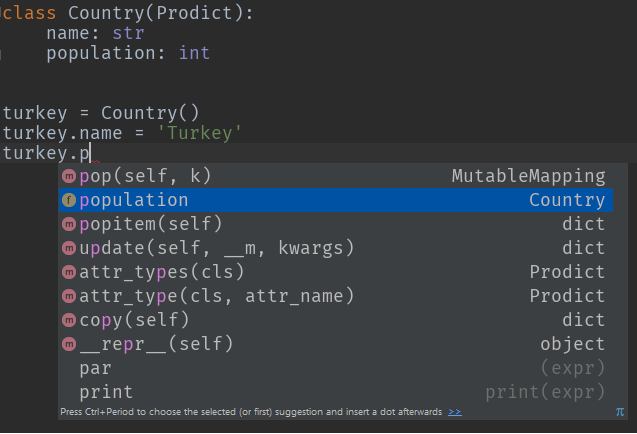
自动编码完成

示例2:自动类型转换

germany = Country(name='Germany', population='82175700', flag_colors=['black', 'red', 'yellow'])

print(germany.population)  # 82175700
print(type(germany.population))  # <class 'int'>

print(germany.flag_colors)  # ['black', 'red', 'yellow']
print(type(germany.flag_colors))  # <class 'list'>

How about Prodict, the little Python class that I wrote to rule them all:)

Plus, you get auto code completion, recursive object instantiations and auto type conversion!

You can do exactly what you asked for:

p = Prodict()
p.foo = 1
p.bar = "baz"

Example 1: Type hinting

class Country(Prodict):
    name: str
    population: int

turkey = Country()
turkey.name = 'Turkey'
turkey.population = 79814871

auto code complete

Example 2: Auto type conversion

germany = Country(name='Germany', population='82175700', flag_colors=['black', 'red', 'yellow'])

print(germany.population)  # 82175700
print(type(germany.population))  # <class 'int'>

print(germany.flag_colors)  # ['black', 'red', 'yellow']
print(type(germany.flag_colors))  # <class 'list'>

回答 9

一般而言,它不起作用。并非所有有效的dict键都具有可寻址属性(“键”)。因此,您需要小心。

Python对象基本上都是字典。因此,我怀疑会有很多性能或其他损失。

It doesn’t work in generality. Not all valid dict keys make addressable attributes (“the key”). So, you’ll need to be careful.

Python objects are all basically dictionaries. So I doubt there is much performance or other penalty.


回答 10

这并没有解决最初的问题,但是对于像我这样在寻找提供此功能的库时到此结束的人很有用。

冰火它是为这个伟大的lib:https://github.com/mewwts/addict需要在前面的答案中提到的许多问题护理。

来自文档的示例:

body = {
    'query': {
        'filtered': {
            'query': {
                'match': {'description': 'addictive'}
            },
            'filter': {
                'term': {'created_by': 'Mats'}
            }
        }
    }
}

与瘾君子:

from addict import Dict
body = Dict()
body.query.filtered.query.match.description = 'addictive'
body.query.filtered.filter.term.created_by = 'Mats'

This doesn’t address the original question, but should be useful for people that, like me, end up here when looking for a lib that provides this functionality.

Addict it’s a great lib for this: https://github.com/mewwts/addict it takes care of many concerns mentioned in previous answers.

An example from the docs:

body = {
    'query': {
        'filtered': {
            'query': {
                'match': {'description': 'addictive'}
            },
            'filter': {
                'term': {'created_by': 'Mats'}
            }
        }
    }
}

With addict:

from addict import Dict
body = Dict()
body.query.filtered.query.match.description = 'addictive'
body.query.filtered.filter.term.created_by = 'Mats'

回答 11

我发现自己想知道python生态系统中“ dict keys as attr”的当前状态是什么。正如一些评论者所指出的那样,这可能不是您想要从头开始的事情,因为存在一些陷阱和脚枪,其中一些非常隐蔽。另外,我不建议将其Namespace用作基类,因为我一直走这条路,这并不漂亮。

幸运的是,有几个提供此功能的开源软件包,准备点安装!不幸的是,有几个软件包。简介,截至2019年12月。

竞争者(最近提交给master | #commits | #contribs | coverage%):

  • 瘾君子 (2019-04-28 | 217 | 22 | 100%)
  • 蒙克(2019年12月16日| 160 | 17 |?%)
  • easydict(2018-10-18 | 51 | 6 |?%)
  • attrdict(2019-02-01 | 108 | 5 | 100%)
  • prodict (2019年10月1日| 65 | 1 |?%)

不再维护或维护不足:

  • treedict(2014-03-28 | 95 | 2 |?%)
  • 一堆(2012-03-12 | 20 | 2 |?%)
  • NeoBunch

我目前建议吃午饭上瘾。他们拥有最多的提交,贡献者和发布,建议为每个构建一个健康的开源代码库。它们具有最干净的readme.md,100%的覆盖率和良好的测试集。

除了滚动我自己的dict / attr代码并浪费大量时间,因为我不知道所有这些选择之外,我在这场比赛中没有一只狗(到目前为止!)。将来我可能会为瘾君子/饥饿做贡献,因为我宁愿看到一个坚固的包装,也不愿看到一堆零散的包装。如果您喜欢它们,请贡献力量!特别是,看起来像munch可以使用codecov徽章,而上瘾者可以使用python版本的徽章。

瘾君子的优点:

  • 递归初始化(foo.abc =’bar’),类似dict的参数会上瘾。

瘾君子的缺点:

  • 阴影,typing.Dict如果你from addict import Dict
  • 没有密钥检查。由于允许递归初始化,因此如果您拼写错误的键,则只需创建一个新属性,而不是KeyError(感谢AljoSt)

嚼劲:

  • 独特的命名
  • JSON和YAML的内置ser / de函数

缺点:

  • 没有递归初始化/一次只能初始化一个attr

我在其中编辑

许多月前,当我使用文本编辑器在只有我自己或另一个开发人员的项目上编写python时,我喜欢dict-attrs的样式,即只需声明即可插入键foo.bar.spam = eggs。现在,我在团队中工作,并使用IDE进行所有操作,而我通常已经从这类数据结构和动态类型中移开了,而转向了静态分析,功能技术和类型提示。我已经开始尝试这种技术,并使用我自己设计的对象将Pstruct子类化:

class  BasePstruct(dict):
    def __getattr__(self, name):
        if name in self.__slots__:
            return self[name]
        return self.__getattribute__(name)

    def __setattr__(self, key, value):
        if key in self.__slots__:
            self[key] = value
            return
        if key in type(self).__dict__:
            self[key] = value
            return
        raise AttributeError(
            "type object '{}' has no attribute '{}'".format(type(self).__name__, key))


class FooPstruct(BasePstruct):
    __slots__ = ['foo', 'bar']

这为您提供了一个对象,其行为仍然像dict,但还使您可以更严格的方式访问诸如属性之类的键。这样做的好处是我(或代码的不幸使用者)确切知道哪些字段可以存在和不存在,并且IDE可以自动完成字段。子类化香草也dict意味着json序列化很容易。我认为这种想法的下一个发展将是一个自定义的protobuf生成器,它会发出这些接口,并且一个不错的替代方法是,您几乎可以免费通过gRPC获得跨语言的数据结构和IPC。

如果您决定采用attr-dict,则必须记录下期望的字段,以确保您自己(以及队友)的理智。

随时编辑/更新此帖子以保持最新!

I found myself wondering what the current state of “dict keys as attr” in the python ecosystem. As several commenters have pointed out, this is probably not something you want to roll your own from scratch, as there are several pitfalls and footguns, some of them very subtle. Also, I would not recommend using Namespace as a base class, I’ve been down that road, it isn’t pretty.

Fortunately, there are several open source packages providing this functionality, ready to pip install! Unfortunately, there are several packages. Here is a synopsis, as of Dec 2019.

Contenders (most recent commit to master|#commits|#contribs|coverage%):

  • addict (2019-04-28 | 217 | 22 | 100%)
  • munch (2019-12-16 | 160 | 17 | ?%)
  • easydict (2018-10-18 | 51 | 6 | ?%)
  • attrdict (2019-02-01 | 108 | 5 | 100%)
  • prodict (2019-10-01 | 65 | 1 | ?%)

No longer maintained or under-maintained:

  • treedict (2014-03-28 | 95 | 2 | ?%)
  • bunch (2012-03-12 | 20 | 2 | ?%)
  • NeoBunch

I currently recommend munch or addict. They have the most commits, contributors, and releases, suggesting a healthy open-source codebase for each. They have the cleanest-looking readme.md, 100% coverage, and good looking set of tests.

I do not have a dog in this race (for now!), besides having rolled my own dict/attr code and wasted a ton of time because I was not aware of all these options :). I may contribute to addict/munch in the future as I would rather see one solid package than a bunch of fragmented ones. If you like them, contribute! In particular, looks like munch could use a codecov badge and addict could use a python version badge.

addict pros:

  • recursive initialization (foo.a.b.c = ‘bar’), dict-like arguments become addict.Dict

addict cons:

  • shadows typing.Dict if you from addict import Dict
  • No key checking. Due to allowing recursive init, if you misspell a key, you just create a new attribute, rather than KeyError (thanks AljoSt)

munch pros:

  • unique naming
  • built-in ser/de functions for JSON and YAML

munch cons:

  • no recursive init / only can init one attr at a time

Wherein I Editorialize

Many moons ago, when I used text editors to write python, on projects with only myself or one other dev, I liked the style of dict-attrs, the ability to insert keys by just declaring foo.bar.spam = eggs. Now I work on teams, and use an IDE for everything, and I have drifted away from these sorts of data structures and dynamic typing in general, in favor of static analysis, functional techniques and type hints. I’ve started experimenting with this technique, subclassing Pstruct with objects of my own design:

class  BasePstruct(dict):
    def __getattr__(self, name):
        if name in self.__slots__:
            return self[name]
        return self.__getattribute__(name)

    def __setattr__(self, key, value):
        if key in self.__slots__:
            self[key] = value
            return
        if key in type(self).__dict__:
            self[key] = value
            return
        raise AttributeError(
            "type object '{}' has no attribute '{}'".format(type(self).__name__, key))


class FooPstruct(BasePstruct):
    __slots__ = ['foo', 'bar']

This gives you an object which still behaves like a dict, but also lets you access keys like attributes, in a much more rigid fashion. The advantage here is I (or the hapless consumers of your code) know exactly what fields can and can’t exist, and the IDE can autocomplete fields. Also subclassing vanilla dict means json serialization is easy. I think the next evolution in this idea would be a custom protobuf generator which emits these interfaces, and a nice knock-on is you get cross-language data structures and IPC via gRPC for nearly free.

If you do decide to go with attr-dicts, it’s essential to document what fields are expected, for your own (and your teammates’) sanity.

Feel free to edit/update this post to keep it recent!


回答 12

这是使用内置的不可变记录的简短示例collections.namedtuple

def record(name, d):
    return namedtuple(name, d.keys())(**d)

和用法示例:

rec = record('Model', {
    'train_op': train_op,
    'loss': loss,
})

print rec.loss(..)

Here’s a short example of immutable records using built-in collections.namedtuple:

def record(name, d):
    return namedtuple(name, d.keys())(**d)

and a usage example:

rec = record('Model', {
    'train_op': train_op,
    'loss': loss,
})

print rec.loss(..)

回答 13

只是为了增加答案的多样性,sci-kit learning已将其实现为Bunch

class Bunch(dict):                                                              
    """ Scikit Learn's container object                                         

    Dictionary-like object that exposes its keys as attributes.                 
    >>> b = Bunch(a=1, b=2)                                                     
    >>> b['b']                                                                  
    2                                                                           
    >>> b.b                                                                     
    2                                                                           
    >>> b.c = 6                                                                 
    >>> b['c']                                                                  
    6                                                                           
    """                                                                         

    def __init__(self, **kwargs):                                               
        super(Bunch, self).__init__(kwargs)                                     

    def __setattr__(self, key, value):                                          
        self[key] = value                                                       

    def __dir__(self):                                                          
        return self.keys()                                                      

    def __getattr__(self, key):                                                 
        try:                                                                    
            return self[key]                                                    
        except KeyError:                                                        
            raise AttributeError(key)                                           

    def __setstate__(self, state):                                              
        pass                       

您所需要做的就是获取setattrgetattr方法- getattr检查dict键,然后继续检查实际属性。这setstaet是用于酸洗/解开“束”的修复程序-如果您感兴趣,请查看https://github.com/scikit-learn/scikit-learn/issues/6196

Just to add some variety to the answer, sci-kit learn has this implemented as a Bunch:

class Bunch(dict):                                                              
    """ Scikit Learn's container object                                         

    Dictionary-like object that exposes its keys as attributes.                 
    >>> b = Bunch(a=1, b=2)                                                     
    >>> b['b']                                                                  
    2                                                                           
    >>> b.b                                                                     
    2                                                                           
    >>> b.c = 6                                                                 
    >>> b['c']                                                                  
    6                                                                           
    """                                                                         

    def __init__(self, **kwargs):                                               
        super(Bunch, self).__init__(kwargs)                                     

    def __setattr__(self, key, value):                                          
        self[key] = value                                                       

    def __dir__(self):                                                          
        return self.keys()                                                      

    def __getattr__(self, key):                                                 
        try:                                                                    
            return self[key]                                                    
        except KeyError:                                                        
            raise AttributeError(key)                                           

    def __setstate__(self, state):                                              
        pass                       

All you need is to get the setattr and getattr methods – the getattr checks for dict keys and the moves on to checking for actual attributes. The setstaet is a fix for fix for pickling/unpickling “bunches” – if inerested check https://github.com/scikit-learn/scikit-learn/issues/6196


回答 14

无需编写自己的 setattr()和getattr()即可。

类对象的优势可能在类定义和继承中发挥了作用。

No need to write your own as setattr() and getattr() already exist.

The advantage of class objects probably comes into play in class definition and inheritance.


回答 15

我是根据该线程的输入创建的。不过,我需要使用odict,因此必须重写get和set attr。我认为这应适用于大多数特殊用途。

用法如下所示:

# Create an ordered dict normally...
>>> od = OrderedAttrDict()
>>> od["a"] = 1
>>> od["b"] = 2
>>> od
OrderedAttrDict([('a', 1), ('b', 2)])

# Get and set data using attribute access...
>>> od.a
1
>>> od.b = 20
>>> od
OrderedAttrDict([('a', 1), ('b', 20)])

# Setting a NEW attribute only creates it on the instance, not the dict...
>>> od.c = 8
>>> od
OrderedAttrDict([('a', 1), ('b', 20)])
>>> od.c
8

Class:

class OrderedAttrDict(odict.OrderedDict):
    """
    Constructs an odict.OrderedDict with attribute access to data.

    Setting a NEW attribute only creates it on the instance, not the dict.
    Setting an attribute that is a key in the data will set the dict data but 
    will not create a new instance attribute
    """
    def __getattr__(self, attr):
        """
        Try to get the data. If attr is not a key, fall-back and get the attr
        """
        if self.has_key(attr):
            return super(OrderedAttrDict, self).__getitem__(attr)
        else:
            return super(OrderedAttrDict, self).__getattr__(attr)


    def __setattr__(self, attr, value):
        """
        Try to set the data. If attr is not a key, fall-back and set the attr
        """
        if self.has_key(attr):
            super(OrderedAttrDict, self).__setitem__(attr, value)
        else:
            super(OrderedAttrDict, self).__setattr__(attr, value)

这是线程中已经提到的非常酷的模式,但是如果您只想接受一个dict并将其转换为可以在IDE中自动完成的对象,等等:

class ObjectFromDict(object):
    def __init__(self, d):
        self.__dict__ = d

I created this based on the input from this thread. I need to use odict though, so I had to override get and set attr. I think this should work for the majority of special uses.

Usage looks like this:

# Create an ordered dict normally...
>>> od = OrderedAttrDict()
>>> od["a"] = 1
>>> od["b"] = 2
>>> od
OrderedAttrDict([('a', 1), ('b', 2)])

# Get and set data using attribute access...
>>> od.a
1
>>> od.b = 20
>>> od
OrderedAttrDict([('a', 1), ('b', 20)])

# Setting a NEW attribute only creates it on the instance, not the dict...
>>> od.c = 8
>>> od
OrderedAttrDict([('a', 1), ('b', 20)])
>>> od.c
8

The class:

class OrderedAttrDict(odict.OrderedDict):
    """
    Constructs an odict.OrderedDict with attribute access to data.

    Setting a NEW attribute only creates it on the instance, not the dict.
    Setting an attribute that is a key in the data will set the dict data but 
    will not create a new instance attribute
    """
    def __getattr__(self, attr):
        """
        Try to get the data. If attr is not a key, fall-back and get the attr
        """
        if self.has_key(attr):
            return super(OrderedAttrDict, self).__getitem__(attr)
        else:
            return super(OrderedAttrDict, self).__getattr__(attr)


    def __setattr__(self, attr, value):
        """
        Try to set the data. If attr is not a key, fall-back and set the attr
        """
        if self.has_key(attr):
            super(OrderedAttrDict, self).__setitem__(attr, value)
        else:
            super(OrderedAttrDict, self).__setattr__(attr, value)

This is a pretty cool pattern already mentioned in the thread, but if you just want to take a dict and convert it to an object that works with auto-complete in an IDE, etc:

class ObjectFromDict(object):
    def __init__(self, d):
        self.__dict__ = d

回答 16

显然,现在有这个图书馆- https://pypi.python.org/pypi/attrdict -它实现了这个确切的功能加上递归合并和JSON负载。可能值得一看。

Apparently there is now a library for this – https://pypi.python.org/pypi/attrdict – which implements this exact functionality plus recursive merging and json loading. Might be worth a look.


回答 17

这就是我用的

args = {
        'batch_size': 32,
        'workers': 4,
        'train_dir': 'train',
        'val_dir': 'val',
        'lr': 1e-3,
        'momentum': 0.9,
        'weight_decay': 1e-4
    }
args = namedtuple('Args', ' '.join(list(args.keys())))(**args)

print (args.lr)

This is what I use

args = {
        'batch_size': 32,
        'workers': 4,
        'train_dir': 'train',
        'val_dir': 'val',
        'lr': 1e-3,
        'momentum': 0.9,
        'weight_decay': 1e-4
    }
args = namedtuple('Args', ' '.join(list(args.keys())))(**args)

print (args.lr)

回答 18

您可以使用我刚刚制作的此类来做。通过此类,您可以Map像其他字典(包括json序列化)一样使用该对象,也可以使用点符号。希望对您有帮助:

class Map(dict):
    """
    Example:
    m = Map({'first_name': 'Eduardo'}, last_name='Pool', age=24, sports=['Soccer'])
    """
    def __init__(self, *args, **kwargs):
        super(Map, self).__init__(*args, **kwargs)
        for arg in args:
            if isinstance(arg, dict):
                for k, v in arg.iteritems():
                    self[k] = v

        if kwargs:
            for k, v in kwargs.iteritems():
                self[k] = v

    def __getattr__(self, attr):
        return self.get(attr)

    def __setattr__(self, key, value):
        self.__setitem__(key, value)

    def __setitem__(self, key, value):
        super(Map, self).__setitem__(key, value)
        self.__dict__.update({key: value})

    def __delattr__(self, item):
        self.__delitem__(item)

    def __delitem__(self, key):
        super(Map, self).__delitem__(key)
        del self.__dict__[key]

用法示例:

m = Map({'first_name': 'Eduardo'}, last_name='Pool', age=24, sports=['Soccer'])
# Add new key
m.new_key = 'Hello world!'
print m.new_key
print m['new_key']
# Update values
m.new_key = 'Yay!'
# Or
m['new_key'] = 'Yay!'
# Delete key
del m.new_key
# Or
del m['new_key']

You can do it using this class I just made. With this class you can use the Map object like another dictionary(including json serialization) or with the dot notation. I hope help you:

class Map(dict):
    """
    Example:
    m = Map({'first_name': 'Eduardo'}, last_name='Pool', age=24, sports=['Soccer'])
    """
    def __init__(self, *args, **kwargs):
        super(Map, self).__init__(*args, **kwargs)
        for arg in args:
            if isinstance(arg, dict):
                for k, v in arg.iteritems():
                    self[k] = v

        if kwargs:
            for k, v in kwargs.iteritems():
                self[k] = v

    def __getattr__(self, attr):
        return self.get(attr)

    def __setattr__(self, key, value):
        self.__setitem__(key, value)

    def __setitem__(self, key, value):
        super(Map, self).__setitem__(key, value)
        self.__dict__.update({key: value})

    def __delattr__(self, item):
        self.__delitem__(item)

    def __delitem__(self, key):
        super(Map, self).__delitem__(key)
        del self.__dict__[key]

Usage examples:

m = Map({'first_name': 'Eduardo'}, last_name='Pool', age=24, sports=['Soccer'])
# Add new key
m.new_key = 'Hello world!'
print m.new_key
print m['new_key']
# Update values
m.new_key = 'Yay!'
# Or
m['new_key'] = 'Yay!'
# Delete key
del m.new_key
# Or
del m['new_key']

回答 19

让我发布另一个实现,该实现基于Kinvais的答案,但整合了http://databio.org/posts/python_AttributeDict.html中提出的AttributeDict的思想。

这个版本的优点是它也适用于嵌套字典:

class AttrDict(dict):
    """
    A class to convert a nested Dictionary into an object with key-values
    that are accessible using attribute notation (AttrDict.attribute) instead of
    key notation (Dict["key"]). This class recursively sets Dicts to objects,
    allowing you to recurse down nested dicts (like: AttrDict.attr.attr)
    """

    # Inspired by:
    # http://stackoverflow.com/a/14620633/1551810
    # http://databio.org/posts/python_AttributeDict.html

    def __init__(self, iterable, **kwargs):
        super(AttrDict, self).__init__(iterable, **kwargs)
        for key, value in iterable.items():
            if isinstance(value, dict):
                self.__dict__[key] = AttrDict(value)
            else:
                self.__dict__[key] = value

Let me post another implementation, which builds upon the answer of Kinvais, but integrates ideas from the AttributeDict proposed in http://databio.org/posts/python_AttributeDict.html.

The advantage of this version is that it also works for nested dictionaries:

class AttrDict(dict):
    """
    A class to convert a nested Dictionary into an object with key-values
    that are accessible using attribute notation (AttrDict.attribute) instead of
    key notation (Dict["key"]). This class recursively sets Dicts to objects,
    allowing you to recurse down nested dicts (like: AttrDict.attr.attr)
    """

    # Inspired by:
    # http://stackoverflow.com/a/14620633/1551810
    # http://databio.org/posts/python_AttributeDict.html

    def __init__(self, iterable, **kwargs):
        super(AttrDict, self).__init__(iterable, **kwargs)
        for key, value in iterable.items():
            if isinstance(value, dict):
                self.__dict__[key] = AttrDict(value)
            else:
                self.__dict__[key] = value

回答 20

class AttrDict(dict):

     def __init__(self):
           self.__dict__ = self

if __name__ == '____main__':

     d = AttrDict()
     d['ray'] = 'hope'
     d.sun = 'shine'  >>> Now we can use this . notation
     print d['ray']
     print d.sun
class AttrDict(dict):

     def __init__(self):
           self.__dict__ = self

if __name__ == '____main__':

     d = AttrDict()
     d['ray'] = 'hope'
     d.sun = 'shine'  >>> Now we can use this . notation
     print d['ray']
     print d.sun

回答 21

解决方法是:

DICT_RESERVED_KEYS = vars(dict).keys()


class SmartDict(dict):
    """
    A Dict which is accessible via attribute dot notation
    """
    def __init__(self, *args, **kwargs):
        """
        :param args: multiple dicts ({}, {}, ..)
        :param kwargs: arbitrary keys='value'

        If ``keyerror=False`` is passed then not found attributes will
        always return None.
        """
        super(SmartDict, self).__init__()
        self['__keyerror'] = kwargs.pop('keyerror', True)
        [self.update(arg) for arg in args if isinstance(arg, dict)]
        self.update(kwargs)

    def __getattr__(self, attr):
        if attr not in DICT_RESERVED_KEYS:
            if self['__keyerror']:
                return self[attr]
            else:
                return self.get(attr)
        return getattr(self, attr)

    def __setattr__(self, key, value):
        if key in DICT_RESERVED_KEYS:
            raise AttributeError("You cannot set a reserved name as attribute")
        self.__setitem__(key, value)

    def __copy__(self):
        return self.__class__(self)

    def copy(self):
        return self.__copy__()

Solution is:

DICT_RESERVED_KEYS = vars(dict).keys()


class SmartDict(dict):
    """
    A Dict which is accessible via attribute dot notation
    """
    def __init__(self, *args, **kwargs):
        """
        :param args: multiple dicts ({}, {}, ..)
        :param kwargs: arbitrary keys='value'

        If ``keyerror=False`` is passed then not found attributes will
        always return None.
        """
        super(SmartDict, self).__init__()
        self['__keyerror'] = kwargs.pop('keyerror', True)
        [self.update(arg) for arg in args if isinstance(arg, dict)]
        self.update(kwargs)

    def __getattr__(self, attr):
        if attr not in DICT_RESERVED_KEYS:
            if self['__keyerror']:
                return self[attr]
            else:
                return self.get(attr)
        return getattr(self, attr)

    def __setattr__(self, key, value):
        if key in DICT_RESERVED_KEYS:
            raise AttributeError("You cannot set a reserved name as attribute")
        self.__setitem__(key, value)

    def __copy__(self):
        return self.__class__(self)

    def copy(self):
        return self.__copy__()

回答 22

以这种方式访问​​字典键的注意事项和陷阱是什么?

正如@Henry所建议的那样,可能无法在dict中使用点分访问的一个原因是它将dict关键字名限制为python有效变量,从而限制了所有可能的名称。

下面的示例说明了在给定命令的情况下,为什么点访问通常不会有用d

有效期

以下属性在Python中无效:

d.1_foo                           # enumerated names
d./bar                            # path names
d.21.7, d.12:30                   # decimals, time
d.""                              # empty strings
d.john doe, d.denny's             # spaces, misc punctuation 
d.3 * x                           # expressions  

样式

PEP8约定将对属性命名施加软约束:

A.保留关键字(或内置函数)名称:

d.in
d.False, d.True
d.max, d.min
d.sum
d.id

如果函数参数的名称与保留关键字冲突,通常最好在其后附加一个下划线…

B.关于方法变量名的大小写规则:

变量名遵循与函数名相同的约定。

d.Firstname
d.Country

使用函数命名规则:小写字母,单词以下划线分隔,以提高可读性。


有时候,像熊猫这样的图书馆会引起这些担忧,该允许按名称对DataFrame列进行点访问。解决命名限制的默认机制也是数组符号-方括号中的字符串。

如果这些约束不适用于您的用例,则点访问数据结构上有多个选项。

What would be the caveats and pitfalls of accessing dict keys in this manner?

As @Henry suggests, one reason dotted-access may not be used in dicts is that it limits dict key names to python-valid variables, thereby restricting all possible names.

The following are examples on why dotted-access would not be helpful in general, given a dict, d:

Validity

The following attributes would be invalid in Python:

d.1_foo                           # enumerated names
d./bar                            # path names
d.21.7, d.12:30                   # decimals, time
d.""                              # empty strings
d.john doe, d.denny's             # spaces, misc punctuation 
d.3 * x                           # expressions  

Style

PEP8 conventions would impose a soft constraint on attribute naming:

A. Reserved keyword (or builtin function) names:

d.in
d.False, d.True
d.max, d.min
d.sum
d.id

If a function argument’s name clashes with a reserved keyword, it is generally better to append a single trailing underscore …

B. The case rule on methods and variable names:

Variable names follow the same convention as function names.

d.Firstname
d.Country

Use the function naming rules: lowercase with words separated by underscores as necessary to improve readability.


Sometimes these concerns are raised in libraries like pandas, which permits dotted-access of DataFrame columns by name. The default mechanism to resolve naming restrictions is also array-notation – a string within brackets.

If these constraints do not apply to your use case, there are several options on dotted-access data structures.


回答 23

您可以使用dict_to_obj https://pypi.org/project/dict-to-obj/ 它确实满足您的要求

From dict_to_obj import DictToObj
a = {
'foo': True
}
b = DictToObj(a)
b.foo
True

You can use dict_to_obj https://pypi.org/project/dict-to-obj/ It does exactly what you asked for

From dict_to_obj import DictToObj
a = {
'foo': True
}
b = DictToObj(a)
b.foo
True


回答 24

这不是一个“好”答案,但我认为这很不错(它不能处理当前形式的嵌套字典。)只需将您的字典包装在一个函数中:

def make_funcdict(d=None, **kwargs)
    def funcdict(d=None, **kwargs):
        if d is not None:
            funcdict.__dict__.update(d)
        funcdict.__dict__.update(kwargs)
        return funcdict.__dict__
    funcdict(d, **kwargs)
    return funcdict

现在您的语法略有不同。要像属性一样访问字典项f.key。要以通常的方式访问dict项目(和其他dict方法)f()['key'],我们可以方便地通过使用关键字参数和/或字典调用f来更新dict

d = {'name':'Henry', 'age':31}
d = make_funcdict(d)
>>> for key in d():
...     print key
... 
age
name
>>> print d.name
... Henry
>>> print d.age
... 31
>>> d({'Height':'5-11'}, Job='Carpenter')
... {'age': 31, 'name': 'Henry', 'Job': 'Carpenter', 'Height': '5-11'}

在那里。如果有人建议使用此方法的优点和缺点,我会很高兴。

This isn’t a ‘good’ answer, but I thought this was nifty (it doesn’t handle nested dicts in current form). Simply wrap your dict in a function:

def make_funcdict(d=None, **kwargs)
    def funcdict(d=None, **kwargs):
        if d is not None:
            funcdict.__dict__.update(d)
        funcdict.__dict__.update(kwargs)
        return funcdict.__dict__
    funcdict(d, **kwargs)
    return funcdict

Now you have slightly different syntax. To acces the dict items as attributes do f.key. To access the dict items (and other dict methods) in the usual manner do f()['key'] and we can conveniently update the dict by calling f with keyword arguments and/or a dictionary

Example

d = {'name':'Henry', 'age':31}
d = make_funcdict(d)
>>> for key in d():
...     print key
... 
age
name
>>> print d.name
... Henry
>>> print d.age
... 31
>>> d({'Height':'5-11'}, Job='Carpenter')
... {'age': 31, 'name': 'Henry', 'Job': 'Carpenter', 'Height': '5-11'}

And there it is. I’ll be happy if anyone suggests benefits and drawbacks of this method.


回答 25

正如Doug指出的那样,有一个Bunch软件包可用于实现该obj.key功能。其实有一个较新的版本叫做

NeoBunch

它具有很大的功能,可以通过它的neobunchify函数将您的字典转换为NeoBunch对象。我经常使用Mako模板,并且由于NeoBunch对象传递数据使它们更具可读性,因此,如果您碰巧最终在Python程序中使用了普通字典,但是想要在Mako模板中使用点符号,则可以这样使用:

from mako.template import Template
from neobunch import neobunchify

mako_template = Template(filename='mako.tmpl', strict_undefined=True)
data = {'tmpl_data': [{'key1': 'value1', 'key2': 'value2'}]}
with open('out.txt', 'w') as out_file:
    out_file.write(mako_template.render(**neobunchify(data)))

Mako模板可能如下所示:

% for d in tmpl_data:
Column1     Column2
${d.key1}   ${d.key2}
% endfor

As noted by Doug there’s a Bunch package which you can use to achieve the obj.key functionality. Actually there’s a newer version called

NeoBunch

It has though a great feature converting your dict to a NeoBunch object through its neobunchify function. I use Mako templates a lot and passing data as NeoBunch objects makes them far more readable, so if you happen to end up using a normal dict in your Python program but want the dot notation in a Mako template you can use it that way:

from mako.template import Template
from neobunch import neobunchify

mako_template = Template(filename='mako.tmpl', strict_undefined=True)
data = {'tmpl_data': [{'key1': 'value1', 'key2': 'value2'}]}
with open('out.txt', 'w') as out_file:
    out_file.write(mako_template.render(**neobunchify(data)))

And the Mako template could look like:

% for d in tmpl_data:
Column1     Column2
${d.key1}   ${d.key2}
% endfor

回答 26

最简单的方法是定义一个类,我们将其称为命名空间。它在字典上使用对象dict .update()。然后,该字典将被视为对象。

class Namespace(object):
    '''
    helps referencing object in a dictionary as dict.key instead of dict['key']
    '''
    def __init__(self, adict):
        self.__dict__.update(adict)


Person = Namespace({'name': 'ahmed',
                     'age': 30}) #--> added for edge_cls


print(Person.name)


The easiest way is to define a class let’s call it Namespace. which uses the object dict.update() on the dict. Then, the dict will be treated as an object.

class Namespace(object):
    '''
    helps referencing object in a dictionary as dict.key instead of dict['key']
    '''
    def __init__(self, adict):
        self.__dict__.update(adict)


Person = Namespace({'name': 'ahmed',
                     'age': 30}) #--> added for edge_cls


print(Person.name)

从符合条件的可迭代项中获取第一项

问题:从符合条件的可迭代项中获取第一项

我想从符合条件的列表中获得第一项。重要的是,生成的方法不能处理整个列表,这可能会很大。例如,以下功能是足够的:

def first(the_iterable, condition = lambda x: True):
    for i in the_iterable:
        if condition(i):
            return i

可以使用以下功能:

>>> first(range(10))
0
>>> first(range(10), lambda i: i > 3)
4

但是,我想不出一个好的内置式/单层式来让我这样做。如果不需要,我特别不想复制此功能。是否有内置的方法来获取与条件匹配的第一项?

I would like to get the first item from a list matching a condition. It’s important that the resulting method not process the entire list, which could be quite large. For example, the following function is adequate:

def first(the_iterable, condition = lambda x: True):
    for i in the_iterable:
        if condition(i):
            return i

This function could be used something like this:

>>> first(range(10))
0
>>> first(range(10), lambda i: i > 3)
4

However, I can’t think of a good built-in / one-liner to let me do this. I don’t particularly want to copy this function around if I don’t have to. Is there a built-in way to get the first item matching a condition?


回答 0

在Python 2.6或更高版本中:

如果StopIteration在找不到匹配元素的情况下希望被引发:

next(x for x in the_iterable if x > 3)

如果您希望返回default_value(例如None),请执行以下操作:

next((x for x in the_iterable if x > 3), default_value)

请注意,在这种情况下,您需要在生成器表达式周围加一对括号-只要生成器表达式不是唯一的参数,就需要使用括号。

我看到大多数答案都坚决地忽略了next内置函数,因此我认为出于某种神秘的原因,它们100%专注于2.5版及更早的版本-并未提及Python版本问题(但后来我没有看到该提及答案确实提到了next内置答案,这就是为什么我认为有必要自己提供答案的原因-至少以这种方式记录“正确版本”问题;-)。

在2.5中,如果迭代器立即完成.next(),则迭代器的方法立即提高StopIteration-即,对于您的用例,如果可迭代项中没有项满足条件。如果您不在乎(即,您知道必须至少有一个令人满意的项目),则只需使用.next()(在genexp上最好next,Python 2.6内置版本中的行及更高版本)。

如果您确实愿意的话,按照您在Q中首先指出的方法将内容包装在函数中似乎是最好的,尽管您建议的函数实现很好,但是您也可以使用itertoolsfor...: break循环或genexp,或者将a try/except StopIteration作为函数的主体,如各种答案所示。这些替代方案都没有太多附加值,因此我会选择您最初提出的简单的版本。

In Python 2.6 or newer:

If you want StopIteration to be raised if no matching element is found:

next(x for x in the_iterable if x > 3)

If you want default_value (e.g. None) to be returned instead:

next((x for x in the_iterable if x > 3), default_value)

Note that you need an extra pair of parentheses around the generator expression in this case − they are needed whenever the generator expression isn’t the only argument.

I see most answers resolutely ignore the next built-in and so I assume that for some mysterious reason they’re 100% focused on versions 2.5 and older — without mentioning the Python-version issue (but then I don’t see that mention in the answers that do mention the next built-in, which is why I thought it necessary to provide an answer myself — at least the “correct version” issue gets on record this way;-).

In 2.5, the .next() method of iterators immediately raises StopIteration if the iterator immediately finishes — i.e., for your use case, if no item in the iterable satisfies the condition. If you don’t care (i.e., you know there must be at least one satisfactory item) then just use .next() (best on a genexp, line for the next built-in in Python 2.6 and better).

If you do care, wrapping things in a function as you had first indicated in your Q seems best, and while the function implementation you proposed is just fine, you could alternatively use itertools, a for...: break loop, or a genexp, or a try/except StopIteration as the function’s body, as various answers suggested. There’s not much added value in any of these alternatives so I’d go for the starkly-simple version you first proposed.


回答 1

作为可重用,记录和测试的功能

def first(iterable, condition = lambda x: True):
    """
    Returns the first item in the `iterable` that
    satisfies the `condition`.

    If the condition is not given, returns the first item of
    the iterable.

    Raises `StopIteration` if no item satysfing the condition is found.

    >>> first( (1,2,3), condition=lambda x: x % 2 == 0)
    2
    >>> first(range(3, 100))
    3
    >>> first( () )
    Traceback (most recent call last):
    ...
    StopIteration
    """

    return next(x for x in iterable if condition(x))

具有默认参数的版本

@zorf建议使用此函数的版本,如果iterable为空或没有符合条件的项目,则可以具有预定义的返回值:

def first(iterable, default = None, condition = lambda x: True):
    """
    Returns the first item in the `iterable` that
    satisfies the `condition`.

    If the condition is not given, returns the first item of
    the iterable.

    If the `default` argument is given and the iterable is empty,
    or if it has no items matching the condition, the `default` argument
    is returned if it matches the condition.

    The `default` argument being None is the same as it not being given.

    Raises `StopIteration` if no item satisfying the condition is found
    and default is not given or doesn't satisfy the condition.

    >>> first( (1,2,3), condition=lambda x: x % 2 == 0)
    2
    >>> first(range(3, 100))
    3
    >>> first( () )
    Traceback (most recent call last):
    ...
    StopIteration
    >>> first([], default=1)
    1
    >>> first([], default=1, condition=lambda x: x % 2 == 0)
    Traceback (most recent call last):
    ...
    StopIteration
    >>> first([1,3,5], default=1, condition=lambda x: x % 2 == 0)
    Traceback (most recent call last):
    ...
    StopIteration
    """

    try:
        return next(x for x in iterable if condition(x))
    except StopIteration:
        if default is not None and condition(default):
            return default
        else:
            raise

As a reusable, documented and tested function

def first(iterable, condition = lambda x: True):
    """
    Returns the first item in the `iterable` that
    satisfies the `condition`.

    If the condition is not given, returns the first item of
    the iterable.

    Raises `StopIteration` if no item satysfing the condition is found.

    >>> first( (1,2,3), condition=lambda x: x % 2 == 0)
    2
    >>> first(range(3, 100))
    3
    >>> first( () )
    Traceback (most recent call last):
    ...
    StopIteration
    """

    return next(x for x in iterable if condition(x))

Version with default argument

@zorf suggested a version of this function where you can have a predefined return value if the iterable is empty or has no items matching the condition:

def first(iterable, default = None, condition = lambda x: True):
    """
    Returns the first item in the `iterable` that
    satisfies the `condition`.

    If the condition is not given, returns the first item of
    the iterable.

    If the `default` argument is given and the iterable is empty,
    or if it has no items matching the condition, the `default` argument
    is returned if it matches the condition.

    The `default` argument being None is the same as it not being given.

    Raises `StopIteration` if no item satisfying the condition is found
    and default is not given or doesn't satisfy the condition.

    >>> first( (1,2,3), condition=lambda x: x % 2 == 0)
    2
    >>> first(range(3, 100))
    3
    >>> first( () )
    Traceback (most recent call last):
    ...
    StopIteration
    >>> first([], default=1)
    1
    >>> first([], default=1, condition=lambda x: x % 2 == 0)
    Traceback (most recent call last):
    ...
    StopIteration
    >>> first([1,3,5], default=1, condition=lambda x: x % 2 == 0)
    Traceback (most recent call last):
    ...
    StopIteration
    """

    try:
        return next(x for x in iterable if condition(x))
    except StopIteration:
        if default is not None and condition(default):
            return default
        else:
            raise

回答 2

该死的exceptions!

我喜欢这个答案。但是,由于在没有项目时next()引发StopIteration异常,因此我将使用以下代码段来避免异常:

a = []
item = next((x for x in a), None)

例如,

a = []
item = next(x for x in a)

将引发StopIteration异常;

Traceback (most recent call last):
  File "<stdin>", line 1, in <module>
StopIteration

Damn Exceptions!

I love this answer. However, since next() raise a StopIteration exception when there are no items, i would use the following snippet to avoid an exception:

a = []
item = next((x for x in a), None)

For example,

a = []
item = next(x for x in a)

Will raise a StopIteration exception;

Traceback (most recent call last):
  File "<stdin>", line 1, in <module>
StopIteration

回答 3

与using相似ifilter,您可以使用生成器表达式:

>>> (x for x in xrange(10) if x > 5).next()
6

无论哪种情况,StopIteration如果没有元素满足您的条件,您可能都想抓住。

从技术上讲,我想您可以执行以下操作:

>>> foo = None
>>> for foo in (x for x in xrange(10) if x > 5): break
... 
>>> foo
6

这样可以避免产生try/except障碍。但这似乎对语法有些晦涩难懂。

Similar to using ifilter, you could use a generator expression:

>>> (x for x in xrange(10) if x > 5).next()
6

In either case, you probably want to catch StopIteration though, in case no elements satisfy your condition.

Technically speaking, I suppose you could do something like this:

>>> foo = None
>>> for foo in (x for x in xrange(10) if x > 5): break
... 
>>> foo
6

It would avoid having to make a try/except block. But that seems kind of obscure and abusive to the syntax.


回答 4

Python 3中最有效的方法是以下方法之一(使用类似的示例):

具有“领悟”风格:

next(i for i in range(100000000) if i == 1000)

警告:该表达式也适用于Python 2,但是在该示例中使用的range是在Python 3中返回一个可迭代对象,而不是像Python 2这样的列表(如果要在Python 2中构造一个可迭代对象,请使用xrange)。

请注意,该表达式避免在comprehension表达式中构造一个列表next([i for ...]),这会导致在过滤元素之前创建一个包含所有元素的列表,并且会导致处理整个选项,而不是停止迭代一次i == 1000

具有“实用”风格:

next(filter(lambda i: i == 1000, range(100000000)))

警告:这不会工作在Python 2,甚至取代rangexrange由于是filter创建一个列表,而不是一个迭代器(低效率),以及next功能只与迭代器的工作原理。

默认值

如其他响应中所述,next如果要避免在不满足条件时引发异常,则必须在函数中添加一个额外参数。

“实用”风格:

next(filter(lambda i: i == 1000, range(100000000)), False)

“领悟”风格:

使用这种样式时,您需要将comprehension表达式包含()在其中,以避免出现SyntaxError: Generator expression must be parenthesized if not sole argument

next((i for i in range(100000000) if i == 1000), False)

The most efficient way in Python 3 are one of the following (using a similar example):

With “comprehension” style:

next(i for i in range(100000000) if i == 1000)

WARNING: The expression works also with Python 2, but in the example is used range that returns an iterable object in Python 3 instead of a list like Python 2 (if you want to construct an iterable in Python 2 use xrange instead).

Note that the expression avoid to construct a list in the comprehension expression next([i for ...]), that would cause to create a list with all the elements before filter the elements, and would cause to process the entire options, instead of stop the iteration once i == 1000.

With “functional” style:

next(filter(lambda i: i == 1000, range(100000000)))

WARNING: This doesn’t work in Python 2, even replacing range with xrange due that filter create a list instead of a iterator (inefficient), and the next function only works with iterators.

Default value

As mentioned in other responses, you must add a extra-parameter to the function next if you want to avoid an exception raised when the condition is not fulfilled.

“functional” style:

next(filter(lambda i: i == 1000, range(100000000)), False)

“comprehension” style:

With this style you need to surround the comprehension expression with () to avoid a SyntaxError: Generator expression must be parenthesized if not sole argument:

next((i for i in range(100000000) if i == 1000), False)

回答 5

我会写这个

next(x for x in xrange(10) if x > 3)

I would write this

next(x for x in xrange(10) if x > 3)

回答 6

itertools模块包含用于迭代器的过滤器功能。可以通过调用next()它来获取过滤后的迭代器的第一个元素:

from itertools import ifilter

print ifilter((lambda i: i > 3), range(10)).next()

The itertools module contains a filter function for iterators. The first element of the filtered iterator can be obtained by calling next() on it:

from itertools import ifilter

print ifilter((lambda i: i > 3), range(10)).next()

回答 7

对于较旧版本的Python,其中不存在下一个内置组件:

(x for x in range(10) if x > 3).next()

For older versions of Python where the next built-in doesn’t exist:

(x for x in range(10) if x > 3).next()

回答 8

通过使用

(index for index, value in enumerate(the_iterable) if condition(value))

可以检查the_iterable中第一项的条件,并获得其索引,而无需评估the_iterable中的所有项

使用的完整表达式是

first_index = next(index for index, value in enumerate(the_iterable) if condition(value))

在这里,first_index假定在上述表达式中标识的第一个值的值。

By using

(index for index, value in enumerate(the_iterable) if condition(value))

one can check the condition of the value of the first item in the_iterable, and obtain its index without the need to evaluate all of the items in the_iterable.

The complete expression to use is

first_index = next(index for index, value in enumerate(the_iterable) if condition(value))

Here first_index assumes the value of the first value identified in the expression discussed above.


回答 9

这个问题已经有了很好的答案。我只加两分钱,因为我登陆这里试图找到解决自己问题的方法,这与OP非常相似。

如果要使用生成器查找与条件匹配的第一项的INDEX,只需执行以下操作:

next(index for index, value in enumerate(iterable) if condition)

This question already has great answers. I’m only adding my two cents because I landed here trying to find a solution to my own problem, which is very similar to the OP.

If you want to find the INDEX of the first item matching a criteria using generators, you can simply do:

next(index for index, value in enumerate(iterable) if condition)

回答 10

您也可以argwhere在Numpy中使用该功能。例如:

i)在“ helloworld”中找到第一个“ l”:

import numpy as np
l = list("helloworld") # Create list
i = np.argwhere(np.array(l)=="l") # i = array([[2],[3],[8]])
index_of_first = i.min()

ii)查找第一个随机数> 0.1

import numpy as np
r = np.random.rand(50) # Create random numbers
i = np.argwhere(r>0.1)
index_of_first = i.min()

iii)找到最后一个随机数> 0.1

import numpy as np
r = np.random.rand(50) # Create random numbers
i = np.argwhere(r>0.1)
index_of_last = i.max()

You could also use the argwhere function in Numpy. For example:

i) Find the first “l” in “helloworld”:

import numpy as np
l = list("helloworld") # Create list
i = np.argwhere(np.array(l)=="l") # i = array([[2],[3],[8]])
index_of_first = i.min()

ii) Find first random number > 0.1

import numpy as np
r = np.random.rand(50) # Create random numbers
i = np.argwhere(r>0.1)
index_of_first = i.min()

iii) Find the last random number > 0.1

import numpy as np
r = np.random.rand(50) # Create random numbers
i = np.argwhere(r>0.1)
index_of_last = i.max()

回答 11

在Python 3中:

a = (None, False, 0, 1)
assert next(filter(None, a)) == 1

在Python 2.6中:

a = (None, False, 0, 1)
assert next(iter(filter(None, a))) == 1

编辑:我认为这很明显,但显然不是:而是None可以通过lambda检查条件来传递函数(或):

a = [2,3,4,5,6,7,8]
assert next(filter(lambda x: x%2, a)) == 3

In Python 3:

a = (None, False, 0, 1)
assert next(filter(None, a)) == 1

In Python 2.6:

a = (None, False, 0, 1)
assert next(iter(filter(None, a))) == 1

EDIT: I thought it was obvious, but apparently not: instead of None you can pass a function (or a lambda) with a check for the condition:

a = [2,3,4,5,6,7,8]
assert next(filter(lambda x: x%2, a)) == 3

回答 12

Oneliner:

thefirst = [i for i in range(10) if i > 3][0]

如果您不确定任何元素根据条件有效,则应将其括起来,try/except因为这[0]会引发IndexError

Oneliner:

thefirst = [i for i in range(10) if i > 3][0]

If youre not sure that any element will be valid according to the criteria, you should enclose this with try/except since that [0] can raise an IndexError.


根据涉及len(string)的条件表达式从pandas DataFrame删除行,从而给出KeyError

问题:根据涉及len(string)的条件表达式从pandas DataFrame删除行,从而给出KeyError

我有一个pandas DataFrame,我想从中删除行,其中特定列中字符串的长度大于2。

我希望能够做到这一点(根据此答案):

df[(len(df['column name']) < 2)]

但我只是得到错误:

KeyError: u'no item named False'

我究竟做错了什么?

(注意:我知道我可以df.dropna()用来删除包含any的行NaN,但是我没有看到如何根据条件表达式删除行。)

I have a pandas DataFrame and I want to delete rows from it where the length of the string in a particular column is greater than 2.

I expect to be able to do this (per this answer):

df[(len(df['column name']) < 2)]

but I just get the error:

KeyError: u'no item named False'

What am I doing wrong?

(Note: I know I can use df.dropna() to get rid of rows that contain any NaN, but I didn’t see how to remove rows based on a conditional expression.)


回答 0

当您这样做时,len(df['column name'])您只会得到一个数字,即DataFrame中的行数(即列本身的长度)。如果要应用于len列中的每个元素,请使用df['column name'].map(len)。所以尝试

df[df['column name'].map(len) < 2]

When you do len(df['column name']) you are just getting one number, namely the number of rows in the DataFrame (i.e., the length of the column itself). If you want to apply len to each element in the column, use df['column name'].map(len). So try

df[df['column name'].map(len) < 2]

回答 1

要直接回答该问题的原始标题“如何基于条件表达式从pandas DataFrame中删除行”(我理解这不一定是OP的问题,但可以帮助其他用户遇到此问题),一种方法是使用该的方法:

df = df.drop(some labels)

df = df.drop(df[<some boolean condition>].index)

要删除列“得分”小于50的所有行:

df = df.drop(df[df.score < 50].index)

就地版本(如注释中所指出)

df.drop(df[df.score < 50].index, inplace=True)

多种条件

(请参阅布尔索引

运算符是:|for or&for and~for not。这些必须通过使用括号进行分组。

删除列“得分”小于50和大于20的所有行

df = df.drop(df[(df.score < 50) & (df.score > 20)].index)

To directly answer this question’s original title “How to delete rows from a pandas DataFrame based on a conditional expression” (which I understand is not necessarily the OP’s problem but could help other users coming across this question) one way to do this is to use the drop method:

df = df.drop(some labels)

df = df.drop(df[<some boolean condition>].index)

Example

To remove all rows where column ‘score’ is < 50:

df = df.drop(df[df.score < 50].index)

In place version (as pointed out in comments)

df.drop(df[df.score < 50].index, inplace=True)

Multiple conditions

(see Boolean Indexing)

The operators are: | for or, & for and, and ~ for not. These must be grouped by using parentheses.

To remove all rows where column ‘score’ is < 50 and > 20

df = df.drop(df[(df.score < 50) & (df.score > 20)].index)


回答 2

您可以将分配给DataFrame自身的过滤版本:

df = df[df.score > 50]

这比drop

%%timeit
test = pd.DataFrame({'x': np.random.randn(int(1e6))})
test = test[test.x < 0]
# 54.5 ms ± 2.02 ms per loop (mean ± std. dev. of 7 runs, 10 loops each)

%%timeit
test = pd.DataFrame({'x': np.random.randn(int(1e6))})
test.drop(test[test.x > 0].index, inplace=True)
# 201 ms ± 17.9 ms per loop (mean ± std. dev. of 7 runs, 10 loops each)

%%timeit
test = pd.DataFrame({'x': np.random.randn(int(1e6))})
test = test.drop(test[test.x > 0].index)
# 194 ms ± 7.03 ms per loop (mean ± std. dev. of 7 runs, 10 loops each)

You can assign the DataFrame to a filtered version of itself:

df = df[df.score > 50]

This is faster than drop:

%%timeit
test = pd.DataFrame({'x': np.random.randn(int(1e6))})
test = test[test.x < 0]
# 54.5 ms ± 2.02 ms per loop (mean ± std. dev. of 7 runs, 10 loops each)

%%timeit
test = pd.DataFrame({'x': np.random.randn(int(1e6))})
test.drop(test[test.x > 0].index, inplace=True)
# 201 ms ± 17.9 ms per loop (mean ± std. dev. of 7 runs, 10 loops each)

%%timeit
test = pd.DataFrame({'x': np.random.randn(int(1e6))})
test = test.drop(test[test.x > 0].index)
# 194 ms ± 7.03 ms per loop (mean ± std. dev. of 7 runs, 10 loops each)

回答 3

我将扩展@User的通用解决方案以提供一个 drop免费的替代方案。这是针对根据问题标题(不是OP的问题)定向到此处的人员的

假设您要删除所有带有负值的行。一种班轮解决方案是:-

df = df[(df > 0).all(axis=1)]

逐步说明:-

让我们生成一个5×5随机正态分布数据帧

np.random.seed(0)
df = pd.DataFrame(np.random.randn(5,5), columns=list('ABCDE'))
      A         B         C         D         E
0  1.764052  0.400157  0.978738  2.240893  1.867558
1 -0.977278  0.950088 -0.151357 -0.103219  0.410599
2  0.144044  1.454274  0.761038  0.121675  0.443863
3  0.333674  1.494079 -0.205158  0.313068 -0.854096
4 -2.552990  0.653619  0.864436 -0.742165  2.269755

设条件为删除负片。满足条件的布尔df:

df > 0
      A     B      C      D      E
0   True  True   True   True   True
1  False  True  False  False   True
2   True  True   True   True   True
3   True  True  False   True  False
4  False  True   True  False   True

满足条件的所有行的布尔系列 注意,如果该行中的任何元素失败,则该行被标记为false

(df > 0).all(axis=1)
0     True
1    False
2     True
3    False
4    False
dtype: bool

最后根据条件从数据框中过滤出行

df[(df > 0).all(axis=1)]
      A         B         C         D         E
0  1.764052  0.400157  0.978738  2.240893  1.867558
2  0.144044  1.454274  0.761038  0.121675  0.443863

您可以将其分配回df,以实际删除 vs 上面完成的过滤
df = df[(df > 0).all(axis=1)]

可以很容易地扩展它以过滤出包含NaN的行(非数字项):
df = df[(~df.isnull()).all(axis=1)]

对于以下情况,也可以简化此操作:删除E列为负的所有行

df = df[(df.E>0)]

我想以一些分析统计数据结尾,说明为什么@User的drop解决方案比基于原始列的过滤要慢:-

%timeit df_new = df[(df.E>0)]
345 µs ± 10.5 µs per loop (mean ± std. dev. of 7 runs, 1000 loops each)
%timeit dft.drop(dft[dft.E < 0].index, inplace=True)
890 µs ± 94.9 µs per loop (mean ± std. dev. of 7 runs, 1000 loops each)

列基本上是Series一个NumPy数组,可以免费索引。对于那些对基础内存组织如何发挥执行速度感兴趣的人们,这里有一个很棒的链接加速熊猫

I will expand on @User’s generic solution to provide a drop free alternative. This is for folks directed here based on the question’s title (not OP ‘s problem)

Say you want to delete all rows with negative values. One liner solution is:-

df = df[(df > 0).all(axis=1)]

Step by step Explanation:–

Let’s generate a 5×5 random normal distribution data frame

np.random.seed(0)
df = pd.DataFrame(np.random.randn(5,5), columns=list('ABCDE'))
      A         B         C         D         E
0  1.764052  0.400157  0.978738  2.240893  1.867558
1 -0.977278  0.950088 -0.151357 -0.103219  0.410599
2  0.144044  1.454274  0.761038  0.121675  0.443863
3  0.333674  1.494079 -0.205158  0.313068 -0.854096
4 -2.552990  0.653619  0.864436 -0.742165  2.269755

Let the condition be deleting negatives. A boolean df satisfying the condition:-

df > 0
      A     B      C      D      E
0   True  True   True   True   True
1  False  True  False  False   True
2   True  True   True   True   True
3   True  True  False   True  False
4  False  True   True  False   True

A boolean series for all rows satisfying the condition Note if any element in the row fails the condition the row is marked false

(df > 0).all(axis=1)
0     True
1    False
2     True
3    False
4    False
dtype: bool

Finally filter out rows from data frame based on the condition

df[(df > 0).all(axis=1)]
      A         B         C         D         E
0  1.764052  0.400157  0.978738  2.240893  1.867558
2  0.144044  1.454274  0.761038  0.121675  0.443863

You can assign it back to df to actually delete vs filter ing done above
df = df[(df > 0).all(axis=1)]

This can easily be extended to filter out rows containing NaN s (non numeric entries):-
df = df[(~df.isnull()).all(axis=1)]

This can also be simplified for cases like: Delete all rows where column E is negative

df = df[(df.E>0)]

I would like to end with some profiling stats on why @User’s drop solution is slower than raw column based filtration:-

%timeit df_new = df[(df.E>0)]
345 µs ± 10.5 µs per loop (mean ± std. dev. of 7 runs, 1000 loops each)
%timeit dft.drop(dft[dft.E < 0].index, inplace=True)
890 µs ± 94.9 µs per loop (mean ± std. dev. of 7 runs, 1000 loops each)

A column is basically a Series i.e a NumPy array, it can be indexed without any cost. For folks interested in how the underlying memory organization plays into execution speed here is a great Link on Speeding up Pandas:


回答 4

在熊猫中,您可以str.len处理边界,并使用布尔结果对其进行过滤。

df[df['column name'].str.len().lt(2)]

In pandas you can do str.len with your boundary and using the Boolean result to filter it .

df[df['column name'].str.len().lt(2)]

回答 5

如果要基于某些复杂的条件在列值上删除数据帧的行,则以上述方式编写代码可能会很复杂。我有以下始终有效的简单解决方案。让我们假设您要删除带有“ header”的列,因此首先在列表中获取该列。

text_data = df['name'].tolist()

现在将一些函数应用于列表的每个元素,并将其放入熊猫系列:

text_length = pd.Series([func(t) for t in text_data])

就我而言,我只是想获取令牌的数量:

text_length = pd.Series([len(t.split()) for t in text_data])

现在,在数据框中添加上述系列的另一列:

df = df.assign(text_length = text_length .values)

现在我们可以在新列上应用条件,例如:

df = df[df.text_length  >  10]
def pass_filter(df, label, length, pass_type):

    text_data = df[label].tolist()

    text_length = pd.Series([len(t.split()) for t in text_data])

    df = df.assign(text_length = text_length .values)

    if pass_type == 'high':
        df = df[df.text_length  >  length]

    if pass_type == 'low':
        df = df[df.text_length  <  length]

    df = df.drop(columns=['text_length'])

    return df

If you want to drop rows of data frame on the basis of some complicated condition on the column value then writing that in the way shown above can be complicated. I have the following simpler solution which always works. Let us assume that you want to drop the column with ‘header’ so get that column in a list first.

text_data = df['name'].tolist()

now apply some function on the every element of the list and put that in a panda series:

text_length = pd.Series([func(t) for t in text_data])

in my case I was just trying to get the number of tokens:

text_length = pd.Series([len(t.split()) for t in text_data])

now add one extra column with the above series in the data frame:

df = df.assign(text_length = text_length .values)

now we can apply condition on the new column such as:

df = df[df.text_length  >  10]
def pass_filter(df, label, length, pass_type):

    text_data = df[label].tolist()

    text_length = pd.Series([len(t.split()) for t in text_data])

    df = df.assign(text_length = text_length .values)

    if pass_type == 'high':
        df = df[df.text_length  >  length]

    if pass_type == 'low':
        df = df[df.text_length  <  length]

    df = df.drop(columns=['text_length'])

    return df

如何判断tensorflow是否在python shell中使用gpu加速?

问题:如何判断tensorflow是否在python shell中使用gpu加速?

我已经在ubuntu 16.04中使用第二个答案 ubuntu的内置apt cuda安装中安装了tensorflow 。

现在我的问题是如何测试tensorflow是否真的在使用gpu?我有一个gtx 960m gpu。当我import tensorflow这是输出

I tensorflow/stream_executor/dso_loader.cc:105] successfully opened CUDA library libcublas.so locally
I tensorflow/stream_executor/dso_loader.cc:105] successfully opened CUDA library libcudnn.so locally
I tensorflow/stream_executor/dso_loader.cc:105] successfully opened CUDA library libcufft.so locally
I tensorflow/stream_executor/dso_loader.cc:105] successfully opened CUDA library libcuda.so.1 locally
I tensorflow/stream_executor/dso_loader.cc:105] successfully opened CUDA library libcurand.so locally

这个输出足以检查tensorflow是否正在使用gpu吗?

I have installed tensorflow in my ubuntu 16.04 using the second answer here with ubuntu’s builtin apt cuda installation.

Now my question is how can I test if tensorflow is really using gpu? I have a gtx 960m gpu. When I import tensorflow this is the output

I tensorflow/stream_executor/dso_loader.cc:105] successfully opened CUDA library libcublas.so locally
I tensorflow/stream_executor/dso_loader.cc:105] successfully opened CUDA library libcudnn.so locally
I tensorflow/stream_executor/dso_loader.cc:105] successfully opened CUDA library libcufft.so locally
I tensorflow/stream_executor/dso_loader.cc:105] successfully opened CUDA library libcuda.so.1 locally
I tensorflow/stream_executor/dso_loader.cc:105] successfully opened CUDA library libcurand.so locally

Is this output enough to check if tensorflow is using gpu ?


回答 0

不,我认为“开放式CUDA库”不足以说明问题,因为图形的不同节点可能位于不同的设备上。

要找出使用哪个设备,您可以启用日志设备放置,如下所示:

sess = tf.Session(config=tf.ConfigProto(log_device_placement=True))

检查您的控制台是否有这种类型的输出。

No, I don’t think “open CUDA library” is enough to tell, because different nodes of the graph may be on different devices.

To find out which device is used, you can enable log device placement like this:

sess = tf.Session(config=tf.ConfigProto(log_device_placement=True))

Check your console for this type of output.


回答 1

除了使用sess = tf.Session(config=tf.ConfigProto(log_device_placement=True))其他答案以及TensorFlow官方文档中概述的方法外,您还可以尝试将计算分配给gpu,看看是否有错误。

import tensorflow as tf
with tf.device('/gpu:0'):
    a = tf.constant([1.0, 2.0, 3.0, 4.0, 5.0, 6.0], shape=[2, 3], name='a')
    b = tf.constant([1.0, 2.0, 3.0, 4.0, 5.0, 6.0], shape=[3, 2], name='b')
    c = tf.matmul(a, b)

with tf.Session() as sess:
    print (sess.run(c))

这里

  • “ / cpu:0”:您计算机的CPU。
  • “ / gpu:0”:计算机的GPU(如果有)。

如果您有一个gpu并可以使用它,您将看到结果。否则,您将看到堆栈跟踪很长的错误。最后,您将获得以下内容:

无法将设备分配给节点“ MatMul”:无法满足显式设备规范“ / device:GPU:0”,因为在此过程中未注册与该规范匹配的设备


最近,一些有用的功能出现在TF中:

您还可以在会话中检查可用设备:

with tf.Session() as sess:
  devices = sess.list_devices()

devices 会给你类似的东西

[_DeviceAttributes(/job:tpu_worker/replica:0/task:0/device:CPU:0, CPU, -1, 4670268618893924978),
 _DeviceAttributes(/job:tpu_worker/replica:0/task:0/device:XLA_CPU:0, XLA_CPU, 17179869184, 6127825144471676437),
 _DeviceAttributes(/job:tpu_worker/replica:0/task:0/device:XLA_GPU:0, XLA_GPU, 17179869184, 16148453971365832732),
 _DeviceAttributes(/job:tpu_worker/replica:0/task:0/device:TPU:0, TPU, 17179869184, 10003582050679337480),
 _DeviceAttributes(/job:tpu_worker/replica:0/task:0/device:TPU:1, TPU, 17179869184, 5678397037036584928)

Apart from using sess = tf.Session(config=tf.ConfigProto(log_device_placement=True)) which is outlined in other answers as well as in the official TensorFlow documentation, you can try to assign a computation to the gpu and see whether you have an error.

import tensorflow as tf
with tf.device('/gpu:0'):
    a = tf.constant([1.0, 2.0, 3.0, 4.0, 5.0, 6.0], shape=[2, 3], name='a')
    b = tf.constant([1.0, 2.0, 3.0, 4.0, 5.0, 6.0], shape=[3, 2], name='b')
    c = tf.matmul(a, b)

with tf.Session() as sess:
    print (sess.run(c))

Here

  • “/cpu:0”: The CPU of your machine.
  • “/gpu:0”: The GPU of your machine, if you have one.

If you have a gpu and can use it, you will see the result. Otherwise you will see an error with a long stacktrace. In the end you will have something like this:

Cannot assign a device to node ‘MatMul’: Could not satisfy explicit device specification ‘/device:GPU:0’ because no devices matching that specification are registered in this process


Recently a few helpful functions appeared in TF:

You can also check for available devices in the session:

with tf.Session() as sess:
  devices = sess.list_devices()

devices will return you something like

[_DeviceAttributes(/job:tpu_worker/replica:0/task:0/device:CPU:0, CPU, -1, 4670268618893924978),
 _DeviceAttributes(/job:tpu_worker/replica:0/task:0/device:XLA_CPU:0, XLA_CPU, 17179869184, 6127825144471676437),
 _DeviceAttributes(/job:tpu_worker/replica:0/task:0/device:XLA_GPU:0, XLA_GPU, 17179869184, 16148453971365832732),
 _DeviceAttributes(/job:tpu_worker/replica:0/task:0/device:TPU:0, TPU, 17179869184, 10003582050679337480),
 _DeviceAttributes(/job:tpu_worker/replica:0/task:0/device:TPU:1, TPU, 17179869184, 5678397037036584928)

回答 2

以下代码段应为您提供所有可用于tensorflow的设备。

from tensorflow.python.client import device_lib
print(device_lib.list_local_devices())

样本输出

[name:“ / cpu:0” device_type:“ CPU” memory_limit:268435456本地化{}化身:4402277519343584096,

名称:“ / gpu:0” device_type:“ GPU” memory_limit:6772842168本地化{bus_id:1}化身:7471795903849088328 physical_device_desc:“设备:0,名称:GeForce GTX 1070,pci总线ID:0000:05:00.0”]

Following piece of code should give you all devices available to tensorflow.

from tensorflow.python.client import device_lib
print(device_lib.list_local_devices())

Sample Output

[name: “/cpu:0” device_type: “CPU” memory_limit: 268435456 locality { } incarnation: 4402277519343584096,

name: “/gpu:0” device_type: “GPU” memory_limit: 6772842168 locality { bus_id: 1 } incarnation: 7471795903849088328 physical_device_desc: “device: 0, name: GeForce GTX 1070, pci bus id: 0000:05:00.0” ]


回答 3

我认为有一个更简单的方法可以实现这一目标。

import tensorflow as tf
if tf.test.gpu_device_name():
    print('Default GPU Device: {}'.format(tf.test.gpu_device_name()))
else:
    print("Please install GPU version of TF")

它通常打印像

Default GPU Device: /device:GPU:0

在我看来,这比那些冗长的日志更容易。

I think there is an easier way to achieve this.

import tensorflow as tf
if tf.test.gpu_device_name():
    print('Default GPU Device: {}'.format(tf.test.gpu_device_name()))
else:
    print("Please install GPU version of TF")

It usually prints like

Default GPU Device: /device:GPU:0

This seems easier to me rather than those verbose logs.


回答 4

Tensorflow 2.0

会话在2.0中不再使用。相反,可以使用tf.test.is_gpu_available

import tensorflow as tf

assert tf.test.is_gpu_available()
assert tf.test.is_built_with_cuda()

如果出现错误,则需要检查安装。

Tensorflow 2.0

Sessions are no longer used in 2.0. Instead, one can use tf.test.is_gpu_available:

import tensorflow as tf

assert tf.test.is_gpu_available()
assert tf.test.is_built_with_cuda()

If you get an error, you need to check your installation.


回答 5

这是否可以确认使用GPU同时训练tensorflow吗?

sess = tf.Session(config=tf.ConfigProto(log_device_placement=True))

输出量

I tensorflow/core/common_runtime/gpu/gpu_device.cc:885] Found device 0 with properties: 
name: GeForce GT 730
major: 3 minor: 5 memoryClockRate (GHz) 0.9015
pciBusID 0000:01:00.0
Total memory: 1.98GiB
Free memory: 1.72GiB
I tensorflow/core/common_runtime/gpu/gpu_device.cc:906] DMA: 0 
I tensorflow/core/common_runtime/gpu/gpu_device.cc:916] 0:   Y 
I tensorflow/core/common_runtime/gpu/gpu_device.cc:975] Creating TensorFlow device (/gpu:0) -> (device: 0, name: GeForce GT 730, pci bus id: 0000:01:00.0)
Device mapping:
/job:localhost/replica:0/task:0/gpu:0 -> device: 0, name: GeForce GT 730, pci bus id: 0000:01:00.0
I tensorflow/core/common_runtime/direct_session.cc:255] Device mapping:
/job:localhost/replica:0/task:0/gpu:0 -> device: 0, name: GeForce GT 730, pci bus id: 0000:01:00.0

This will confirm that tensorflow using GPU while training also ?

Code

sess = tf.Session(config=tf.ConfigProto(log_device_placement=True))

Output

I tensorflow/core/common_runtime/gpu/gpu_device.cc:885] Found device 0 with properties: 
name: GeForce GT 730
major: 3 minor: 5 memoryClockRate (GHz) 0.9015
pciBusID 0000:01:00.0
Total memory: 1.98GiB
Free memory: 1.72GiB
I tensorflow/core/common_runtime/gpu/gpu_device.cc:906] DMA: 0 
I tensorflow/core/common_runtime/gpu/gpu_device.cc:916] 0:   Y 
I tensorflow/core/common_runtime/gpu/gpu_device.cc:975] Creating TensorFlow device (/gpu:0) -> (device: 0, name: GeForce GT 730, pci bus id: 0000:01:00.0)
Device mapping:
/job:localhost/replica:0/task:0/gpu:0 -> device: 0, name: GeForce GT 730, pci bus id: 0000:01:00.0
I tensorflow/core/common_runtime/direct_session.cc:255] Device mapping:
/job:localhost/replica:0/task:0/gpu:0 -> device: 0, name: GeForce GT 730, pci bus id: 0000:01:00.0

回答 6

除了其他答案之外,以下内容还应帮助您确保您的tensorflow版本包括GPU支持。

import tensorflow as tf
print(tf.test.is_built_with_cuda())

In addition to other answers, the following should help you to make sure that your version of tensorflow includes GPU support.

import tensorflow as tf
print(tf.test.is_built_with_cuda())

回答 7

好的,首先ipython shell从终端和importTensorFlow 启动一个:

$ ipython --pylab
Python 3.6.5 |Anaconda custom (64-bit)| (default, Apr 29 2018, 16:14:56) 
Type 'copyright', 'credits' or 'license' for more information
IPython 6.4.0 -- An enhanced Interactive Python. Type '?' for help.
Using matplotlib backend: Qt5Agg

In [1]: import tensorflow as tf

现在,我们可以使用以下命令在控制台中查看 GPU内存使用情况:

# realtime update for every 2s
$ watch -n 2 nvidia-smi

由于我们只import使用过TensorFlow,但尚未使用任何GPU,因此使用情况统计信息为:

TF非GPU使用情况

请注意,GPU内存使用情况非常少(〜700MB);有时,GPU内存使用量甚至可能低至0 MB。


现在,让我们在代码中加载GPU。如中所示tf documentation,执行以下操作:

In [2]: sess = tf.Session(config=tf.ConfigProto(log_device_placement=True))

现在,手表统计信息应显示更新的GPU使用情况内存,如下所示:

TF GPU手表

现在观察从ipython shell进行的Python进程如何使用约7 GB的GPU内存。


PS:您可以在代码运行时继续观看这些统计信息,以了解随着时间的推移GPU使用的强度。

Ok, first launch an ipython shell from the terminal and import TensorFlow:

$ ipython --pylab
Python 3.6.5 |Anaconda custom (64-bit)| (default, Apr 29 2018, 16:14:56) 
Type 'copyright', 'credits' or 'license' for more information
IPython 6.4.0 -- An enhanced Interactive Python. Type '?' for help.
Using matplotlib backend: Qt5Agg

In [1]: import tensorflow as tf

Now, we can watch the GPU memory usage in a console using the following command:

# realtime update for every 2s
$ watch -n 2 nvidia-smi

Since we’ve only imported TensorFlow but have not used any GPU yet, the usage stats will be:

tf non-gpu usage

Notice how the GPU memory usage is very less (~ 700MB); Sometimes the GPU memory usage might even be as low as 0 MB.


Now, let’s load the GPU in our code. As indicated in tf documentation, do:

In [2]: sess = tf.Session(config=tf.ConfigProto(log_device_placement=True))

Now, the watch stats should show an updated GPU usage memory as below:

tf gpu-watch

Observe now how our Python process from the ipython shell is using ~ 7 GB of the GPU memory.


P.S. You can continue watching these stats as the code is running, to see how intense the GPU usage is over time.


回答 8

这应该给出可用于Tensorflow的设备列表(在Py-3.6下):

tf = tf.Session(config=tf.ConfigProto(log_device_placement=True))
tf.list_devices()
# _DeviceAttributes(/job:localhost/replica:0/task:0/device:CPU:0, CPU, 268435456)

This should give the list of devices available for Tensorflow (under Py-3.6):

tf = tf.Session(config=tf.ConfigProto(log_device_placement=True))
tf.list_devices()
# _DeviceAttributes(/job:localhost/replica:0/task:0/device:CPU:0, CPU, 268435456)

回答 9

我更喜欢使用nvidia-smi来监视GPU使用情况。如果在您开始编程时它显着上升,则表明您的张量流正在使用GPU。

I prefer to use nvidia-smi to monitor GPU usage. if it goes up significantly when you start you program, it’s a strong sign that your tensorflow is using GPU.


回答 10

使用Tensorflow的最新更新,您可以按以下步骤进行检查:

tf.test.is_gpu_available( cuda_only=False, min_cuda_compute_capability=None)

这将返回True如果正在使用的GPU Tensorflow,并返回False否则。

如果需要设备device_name,可以键入:tf.test.gpu_device_name()。从这里获取更多详细信息

With the recent updates of Tensorflow, you can check it as follow :

tf.test.is_gpu_available( cuda_only=False, min_cuda_compute_capability=None)

This will return True if GPU is being used by Tensorflow, and return False otherwise.

If you want device device_name you can type : tf.test.gpu_device_name(). Get more details from here


回答 11

在Jupyter中运行以下命令,

import tensorflow as tf
sess = tf.Session(config=tf.ConfigProto(log_device_placement=True))

如果您已经正确设置了环境,则在运行“ jupyter notebook”的终端中将获得以下输出

2017-10-05 14:51:46.335323: I c:\tf_jenkins\home\workspace\release-win\m\windows-gpu\py\35\tensorflow\core\common_runtime\gpu\gpu_device.cc:1030] Creating TensorFlow device (/gpu:0) -> (device: 0, name: Quadro K620, pci bus id: 0000:02:00.0)
Device mapping:
/job:localhost/replica:0/task:0/gpu:0 -> device: 0, name: Quadro K620, pci bus id: 0000:02:00.0
2017-10-05 14:51:46.337418: I c:\tf_jenkins\home\workspace\release-win\m\windows-gpu\py\35\tensorflow\core\common_runtime\direct_session.cc:265] Device mapping:
/job:localhost/replica:0/task:0/gpu:0 -> device: 0, name: Quadro K620, pci bus id: 0000:02:00.0

您可以在这里看到我正在使用TensorFlow和Nvidia Quodro K620。

Run the following in Jupyter,

import tensorflow as tf
sess = tf.Session(config=tf.ConfigProto(log_device_placement=True))

If you’ve set up your environment properly, you’ll get the following output in the terminal where you ran “jupyter notebook”,

2017-10-05 14:51:46.335323: I c:\tf_jenkins\home\workspace\release-win\m\windows-gpu\py\35\tensorflow\core\common_runtime\gpu\gpu_device.cc:1030] Creating TensorFlow device (/gpu:0) -> (device: 0, name: Quadro K620, pci bus id: 0000:02:00.0)
Device mapping:
/job:localhost/replica:0/task:0/gpu:0 -> device: 0, name: Quadro K620, pci bus id: 0000:02:00.0
2017-10-05 14:51:46.337418: I c:\tf_jenkins\home\workspace\release-win\m\windows-gpu\py\35\tensorflow\core\common_runtime\direct_session.cc:265] Device mapping:
/job:localhost/replica:0/task:0/gpu:0 -> device: 0, name: Quadro K620, pci bus id: 0000:02:00.0

You can see here I’m using TensorFlow with an Nvidia Quodro K620.


回答 12

我发现仅从命令行查询gpu是最简单的:

nvidia-smi

+-----------------------------------------------------------------------------+
| NVIDIA-SMI 384.98                 Driver Version: 384.98                    |
|-------------------------------+----------------------+----------------------+
| GPU  Name        Persistence-M| Bus-Id        Disp.A | Volatile Uncorr. ECC |
| Fan  Temp  Perf  Pwr:Usage/Cap|         Memory-Usage | GPU-Util  Compute M. |
|===============================+======================+======================|
|   0  GeForce GTX 980 Ti  Off  | 00000000:02:00.0  On |                  N/A |
| 22%   33C    P8    13W / 250W |   5817MiB /  6075MiB |      0%      Default |
+-------------------------------+----------------------+----------------------+

+-----------------------------------------------------------------------------+
| Processes:                                                       GPU Memory |
|  GPU       PID   Type   Process name                             Usage      |
|=============================================================================|
|    0      1060      G   /usr/lib/xorg/Xorg                            53MiB |
|    0     25177      C   python                                      5751MiB |
+-----------------------------------------------------------------------------+

如果您的学习是后台进程,则pid的来源 jobs -p应与pid的来源相匹配nvidia-smi

I find just querying the gpu from the command line is easiest:

nvidia-smi

+-----------------------------------------------------------------------------+
| NVIDIA-SMI 384.98                 Driver Version: 384.98                    |
|-------------------------------+----------------------+----------------------+
| GPU  Name        Persistence-M| Bus-Id        Disp.A | Volatile Uncorr. ECC |
| Fan  Temp  Perf  Pwr:Usage/Cap|         Memory-Usage | GPU-Util  Compute M. |
|===============================+======================+======================|
|   0  GeForce GTX 980 Ti  Off  | 00000000:02:00.0  On |                  N/A |
| 22%   33C    P8    13W / 250W |   5817MiB /  6075MiB |      0%      Default |
+-------------------------------+----------------------+----------------------+

+-----------------------------------------------------------------------------+
| Processes:                                                       GPU Memory |
|  GPU       PID   Type   Process name                             Usage      |
|=============================================================================|
|    0      1060      G   /usr/lib/xorg/Xorg                            53MiB |
|    0     25177      C   python                                      5751MiB |
+-----------------------------------------------------------------------------+

if your learning is a background process the pid from jobs -p should match the pid from nvidia-smi


回答 13

您可以通过运行以下代码来检查当前是否正在使用GPU:

import tensorflow as tf
tf.test.gpu_device_name()

如果输出为'',则表示您CPU仅在使用;
如果输出是类似的内容/device:GPU:0,则表示GPU有效。


并使用以下代码检查GPU您正在使用的代码:

from tensorflow.python.client import device_lib 
device_lib.list_local_devices()

You can check if you are currently using the GPU by running the following code:

import tensorflow as tf
tf.test.gpu_device_name()

If the output is '', it means you are using CPU only;
If the output is something like that /device:GPU:0, it means GPU works.


And use the following code to check which GPU you are using:

from tensorflow.python.client import device_lib 
device_lib.list_local_devices()

回答 14

将其放在jupyter笔记本顶部附近。注释掉您不需要的内容。

# confirm TensorFlow sees the GPU
from tensorflow.python.client import device_lib
assert 'GPU' in str(device_lib.list_local_devices())

# confirm Keras sees the GPU (for TensorFlow 1.X + Keras)
from keras import backend
assert len(backend.tensorflow_backend._get_available_gpus()) > 0

# confirm PyTorch sees the GPU
from torch import cuda
assert cuda.is_available()
assert cuda.device_count() > 0
print(cuda.get_device_name(cuda.current_device()))

注意:随着TensorFlow 2.0的发布,Keras现在已包含在TF API中。

最初在这里回答。

Put this near the top of your jupyter notebook. Comment out what you don’t need.

# confirm TensorFlow sees the GPU
from tensorflow.python.client import device_lib
assert 'GPU' in str(device_lib.list_local_devices())

# confirm Keras sees the GPU (for TensorFlow 1.X + Keras)
from keras import backend
assert len(backend.tensorflow_backend._get_available_gpus()) > 0

# confirm PyTorch sees the GPU
from torch import cuda
assert cuda.is_available()
assert cuda.device_count() > 0
print(cuda.get_device_name(cuda.current_device()))

NOTE: With the release of TensorFlow 2.0, Keras is now included as part of the TF API.

Originally answerwed here.


回答 15

对于Tensorflow 2.0

import tensorflow as tf

tf.test.is_gpu_available(
    cuda_only=False,
    min_cuda_compute_capability=None
)

来源在这里

其他选择是:

tf.config.experimental.list_physical_devices('GPU')

For Tensorflow 2.0

import tensorflow as tf

tf.test.is_gpu_available(
    cuda_only=False,
    min_cuda_compute_capability=None
)

source here

other option is:

tf.config.experimental.list_physical_devices('GPU')

回答 16

TENSORFLOW的更新> = 2.1。

检查TensorFlow是否使用GPU的推荐方法如下:

tf.config.list_physical_devices('GPU') 

从TensorFlow 2.1开始,tf.test.gpu_device_name()已不赞成使用上述内容。

UPDATE FOR TENSORFLOW >= 2.1.

The recommended way in which to check if TensorFlow is using GPU is the following:

tf.config.list_physical_devices('GPU') 

As of TensorFlow 2.1, tf.test.gpu_device_name() has been deprecated in favour of the aforementioned.

Then, in the terminal you can use nvidia-smi to check how much GPU memory has been alloted; at the same time, using watch -n K nvidia-smi would tell you for example every K seconds how much memory you are using (you may want to use K = 1 for real-time)


回答 17

这是我用来列出可tf.session直接从bash 访问的设备的行:

python -c "import os; os.environ['TF_CPP_MIN_LOG_LEVEL'] = '3'; import tensorflow as tf; sess = tf.Session(); [print(x) for x in sess.list_devices()]; print(tf.__version__);"

它将打印可用设备和tensorflow版本,例如:

_DeviceAttributes(/job:localhost/replica:0/task:0/device:CPU:0, CPU, 268435456, 10588614393916958794)
_DeviceAttributes(/job:localhost/replica:0/task:0/device:XLA_GPU:0, XLA_GPU, 17179869184, 12320120782636586575)
_DeviceAttributes(/job:localhost/replica:0/task:0/device:XLA_CPU:0, XLA_CPU, 17179869184, 13378821206986992411)
_DeviceAttributes(/job:localhost/replica:0/task:0/device:GPU:0, GPU, 32039954023, 12481654498215526877)
1.14.0

This is the line I am using to list devices available to tf.session directly from bash:

python -c "import os; os.environ['TF_CPP_MIN_LOG_LEVEL'] = '3'; import tensorflow as tf; sess = tf.Session(); [print(x) for x in sess.list_devices()]; print(tf.__version__);"

It will print available devices and tensorflow version, for example:

_DeviceAttributes(/job:localhost/replica:0/task:0/device:CPU:0, CPU, 268435456, 10588614393916958794)
_DeviceAttributes(/job:localhost/replica:0/task:0/device:XLA_GPU:0, XLA_GPU, 17179869184, 12320120782636586575)
_DeviceAttributes(/job:localhost/replica:0/task:0/device:XLA_CPU:0, XLA_CPU, 17179869184, 13378821206986992411)
_DeviceAttributes(/job:localhost/replica:0/task:0/device:GPU:0, GPU, 32039954023, 12481654498215526877)
1.14.0

回答 18

我发现下面的代码片段非常方便测试gpu ..

Tensorflow 2.0测试

import tensorflow as tf
import tensorflow.compat.v1 as tf
tf.disable_v2_behavior()
with tf.device('/gpu:0'):
    a = tf.constant([1.0, 2.0, 3.0, 4.0, 5.0, 6.0], shape=[2, 3], name='a')
    b = tf.constant([1.0, 2.0, 3.0, 4.0, 5.0, 6.0], shape=[3, 2], name='b')
    c = tf.matmul(a, b)

with tf.Session() as sess:
    print (sess.run(c))

Tensorflow 1测试

import tensorflow as tf
with tf.device('/gpu:0'):
    a = tf.constant([1.0, 2.0, 3.0, 4.0, 5.0, 6.0], shape=[2, 3], name='a')
    b = tf.constant([1.0, 2.0, 3.0, 4.0, 5.0, 6.0], shape=[3, 2], name='b')
    c = tf.matmul(a, b)

with tf.Session() as sess:
    print (sess.run(c))

I found below snippet is very handy to test the gpu ..

Tensorflow 2.0 Test

import tensorflow as tf
import tensorflow.compat.v1 as tf
tf.disable_v2_behavior()
with tf.device('/gpu:0'):
    a = tf.constant([1.0, 2.0, 3.0, 4.0, 5.0, 6.0], shape=[2, 3], name='a')
    b = tf.constant([1.0, 2.0, 3.0, 4.0, 5.0, 6.0], shape=[3, 2], name='b')
    c = tf.matmul(a, b)

with tf.Session() as sess:
    print (sess.run(c))

Tensorflow 1 Test

import tensorflow as tf
with tf.device('/gpu:0'):
    a = tf.constant([1.0, 2.0, 3.0, 4.0, 5.0, 6.0], shape=[2, 3], name='a')
    b = tf.constant([1.0, 2.0, 3.0, 4.0, 5.0, 6.0], shape=[3, 2], name='b')
    c = tf.matmul(a, b)

with tf.Session() as sess:
    print (sess.run(c))

回答 19

以下内容还将返回您的GPU设备的名称。

import tensorflow as tf
tf.test.gpu_device_name()

The following will also return the name of your GPU devices.

import tensorflow as tf
tf.test.gpu_device_name()

回答 20

使用tensotflow 2.0> =

import tensorflow as tf
sess = tf.compat.v1.Session(config=tf.compat.v1.ConfigProto(log_device_placement=True))

在此处输入图片说明

With tensorflow 2.0 >=

import tensorflow as tf
sess = tf.compat.v1.Session(config=tf.compat.v1.ConfigProto(log_device_placement=True))

enter image description here


回答 21

您可以使用一些选项来测试TensorFlow安装是否正在使用GPU加速。

您可以在三个不同的平台上键入以下命令。

import tensorflow as tf
sess = tf.Session(config=tf.ConfigProto(log_device_placement=True))
  1. Jupyter Notebook-检查正在运行Jupyter Notebook的控制台。您将能够看到正在使用的GPU。
  2. Python Shell-您将能够直接看到输出。(注意-不要将第二个命令的输出分配给变量’sess’;如果有帮助的话)。
  3. Spyder-在控制台中键入以下命令。

    import tensorflow as tf tf.test.is_gpu_available()

You have some options to test whether GPU acceleration is being used by your TensorFlow installation.

You can type in the following commands in three different platforms.

import tensorflow as tf
sess = tf.Session(config=tf.ConfigProto(log_device_placement=True))
  1. Jupyter Notebook – Check the console which is running the Jupyter Notebook. You will be able to see the GPU being used.
  2. Python Shell – You will be able to directly see the output. (Note- do not assign the output of the second command to the variable ‘sess’; if that helps).
  3. Spyder – Type in the following command in the console.

    import tensorflow as tf tf.test.is_gpu_available()


回答 22

Tensorflow 2.1

可以使用nvidia-smi进行验证的简单计算,以了解GPU上的内存使用情况。

import tensorflow as tf 

c1 = []
n = 10

def matpow(M, n):
    if n < 1: #Abstract cases where n < 1
        return M
    else:
        return tf.matmul(M, matpow(M, n-1))

with tf.device('/gpu:0'):
    a = tf.Variable(tf.random.uniform(shape=(10000, 10000)), name="a")
    b = tf.Variable(tf.random.uniform(shape=(10000, 10000)), name="b")
    c1.append(matpow(a, n))
    c1.append(matpow(b, n))

Tensorflow 2.1

A simple calculation that can be verified with nvidia-smi for memory usage on the GPU.

import tensorflow as tf 

c1 = []
n = 10

def matpow(M, n):
    if n < 1: #Abstract cases where n < 1
        return M
    else:
        return tf.matmul(M, matpow(M, n-1))

with tf.device('/gpu:0'):
    a = tf.Variable(tf.random.uniform(shape=(10000, 10000)), name="a")
    b = tf.Variable(tf.random.uniform(shape=(10000, 10000)), name="b")
    c1.append(matpow(a, n))
    c1.append(matpow(b, n))

回答 23

>>> import tensorflow as tf 
>>> tf.config.list_physical_devices('GPU')

2020-05-10 14:58:16.243814: I tensorflow/stream_executor/platform/default/dso_loader.cc:44] Successfully opened dynamic library libcuda.so.1
2020-05-10 14:58:16.262675: I tensorflow/stream_executor/cuda/cuda_gpu_executor.cc:981] successful NUMA node read from SysFS had negative value (-1), but there must be at least one NUMA node, so returning NUMA node zero
2020-05-10 14:58:16.263119: I tensorflow/core/common_runtime/gpu/gpu_device.cc:1555] Found device 0 with properties:
pciBusID: 0000:01:00.0 name: GeForce GTX 1060 6GB computeCapability: 6.1
coreClock: 1.7715GHz coreCount: 10 deviceMemorySize: 5.93GiB deviceMemoryBandwidth: 178.99GiB/s
2020-05-10 14:58:16.263143: I tensorflow/stream_executor/platform/default/dso_loader.cc:44] Successfully opened dynamic library libcudart.so.10.1
2020-05-10 14:58:16.263188: I tensorflow/stream_executor/platform/default/dso_loader.cc:44] Successfully opened dynamic library libcublas.so.10
2020-05-10 14:58:16.264289: I tensorflow/stream_executor/platform/default/dso_loader.cc:44] Successfully opened dynamic library libcufft.so.10
2020-05-10 14:58:16.264495: I tensorflow/stream_executor/platform/default/dso_loader.cc:44] Successfully opened dynamic library libcurand.so.10
2020-05-10 14:58:16.265644: I tensorflow/stream_executor/platform/default/dso_loader.cc:44] Successfully opened dynamic library libcusolver.so.10
2020-05-10 14:58:16.266329: I tensorflow/stream_executor/platform/default/dso_loader.cc:44] Successfully opened dynamic library libcusparse.so.10
2020-05-10 14:58:16.266357: I tensorflow/stream_executor/platform/default/dso_loader.cc:44] Successfully opened dynamic library libcudnn.so.7
2020-05-10 14:58:16.266478: I tensorflow/stream_executor/cuda/cuda_gpu_executor.cc:981] successful NUMA node read from SysFS had negative value (-1), but there must be at least one NUMA node, so returning NUMA node zero
2020-05-10 14:58:16.266823: I tensorflow/stream_executor/cuda/cuda_gpu_executor.cc:981] successful NUMA node read from SysFS had negative value (-1), but there must be at least one NUMA node, so returning NUMA node zero
2020-05-10 14:58:16.267107: I tensorflow/core/common_runtime/gpu/gpu_device.cc:1697] Adding visible gpu devices: 0
[PhysicalDevice(name='/physical_device:GPU:0', device_type='GPU')]

如@AmitaiIrron所建议:

本部分表明已找到一个GPU

2020-05-10 14:58:16.263119: I tensorflow/core/common_runtime/gpu/gpu_device.cc:1555] Found device 0 with properties:

pciBusID: 0000:01:00.0 name: GeForce GTX 1060 6GB computeCapability: 6.1
coreClock: 1.7715GHz coreCount: 10 deviceMemorySize: 5.93GiB deviceMemoryBandwidth: 178.99GiB/s

在这里,它被添加为可用的物理设备

2020-05-10 14:58:16.267107: I tensorflow/core/common_runtime/gpu/gpu_device.cc:1697] Adding visible gpu devices: 0

[PhysicalDevice(name='/physical_device:GPU:0', device_type='GPU')]
>>> import tensorflow as tf 
>>> tf.config.list_physical_devices('GPU')

2020-05-10 14:58:16.243814: I tensorflow/stream_executor/platform/default/dso_loader.cc:44] Successfully opened dynamic library libcuda.so.1
2020-05-10 14:58:16.262675: I tensorflow/stream_executor/cuda/cuda_gpu_executor.cc:981] successful NUMA node read from SysFS had negative value (-1), but there must be at least one NUMA node, so returning NUMA node zero
2020-05-10 14:58:16.263119: I tensorflow/core/common_runtime/gpu/gpu_device.cc:1555] Found device 0 with properties:
pciBusID: 0000:01:00.0 name: GeForce GTX 1060 6GB computeCapability: 6.1
coreClock: 1.7715GHz coreCount: 10 deviceMemorySize: 5.93GiB deviceMemoryBandwidth: 178.99GiB/s
2020-05-10 14:58:16.263143: I tensorflow/stream_executor/platform/default/dso_loader.cc:44] Successfully opened dynamic library libcudart.so.10.1
2020-05-10 14:58:16.263188: I tensorflow/stream_executor/platform/default/dso_loader.cc:44] Successfully opened dynamic library libcublas.so.10
2020-05-10 14:58:16.264289: I tensorflow/stream_executor/platform/default/dso_loader.cc:44] Successfully opened dynamic library libcufft.so.10
2020-05-10 14:58:16.264495: I tensorflow/stream_executor/platform/default/dso_loader.cc:44] Successfully opened dynamic library libcurand.so.10
2020-05-10 14:58:16.265644: I tensorflow/stream_executor/platform/default/dso_loader.cc:44] Successfully opened dynamic library libcusolver.so.10
2020-05-10 14:58:16.266329: I tensorflow/stream_executor/platform/default/dso_loader.cc:44] Successfully opened dynamic library libcusparse.so.10
2020-05-10 14:58:16.266357: I tensorflow/stream_executor/platform/default/dso_loader.cc:44] Successfully opened dynamic library libcudnn.so.7
2020-05-10 14:58:16.266478: I tensorflow/stream_executor/cuda/cuda_gpu_executor.cc:981] successful NUMA node read from SysFS had negative value (-1), but there must be at least one NUMA node, so returning NUMA node zero
2020-05-10 14:58:16.266823: I tensorflow/stream_executor/cuda/cuda_gpu_executor.cc:981] successful NUMA node read from SysFS had negative value (-1), but there must be at least one NUMA node, so returning NUMA node zero
2020-05-10 14:58:16.267107: I tensorflow/core/common_runtime/gpu/gpu_device.cc:1697] Adding visible gpu devices: 0
[PhysicalDevice(name='/physical_device:GPU:0', device_type='GPU')]

As suggested by @AmitaiIrron:

This section indicates that a gpu was found

2020-05-10 14:58:16.263119: I tensorflow/core/common_runtime/gpu/gpu_device.cc:1555] Found device 0 with properties:

pciBusID: 0000:01:00.0 name: GeForce GTX 1060 6GB computeCapability: 6.1
coreClock: 1.7715GHz coreCount: 10 deviceMemorySize: 5.93GiB deviceMemoryBandwidth: 178.99GiB/s

And here that it got added as an available physical device

2020-05-10 14:58:16.267107: I tensorflow/core/common_runtime/gpu/gpu_device.cc:1697] Adding visible gpu devices: 0

[PhysicalDevice(name='/physical_device:GPU:0', device_type='GPU')]

回答 24

如果您正在使用TensorFlow 2.0,则可以使用此for循环显示设备:

with tf.compat.v1.Session() as sess:
  devices = sess.list_devices()
devices

If you are using TensorFlow 2.0, you can use this for loop to show the devices:

with tf.compat.v1.Session() as sess:
  devices = sess.list_devices()
devices

回答 25

如果您使用的是tensorflow 2.x,请使用:

sess = tf.compat.v1.Session(config=tf.compat.v1.ConfigProto(log_device_placement=True))

if you are using tensorflow 2.x use:

sess = tf.compat.v1.Session(config=tf.compat.v1.ConfigProto(log_device_placement=True))

回答 26

在Jupyter或IDE中运行以下命令以检查Tensorflow是否使用GPU: tf.config.list_physical_devices('GPU')

Run this command in Jupyter or your IDE to check if Tensorflow is using a GPU or not: tf.config.list_physical_devices('GPU')